
Your Members, One Click Away: A Guide to Online Portals
Why Managing Member Access Shouldn’t Feel Like a Full-Time Job
An online membership portal is a secure web-based platform where your members can manage their own accounts, update information, pay dues, register for events, and access exclusive resources, all without requiring constant administrative intervention.
Quick Answer: What Can an Online Membership Portal Do?
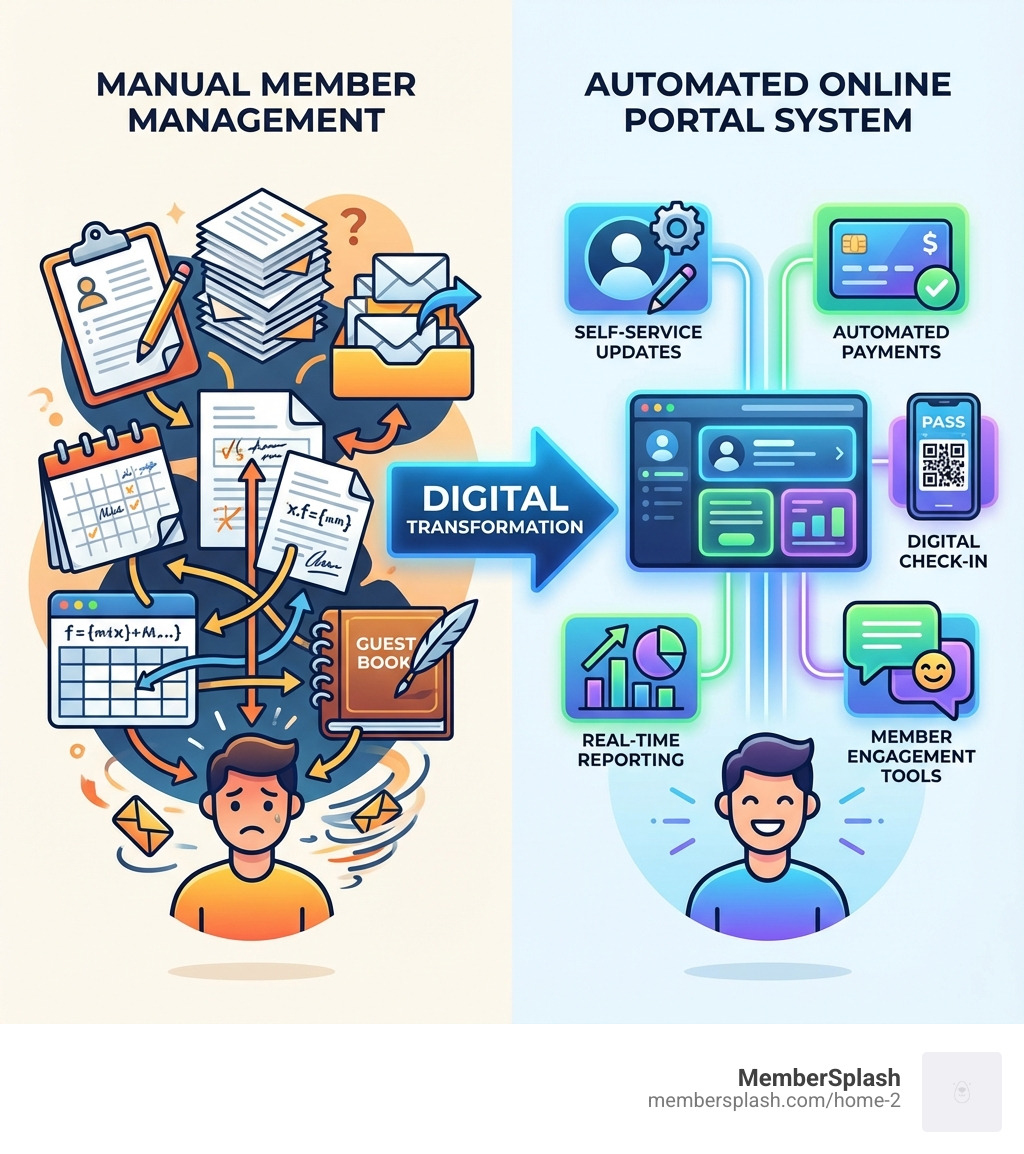
- Self-Service Access: Members update contact details, payment information, and profile photos on their own schedule.
- Automated Payments: Collect dues, process renewals, and track donations without manual invoicing.
- Streamlined Check-In: Digital passes and photo verification replace physical cards and manual lists.
- Centralized Communication: Send announcements, event invitations, and newsletters directly through the portal.
- Real-Time Reporting: Track membership status, revenue, and facility usage with instant analytics.
If you are still managing memberships through spreadsheets, email chains, and paper forms, you are not alone. A pool committee member put it simply: “Gone are the days of paper records, and here are the days of digital ease.”
Manual processes do not just waste time. They also cost money and create frustration for both staff and members. Constantly updating member details is a tiring task, especially when members cannot access their own information or handle simple tasks like paying an invoice online.
The good news is that over 4,000 organizations worldwide have already made the switch to online membership portals, collectively processing over $100 million in membership payments. These platforms transform what was once a never-ending administrative burden into an automated system that largely runs itself.
An online membership portal serves as the central hub for everything membership-related. Members get 24/7 access to their accounts. Administrators get their time back. Organizations capture more revenue and build stronger communities.
What is an Online Membership Portal and Why Does Your Organization Need One?
An online membership portal is a dynamic, secure gateway that streamlines your organization’s operations and fosters stronger member relationships. It acts as a central hub for your membership program, automating everything from joining to renewing. This digital shift empowers both members and administrators, replacing manual tracking with automated efficiency.
For organizations like swim clubs, HOAs, and community facilities in Annapolis and Baltimore, managing complex pricing and seasonal member data is a constant challenge. An online portal directly addresses these issues, cutting the costs and complexity of traditional methods. It is an indispensable tool for saving time and money while you focus on your core mission.
Core Functions: More Than Just a Login Screen
The capabilities of a modern online membership portal extend far beyond a simple login screen. These platforms are equipped with a suite of robust features that automate administrative tasks, improve member benefits, and drive organizational growth. Here is a closer look at what these portals typically offer:
- Centralized Member Database: Securely stores all member information, contact details, and membership history.
- Online Payment Processing: Members can easily pay dues, register for events, or make donations through a secure, integrated system like our online payment processing feature.
- Automated Renewals and Reminders: Automatically processes recurring payments and sends timely reminders to ensure continuous revenue.
- Event Management: List events on an events calendar, handle registrations, and process payments directly through the portal.
- Communication Tools: Keep members engaged with bulk emails, newsletters, and announcements.
- Gated Content: Offer exclusive content and resources accessible only to members, adding value and encouraging retention.
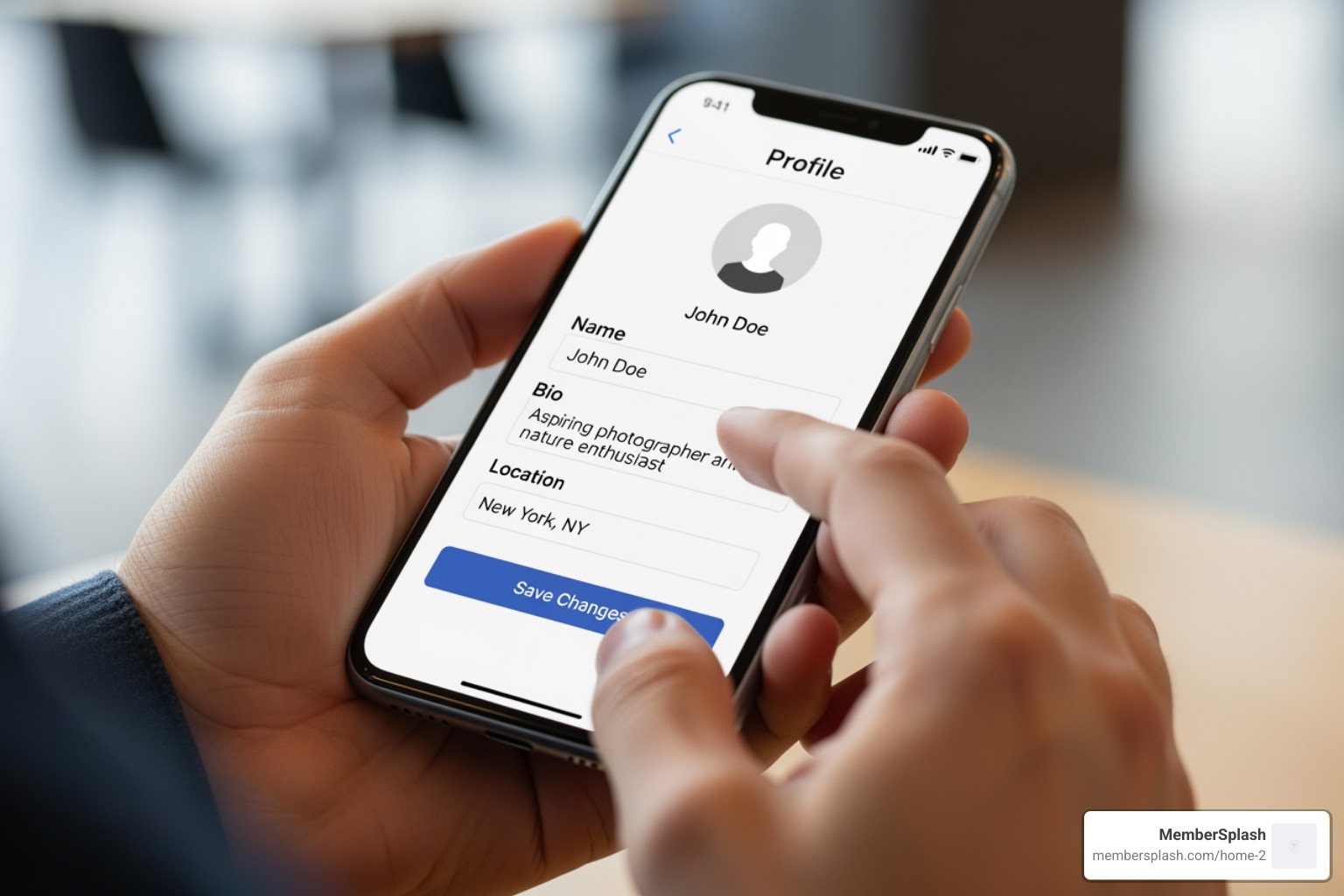
- Self-Service Profile Management: Members can update their own contact information and personal details, reducing administrative work.
- Reservation Systems: An integrated reservation system allows members to book amenities like swim lanes or tennis courts online.
- Check-in Solutions: Streamline facility access with digital membership cards and check-in photo verification.
- Reporting Dashboard: Gain real-time insights into membership status, revenue, and facility usage.
The Dual Benefits: Empowering Members and Admins
The real strength of an online membership portal lies in its ability to empower your members and significantly lighten the load for your administrative staff at the same time. It becomes a win-win solution that improves operational efficiency and member satisfaction.
For administrators, the benefits are clear and impactful:
- Reduced Administrative Work: Automates repetitive tasks like data entry and payment processing, freeing up staff time.
- Time and Cost Savings: Streamlines operations and reduces paperwork, saving significant time and money.
- Increased Data Accuracy: Member-managed profiles help keep your database accurate and reliable.
- Streamlined Operations: The entire member journey, from application to registration, becomes smoother and more efficient.
Members, on the other hand, experience a strong sense of value and convenience:
- 24/7 Access and Control: Members can manage their accounts, update details, and view payment history anytime.
- Improved Community Connection: Features like member directories and announcements foster a sense of community.
- Easy Renewals: Automated reminders and simple online payments make renewing quick and hassle-free, boosting retention.
- Personalized Experience: Portals can offer targeted content and recommendations, making the experience more engaging.
By offering a centralized, accessible hub, an online membership portal supports a more engaged community and allows your team to focus on strategic initiatives rather than day-to-day data entry.
Choosing the Right Online Membership Portal: Key Features and Integrations
Selecting the right online membership portal is a crucial decision. It is about finding a partner that can transform your member management strategy. The ideal platform should be simple to use yet powerful enough to scale with your growth, offering robust features and seamless integration with your existing tools. This ensures a smooth workflow and delivers a strong experience for both your members and your team.
When evaluating options, consider how effectively a portal can streamline operations, handle complex pricing, save time and cost, and help capture revenue, all while being intuitive for members to use.
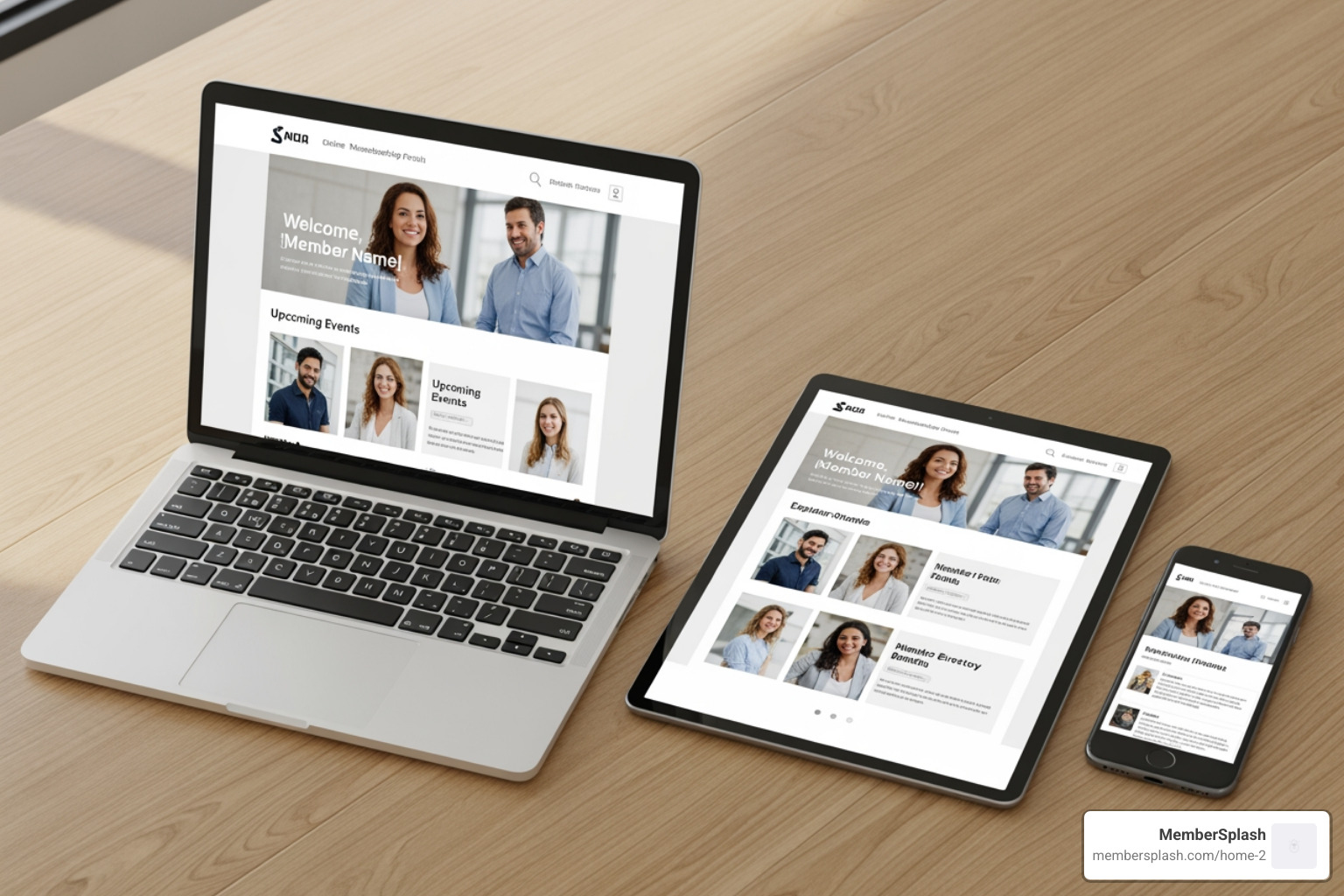
Must-Have Features for a Modern online membership portal
An effective online membership portal will come equipped with a comprehensive set of features. Here is a list of essential functionalities:
- Self-Service Profile Management: Lets members update their own information, reducing admin load and keeping data current.
- Automated Billing and Payment Processing: Securely collect dues and fees with recurring payments. Our platform provides robust online payment processing to make this seamless.
- Robust Reservation System: Essential for facilities, allowing members to book amenities like tennis courts or swim lanes online.
- Interactive Member Directories: Encourage community connections by letting members find and contact each other, with appropriate privacy controls.
- Check-in Photo Verification: Improves security and streamlines facility access with digital passes.
- Bulk Email Communication: Send targeted announcements and newsletters to specific member groups.
- Custom Reporting and Analytics: Gain insights into membership trends and financial performance to make informed decisions.
- Digital Membership Cards: Convenient digital cards for mobile wallets simplify check-in.
- Guest Management: Track and manage guest access, including online pass purchases and usage limits via our guest tracking feature.
- Point of Sale (POS) Integration: An integrated Point of Sale system allows members to make purchases using their account.
- Events Calendar: A dynamic calendar for members to view, register, and pay for events online.
- Automated Waitlist Management: Efficiently manages demand for popular classes or amenities.
Seamless Workflow: Integrating with Your Existing Tools
A powerful online membership portal does not operate in a vacuum. It connects with the tools you already use, creating a cohesive and efficient ecosystem.
Here are the types of integrations we prioritize:
- Payment Gateways: Integration with platforms like Stripe is essential for secure credit card processing and PCI compliance.
- Email Marketing Platforms: Sync member lists with popular services to automate targeted communication.
- Accounting Software: Export financial data for easy import into your accounting system.
- Website Builders: Embed portal features or login functionality into your existing website (for example WordPress, Wix, or Squarespace).
- CRM Systems: Syncing member data with a Customer Relationship Management (CRM) system ensures a complete view of each member’s interactions.
- Mobile Wallet Integration: Allow digital membership cards to be added to mobile wallets like Apple Wallet and Google Wallet for convenience.
- API Access: For advanced users, an Application Programming Interface (API) allows for custom integrations with other software.
By connecting your online membership portal with these essential tools, you create a seamless workflow that reduces redundant data entry and keeps your member data accurate and accessible.
Building and Launching Your Portal: A Step-by-Step Guide
Starting the journey of setting up an online membership portal might seem daunting, but with a clear, step-by-step approach, it becomes a straightforward path to greater efficiency. We can break the process into three core phases: Setup and Configuration, Customization, and finally Launch and Onboarding. This structure supports a smooth transition.
Step 1: Setup and Configuration
This initial phase lays the groundwork for your online membership portal. It is about getting the core structure in place and migrating your existing member data.
- Define Membership Levels and Pricing: Outline your different membership tiers (for example individual, family, senior) and their associated benefits and pricing.
- Gather Organization Details: Input all essential organizational information, including contact details, branding elements, and policies.
- Data Migration: Migrating your existing member data is a critical step. A good provider will offer supported implementation services to help you import members securely and accurately.
- Configure Payment Settings: Integrate your chosen payment gateway (like Stripe) and set up your billing cycles and automated renewal processes.
- Select Core Modules: Choose the specific features your organization needs, such as event management, reservation systems, and guest tracking.
Step 2: Customization for an Improved Member Experience
Once the basic structure is in place, you can make your online membership portal reflect your organization. Customization is key to enhancing the member experience and making the portal feel like a natural extension of your brand.
- Branding and Visual Identity: Upload your organization’s logo and choose your brand colors and fonts for a consistent look and feel.
- Tailor Dashboard Layouts: Customize what members see when they log in. Use tools to arrange widgets like membership status, upcoming events, and quick links. You can highlight member benefits by role directly on the dashboard.
- Custom Data Fields: Create custom fields in the member database to track specific information relevant to your operations.
- Personalized Communication Templates: Design custom email notifications for welcome messages, renewal reminders, and payment confirmations.
- White-Labeling Options: For a fully integrated feel, explore white-labeling options that allow your portal to carry your organization’s identity.
- Custom Member Pass Design: If you are issuing passes, customize their design with your logo, member names, and pictures.
By investing time in customization, you create an intuitive and branded online membership portal that members will want to use.
Step 3: Launch and Onboarding
With your portal configured and customized, the final step is to introduce it to your members. A well-planned launch and clear onboarding are important for maximizing engagement.
- Announce the New Portal: Build interest with a pre-launch campaign. Send out emails and post on social media to let members know about the new platform and its benefits.
- Send Welcome Emails with Login Credentials: At launch, send personalized welcome emails to all existing members with their initial login details and clear instructions.
- Create Tutorials and FAQs: Develop easy-to-follow guides, short video tutorials, or a detailed FAQ section. Resources like the HFSA Member Portal Tips and FAQs can serve as inspiration.
- Offer Live Support: Be prepared to answer questions and provide assistance during the initial launch period.
- Encourage Adoption: Highlight key features through your communication channels and encourage members to update their profiles or register for an event.
- Gather Feedback: Ask members for feedback about their experience so you can make continuous improvements.
A smooth launch and ongoing support will help your members accept the new online membership portal and make it a central part of their interaction with your organization.
From Portal to Community: Fostering Engagement and Measuring Success
An online membership portal is not merely a transactional tool. It is also a platform for building a strong member community. By using its community features and measuring success carefully, your organization can get the full benefit of streamlined operations, improved engagement, and sustainable growth.
Strategies for Building a Thriving Member Community
A successful online membership portal helps move people from being passive members to active participants.
- Interactive Member Directories: Allow members to find and connect with each other, fostering networking and a sense of belonging.
- Dynamic Events Calendar: Keep members informed about upcoming activities with easy registration through the portal.
- Discussion Forums and Message Boards: Provide a dedicated space for members to share ideas, ask questions, and engage in conversations.
- Exclusive Content and Resources: Offer members-only articles, videos, or documents that provide tangible value and reinforce the benefits of membership.
- Surveys and Polls: Ask for member feedback to make members feel heard and involved in decision-making.
- Volunteer Opportunities: Use the portal to coordinate volunteer efforts, allowing members to contribute their skills to the organization’s mission.
- News and Blog Articles: Keep members updated with the latest news and organizational achievements directly within the portal.
By implementing these strategies, your online membership portal becomes a hub where members both manage their accounts and actively participate and connect.
Essential Security Considerations for Your online membership portal
The security of member data is critical. An online membership portal handles sensitive information, so strong security measures are required.
- Data Privacy Compliance: Ensure your portal follows relevant data privacy regulations with clear policies.
- Secure Payment Processing: All financial transactions must be handled through secure, encrypted payment gateways like Stripe for PCI compliance.
- User Roles and Access Permissions: Implement a detailed system of user roles so individuals only have access to information relevant to their role.
- Multi-Factor Authentication (MFA) / OTP Login: Offer MFA for an extra layer of protection against unauthorized access.
- Regular Data Backups: A robust system for regular data backups, often covered in a Service Level Agreement, helps prevent data loss.
- SSL Encryption: Ensure the portal uses SSL encryption to protect data transmitted between browsers and the server.
- Regular Security Audits and Updates: Your portal provider should conduct regular security audits and apply timely software updates to address vulnerabilities.
By prioritizing these security measures, you build trust with members and protect their information.
Measuring What Matters: Key Metrics for Portal Success
Implementing an online membership portal is an investment, and its impact should be measured. By tracking key performance indicators (KPIs), you can assess the portal’s effectiveness and demonstrate its return on investment (ROI).
- Login Rates: How frequently are members logging in? Higher rates suggest active engagement.
- Profile Completion Rates: What percentage of members have completed their profiles? This affects data accuracy.
- Membership Renewal Rates: A user-friendly portal with automated reminders can support higher renewal rates.
- Event Registration: Track how many members register for events through the portal to measure its role in driving participation.
- Feature Usage: Monitor which features members use most to identify popular tools and areas for improvement.
- Member Satisfaction: Gather feedback through surveys. Positive comments about the portal’s ease of use are a strong indicator of success.
- Revenue Captured: Track membership payments, event fees, and donations processed through the portal.
- Administrative Time Saved: Estimate the hours saved by staff due to automation, which translates to cost savings.
- Custom Reports: Use the portal’s reporting to generate reports specific to your organization’s goals and KPIs.
By watching these metrics over time, you can refine how you use your online membership portal and continually improve the member experience.
Who Benefits? Real-World Applications of Membership Portals
The strength of an online membership portal lies in its flexibility. While the core functions remain consistent, the specific applications can vary widely depending on the type of organization. From managing community pools in Annapolis to supporting non-profits in Baltimore, these portals are changing how diverse groups manage their members and operations.
Homeowners Associations (HOAs)
Homeowners Associations (HOAs) must manage shared amenities, collect dues, and maintain community cohesion. An online membership portal is an effective way to address these needs:
- Amenity and Access Management: Manage access to pools or clubhouses with digital passes and check-in photo verification.
- Efficient Dues Collection: Automate the collection of HOA fees and assessments to support financial health.
- Centralized Communication: Communicate important updates, meeting schedules, and policy changes directly through the portal.
- Document Sharing: Provide a secure repository for important HOA documents, such as bylaws and meeting minutes.
- Reservation Systems: Allow residents to reserve common areas or tennis courts online.
Property management companies like HPS Management can gain efficiency from such streamlined solutions. We offer custom HOA property management solutions designed to simplify these complex tasks.
Swim, Tennis, and Social Clubs
Swim, tennis, and social clubs depend on active member engagement and efficient facility management. An online membership portal is well suited to these environments:
- Streamlined Member Check-in: Digital passes and photo ID verification make checking members and guests into the facility simple and fast.
- Reservation System for Amenities: Allow members to easily book tennis courts, swim lanes, or social spaces online.
- Guest Pass Management: Simplify the process of purchasing and tracking guest passes with our guest tracking feature.
- Point of Sale Integration: An integrated POS system allows members to make cashless purchases at snack bars or pro shops.
- Automated Waitlist Management: An auto waitlist feature efficiently manages demand for popular classes or full facilities.
- Events and Social Calendar: Promote club events and tournaments, allowing members to RSVP and pay online.
Our specialized swim and tennis club solutions are built to address these operational needs, maximizing efficiency and member enjoyment.
Non-Profits and Community Organizations
Non-profit organizations and community groups, such as aquariums, nature centers, or museums in the Baltimore and Annapolis areas, are driven by their mission and rely on member and donor support. An online membership portal allows them to focus on their cause rather than administrative overhead:
- Membership and Donation Management: Easily manage member details, renewal cycles, and communication, while streamlining the collection and tracking of donations.
- Volunteer Coordination: Recruit, schedule, and communicate with volunteers directly through the portal.
- Event Ticketing and Registration: Simplify the setup and promotion of fundraising events and workshops, handling registrations and payments efficiently.
- Communication and Engagement: Use email campaigns, newsletters, and discussion forums to keep supporters informed and foster a sense of community.
By simplifying these tasks, a portal helps organizations stay focused on their mission. We strive to provide robust solutions that can be implemented alongside partners such as Cerberus Digital Media for organizations that need additional digital strategy and marketing support.
Frequently Asked Questions about Online Membership Portals
We understand you might have more questions as you consider an online membership portal for your organization. Here are some of the most common inquiries we receive.
How much does a membership portal cost?
The cost of an online membership portal varies based on the features you need, the number of members you have, and the level of support required. Common pricing models include:
- SaaS Subscriptions: Most providers offer tiered monthly or annual plans (for example Basic, Essentials, Premium). Our pricing comparison shows options for different organizational sizes.
- Setup Fees: Some providers charge an initial fee for complex data migration or customization, though many offer no-cost setup for basic plans.
- Transaction Fees: In addition to subscriptions, expect small transaction fees from the payment gateway (such as Stripe) and potentially the portal provider.
- Custom Development Costs: Highly specialized features may incur additional development costs.
We offer transparent pricing to suit various budgets, from a Basics plan to an Essentials plan and a Premium plan.
Can I manage guest access with a portal?
Yes. Managing guest access is an important feature for facilities like pools and gyms. A robust online membership portal allows you to:
- Define Guest Policies: Set specific rules for guest entry, such as usage limits per member.
- Guest Pass Tracking: Easily track guest usage to support policy compliance.
- Online Guest Payments: Allow members to purchase guest passes directly through the portal.
- Streamlined Check-in: Check in guests quickly alongside members using digital passes or a simple lookup.
- Reporting: Monitor guest usage patterns to help optimize facility capacity and staffing.
This functionality is essential for managing facility access for both members and their guests.
How long does it take to set up a portal?
The time it takes to set up an online membership portal varies, but modern platforms are designed for straightforward implementation. Key factors influencing the timeline include:
- Data Import Complexity: Migrating a large, complex member database can take more time, though many providers offer assisted import.
- Customization Needs: Extensive custom branding or specialized workflows will extend the setup period.
- Staff Training: Allow time for staff to learn the new system so they can use it effectively.
- Onboarding Services: Many providers offer managed onboarding services to guide you through each step for a faster deployment.
For basic setups, you could be up and running in a matter of days or a few weeks. More complex organizations might take a month or two for full implementation. The goal is a quick and low-stress transition so you can start enjoying the benefits sooner.
Conclusion
The digital age has changed how organizations connect with their members, and the online membership portal stands at the center of this shift. These platforms streamline operations, reduce administrative burden, and save valuable time and resources for organizations in Annapolis, Baltimore, and across the United States. Just as important, they empower members with self-service access, encouraging engagement and supporting stronger communities.
By adopting an online membership portal, you are not just adding new software; you are investing in a digital hub that improves the member experience, supports data accuracy, and provides the insights needed for sustainable growth. It is time to move beyond spreadsheets and email chains and give your members the convenient, connected experience they expect.
Ready to see how an online membership portal can support your organization? Explore our features and find a smarter way to manage your membership.