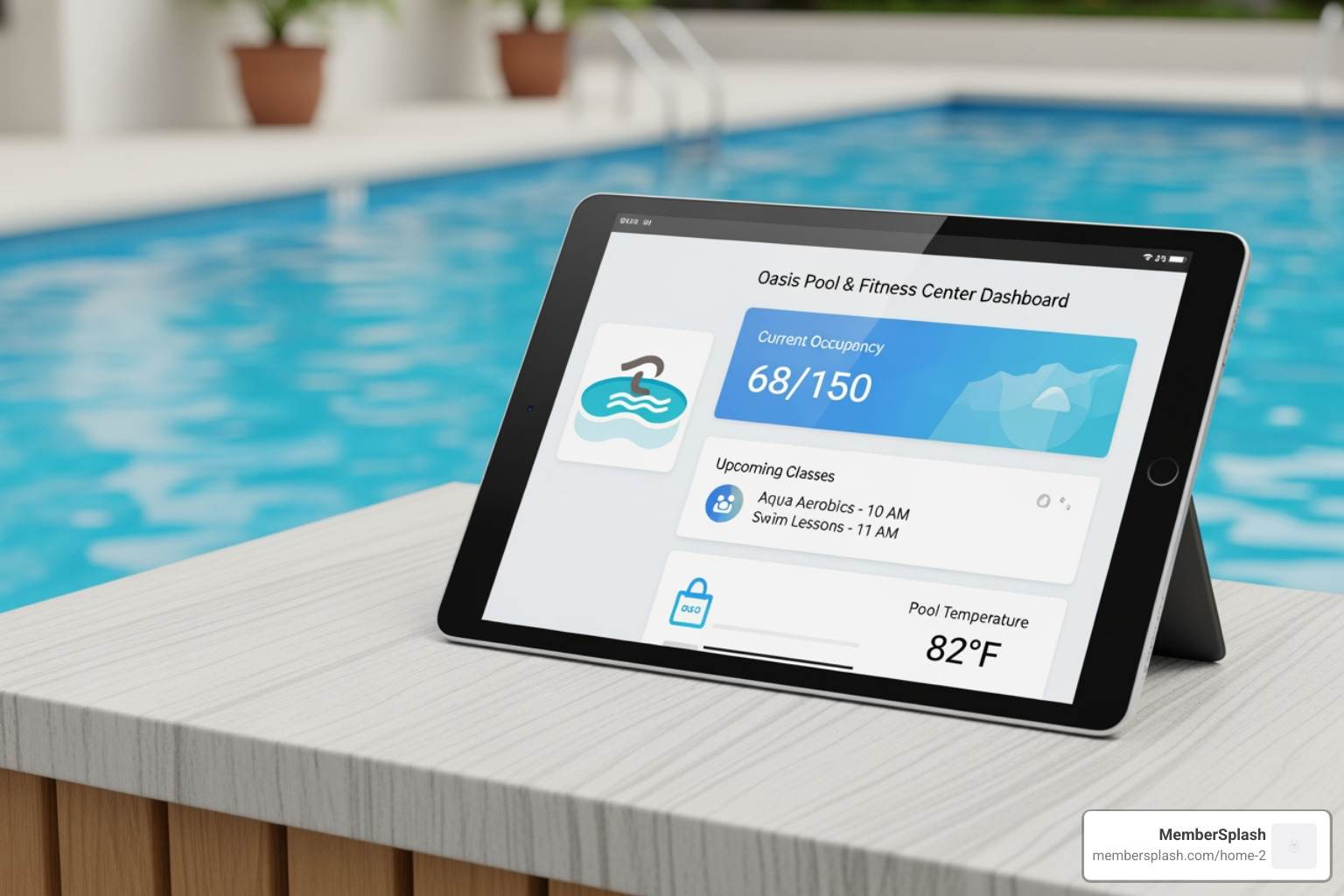
Your Portal to Paradise: Unlocking the Power of Resident Self-Service

Why Resident Self-Service Portals Matter in Today’s Digital World

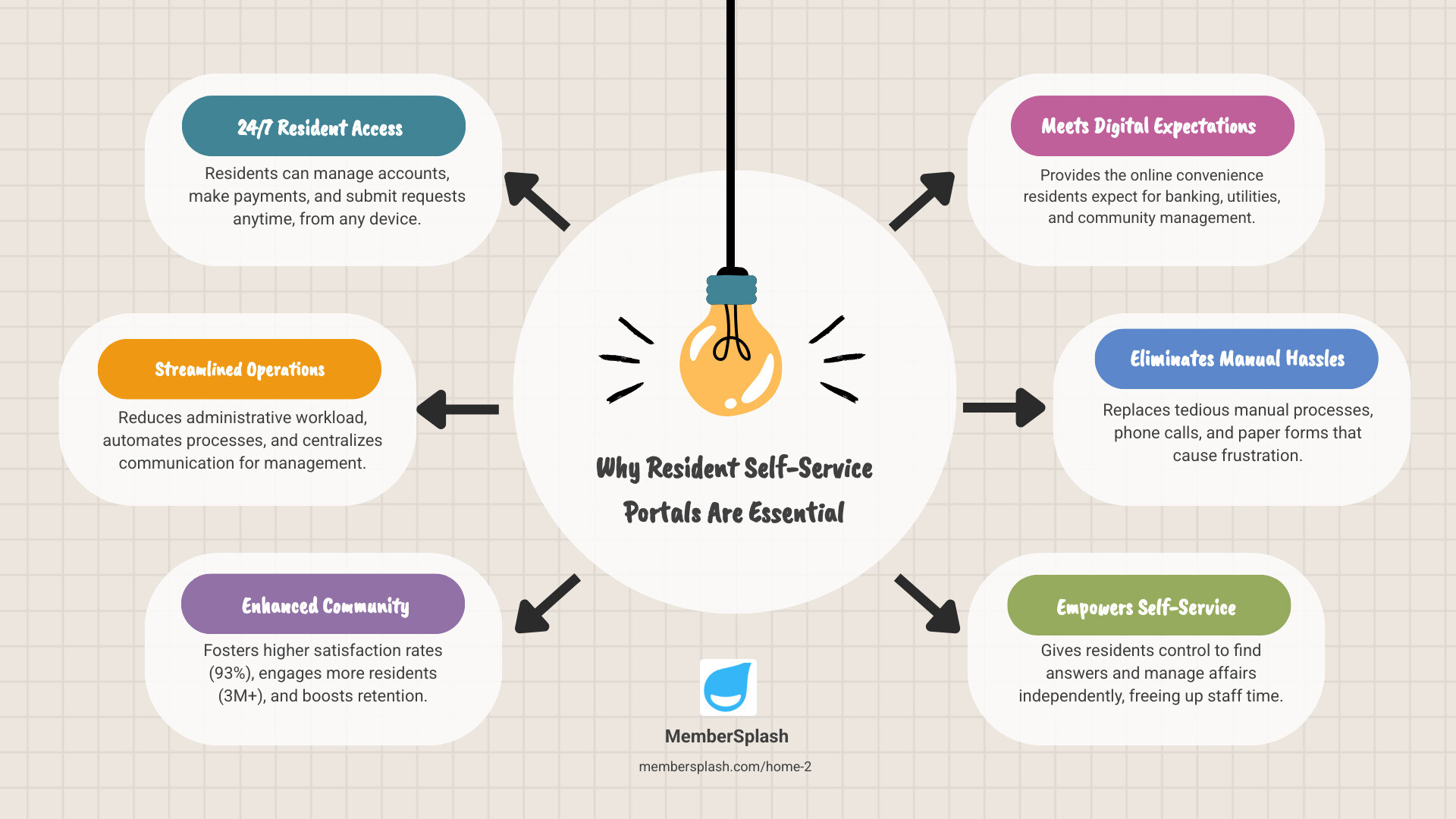
A Resident self-service portal is a centralized online platform that allows residents to manage their accounts, make payments, submit requests, and communicate with property management 24/7 without staff intervention. Here’s what makes them essential:

Core Benefits:

  • For Residents: 24/7 access to account information, online payments, maintenance requests, and community updates from any device
  • For Management: Reduced administrative workload, automated processes, faster payment collection, and centralized communication
  • For Communities: Higher satisfaction rates (93% average), improved retention, and stronger engagement across 3M+ residents

Today’s residents do everything online. They expect the same convenience for managing their community membership that they get from their bank, their utility company, or their favorite retailer.

Yet many HOAs, clubs, and pool management companies still rely on manual processes. Board members field phone calls about account balances. Managers chase down paper forms. Residents wait days for simple answers about their membership status or guest policies.

This disconnect creates frustration on both sides. Residents feel ignored when they can’t get quick answers. Management teams drown in repetitive tasks that pull them away from more important work.

The solution isn’t just about going digital. It’s about giving residents the power to help themselves while freeing up your team to focus on what matters most: building a thriving community.

As one resident noted after their community implemented a self-service portal: “It was the best experience in 17 years at their property” – citing the professionalism, punctuality, and ease of interaction.
Infographic showing three connected circles: Circle 1 labeled 'Resident Benefits' containing '24/7 Access, Self-Service Control, Payment Tracking, Request Status Updates'; Circle 2 labeled 'Management Benefits' containing 'Reduced Admin Work, Automated Payments, Centralized Data, Time Savings'; Circle 3 labeled 'Community Impact' containing '93% Satisfaction Rate, 3M+ Engaged Residents, Higher Retention, Stronger Connection' - Resident self-service portal infographic brainstorm-6-items

What is a Resident Self-Service Portal and Why is it Essential?

At its heart, a Resident self-service portal is a dedicated online hub that empowers residents to manage various aspects of their community life independently. Think of it as a digital concierge, always available, always ready to assist. This isn’t just a fancy website; it’s a strategic tool designed to facilitate seamless interactions between residents and their community management.

The primary goal of a resident self-service portal is to offer 24/7 access to essential services and information. In today’s world, convenience is king, and residents expect to handle their affairs on their own terms, whether that’s late at night or early in the morning, from their computer or their phone. This constant availability significantly reduces the need for direct staff intervention for routine inquiries, leading to a dramatic streamlining of operations.

By embracing a Resident self-service portal, organizations can automate many of the repetitive administrative tasks that often bog down staff. From processing payments to managing maintenance requests, the portal handles the heavy lifting, freeing up your team to focus on more complex issues and community-building initiatives. This shift towards automation and self-service not only cuts down on manual workload but also drastically increases overall efficiency for property managers and community associations. For more insights on maximizing efficiency and savings, explore our management solutions.

Core Functionalities of a Modern Portal

A truly effective and modern Resident self-service portal offers a comprehensive suite of functionalities designed to meet the diverse needs of residents and simplify management tasks. These core features are what make a portal invaluable:

  1. Account Management: This is the bedrock of any self-service portal. Residents can access and update their personal information, view their membership status, and manage their family details. A robust Member Account Database ensures all resident data is centralized and easily accessible.
  2. Document Access: Imagine residents no longer needing to call or email for a copy of the community bylaws, pool rules, or their lease agreement. Portals allow for easy access to important documents, contracts, and community policies, ensuring transparency and reducing administrative inquiries.
  3. Profile Updates: Life happens! Residents can update their contact information, add new family members, or change their preferences directly through the portal, ensuring that management always has the most current data.
  4. Communication History: A clear record of all past communications, including submitted requests and responses, helps residents stay informed and prevents misunderstandings.
  5. Maintenance Requests: Residents can submit maintenance requests online, often with the ability to attach photos or videos. They can then track the status of their request, from submission to completion, eliminating the need for follow-up calls. This functionality is crucial for properties, ensuring residents can easily log maintenance queries and receive updates on their status.
  6. Online Payments: One of the most popular features, allowing residents to pay dues, rent, or other fees securely online. This dramatically improves payment collection rates and provides convenience for residents.
  7. Communication Tools: Beyond just requests, portals often include messaging systems that allow residents to interact with staff, participate in community forums, or receive important announcements.

These functionalities empower residents to take control of their interactions with community management, fostering a sense of ownership and convenience.

Types of Resident Self-Service Portals

While the core concept remains the same, Resident self-service portals are adaptable and can cater to a variety of residential settings. The specific features and emphasis might shift depending on the community type:

  • HOA & Community Associations: For Homeowners Associations, a portal is essential for managing dues, sharing community documents like meeting minutes and covenants, booking shared amenities (like clubhouses or tennis courts), and facilitating communication among residents and the board. Our HOA Property Management Solutions are designed with these specific needs in mind.
  • Apartment Complexes: In apartment communities, portals often focus on rent payments, maintenance requests, lease renewals, and community event notifications. They become a vital tool for both residents and property managers in large-scale residential buildings.
  • Government Services: Even local governments in areas like Annapolis, MD, and Baltimore, MD, use self-service portals to streamline citizen interactions. These portals might allow residents to pay utility bills, apply for permits, access public records, or report civic issues. The Citizen Self-Service (CSS) Instruction Library for Annapolis, MD, serves as a great example of a city services portal, demonstrating how government entities empower their constituents with self-service options. Similarly, Baltimore City offers online payment and account lookup services, as well as a self-service portal, highlighting the widespread adoption of this technology for public convenience.
  • University Housing: For college campuses, resident portals are key for room selection, managing housing applications, booking appointments for move-in/move-out, reporting concerns, and accessing campus-specific resources.
  • Swim and Tennis Clubs: These organizations leverage portals for membership management, facility reservations, guest tracking, event registration, and fee collection. Our Swim and Tennis Club Solutions provide custom features for these dynamic environments.

Regardless of the specific type of residential community, the underlying principle of a Resident self-service portal is to improve convenience for residents and efficiency for management.

The Dual Advantage: Benefits for Residents and Management

Implementing a Resident self-service portal isn’t just a nice-to-have; it’s a strategic move that creates a genuine win-win scenario for everyone involved. Residents gain unparalleled convenience and control, while property managers achieve operational excellence and improved community health.

A property manager smiling while looking at a dashboard on a tablet, showing charts and data points - Resident self-service portal

This symbiotic relationship leads to increased satisfaction across the board, higher resident retention rates, and a more smoothly running operation. It’s a testament to the power of technology when applied thoughtfully to community management.

Empowering Your Residents

For residents, a self-service portal is nothing short of empowering. It puts control directly into their hands, allowing them to manage their living experience on their own terms.

  • 24/7 Convenience: Residents can access their accounts, make payments, or submit requests at any time, day or night, from any device. This flexibility accommodates busy schedules and diverse lifestyles, eliminating the need to wait for office hours. Offering a simple online experience is no longer a convenience; it’s a necessity because today’s residents do everything online.
  • Self-Service Control: From updating personal information to viewing important documents and signing contracts, residents have the autonomy to handle their administrative tasks. This reduces friction and gives them a sense of ownership over their community interactions.
  • Transparency on Payments and Requests: Residents can view their payment history, current balances, and the status of any maintenance requests or amenity bookings. This transparency builds trust and reduces inquiries about pending items.
  • Improved Communication: Portals provide a direct, streamlined channel for residents to interact with staff, report concerns, or receive updates. This structured communication is often more efficient than phone calls or emails, and tools allow residents to interact with staff via communication tools.
  • Improved Community Connection: By offering a centralized hub for information, events, and communication, the portal helps residents feel more connected to their community. They can see upcoming events, communicate with neighbors (if features allow), and stay informed about community news. This improved engagement contributes to the impressive 93% Resident Satisfaction statistic often seen with effective portals, and contributes to the 3M+ engaged residents we aim for.

Streamlining Your Operations

While residents bask in the glow of convenience, property managers and community associations reap significant benefits on the operational front. A Resident self-service portal transforms daily tasks, making management more efficient and effective.

  • Reduced Administrative Workload: Imagine the time saved when residents handle their own account updates, payment processing, and basic inquiries. This automation frees up your team from repetitive tasks, allowing them to focus on more complex issues, community events, or personalized resident interactions. These portals automate key property management tasks and streamline operations.
  • Centralized Data: All resident information, communication logs, payment records, and service requests are consolidated in one secure location. This eliminates data silos, improves accuracy, and provides a single source of truth for your team.
  • Faster Payments: Online payment options, especially with features like auto-pay, significantly accelerate rent and fee collection. This improves cash flow and reduces the time spent chasing overdue payments.
  • Improved Efficiency: With automated workflows and 24/7 access, processes that once took days can now be completed in minutes. This leads to faster response times for residents and a more agile management team. With over 1.6M+ properties live utilizing such platforms, the impact on efficiency is undeniable.
  • Higher Retention Rates: By providing an excellent resident experience through convenience and efficient service, portals contribute directly to higher resident satisfaction and, consequently, better retention. This helps strengthen your reputation, improve satisfaction, and retain residents longer, reducing turnover costs. This is a crucial benefit, as retaining residents is often more cost-effective than acquiring new ones.

A comprehensive view of all the features that contribute to this operational streamlining can be found by exploring our feature overview.

Choosing the Right Platform: Key Features of a Top-Tier Resident Self-Service Portal

Selecting the ideal Resident self-service portal is a critical decision for any community. It’s not just about having a portal; it’s about having the right portal. A top-tier platform should be scalable, user-friendly, and mobile-responsive, ensuring it can grow with your community and serve all residents effectively. Look for a solution that offers flexibility and scalability without requiring extensive custom development, and one that is designed to be responsive and accessible across all devices.
A checklist with key portal features like 'Online Payments' and 'Amenity Booking' highlighted, against a blurred background of a modern office - Resident self-service portal

Essential Financial and Payment Features

The financial aspects of community management are often the most time-consuming. A robust Resident self-service portal should simplify these processes for both residents and staff:

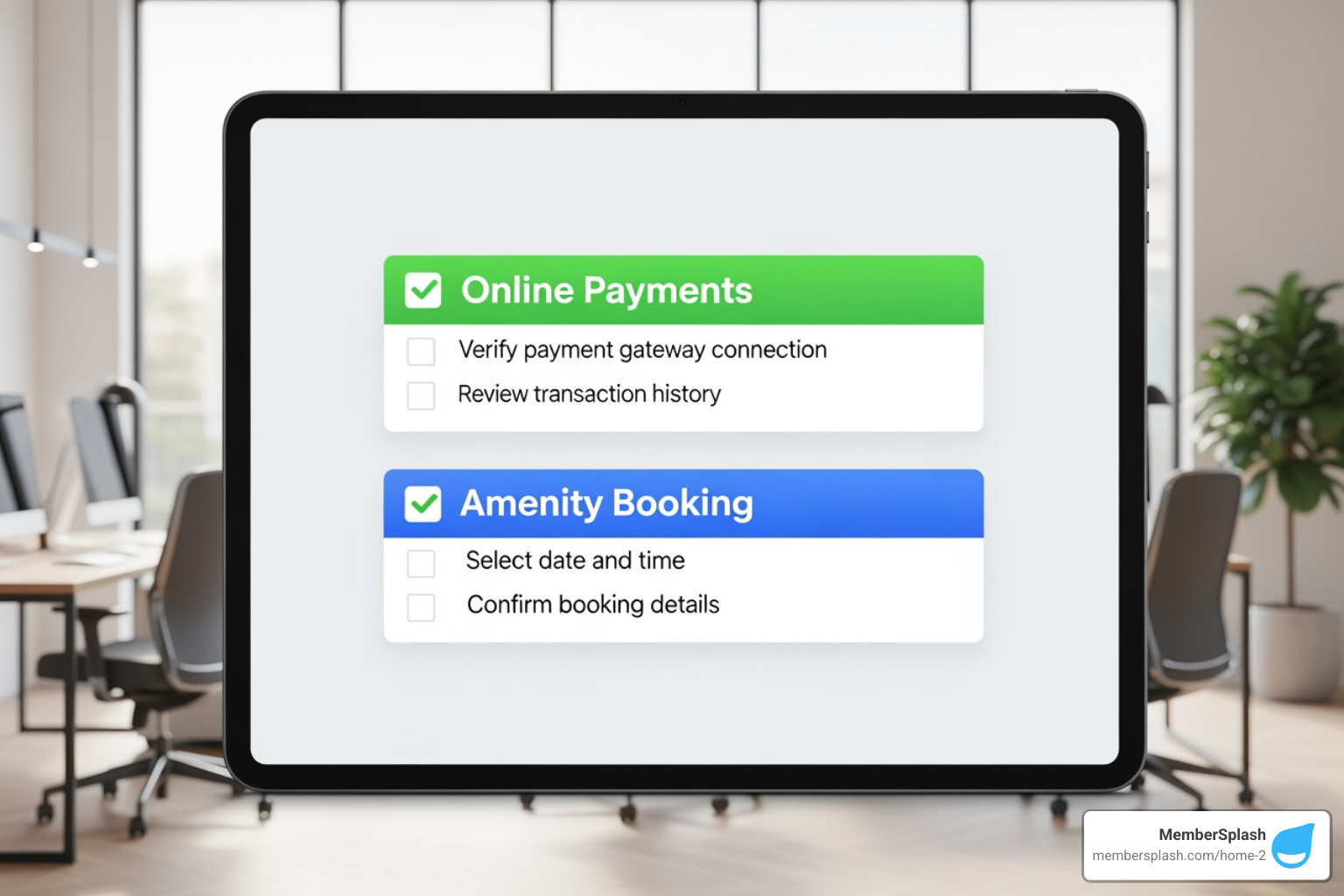
  • Online Payments: This is non-negotiable. Residents should be able to pay dues, rent, guest fees, or other charges securely online using various methods like credit cards, debit cards, or ACH. Our Secure Payment Processing ensures these transactions are safe and efficient. For organizations and patrons utilizing billing services, comply with the PoolPass Billing Terms and Conditions.
  • Auto-Pay Options: Offering recurring payment options significantly increases on-time payments and reduces the need for manual processing.
  • Financial Reporting: For management, the portal should provide clear, actionable reports on payment statuses, outstanding balances, and transaction histories, simplifying reconciliation.
  • Guest Fee Management: For clubs and HOAs with amenities, the ability to manage and collect fees for guests directly through the portal is invaluable. Our Guest Tracking & Payment feature streamlines this process.

Communication and Engagement Tools

Beyond transactions, a Resident self-service portal excels at fostering a connected and informed community. Effective communication is key:

  • Community Calendars: A centralized calendar keeps residents informed about upcoming events, board meetings, amenity closures, or holiday schedules. Our Events Calendar feature makes this easy.
  • Bulk Email & SMS: The ability to send mass communications directly through the portal ensures important announcements reach all residents quickly. This is perfect for emergencies, policy updates, or event reminders. Explore our Bulk Email Communication tools.
  • Digital Forms: From amenity reservation requests to feedback surveys, digital forms simplify data collection and reduce paper waste.
  • Amenity Bookings: Allowing residents to reserve common areas, sports courts, or other facilities online minimizes conflicts and streamlines resource allocation. Our Reservation System provides a seamless experience for this.

Customization and Security for Your Resident Self-Service Portal

A truly effective Resident self-service portal isn’t just functional; it’s also secure and feels like an integral part of your community’s brand.

  • Branded Portal: A portal that reflects your community’s branding – with your logo, colors, and specific messaging – creates a cohesive and professional experience for residents. This makes the portal feel like their portal, not just a generic platform.
  • Custom Forms: The ability to create custom forms custom to your specific needs, whether for new member registration, volunteer sign-ups, or specific requests, adds immense flexibility.
  • Role-Based Access: Not all users need access to the same information. Role-based access ensures that residents, board members, and staff only see the information relevant to their permissions.
  • Data Encryption: Protecting sensitive resident data is paramount. A top-tier portal employs robust data encryption and security protocols to safeguard personal and financial information. The highest level of security, with input verification at every step, is a must-have.
  • Photo Verification for Check-in: For facilities like pools or gyms, integrating photo verification adds an extra layer of security and efficiency. Our Check-in Photo Verification feature ensures only authorized individuals gain access.

From Plan to Portal: Implementation and Adoption

Starting on the journey from planning to a fully functional Resident self-service portal requires a clear roadmap. It involves careful consideration of data migration, thorough onboarding, comprehensive user training, and proactive strategies to overcome potential challenges. The goal is a smooth transition that maximizes the benefits for both your team and your residents.

Integration and Setup

The success of your Resident self-service portal often hinges on how seamlessly it integrates with your existing operations and systems.

  • Integration with Existing Software: A robust portal should be able to integrate with other property management software or accounting systems you already use. This ensures data consistency and avoids duplicate data entry, creating a unified ecosystem for your management tasks.
  • Data Migration Support: Moving existing resident data to a new platform can seem daunting. Look for providers that offer comprehensive data migration support, ensuring a smooth and accurate transfer of information.
  • Onboarding Assistance: A good vendor won’t just hand you the keys; they’ll walk you through the setup process, configure the portal to your specific needs, and provide initial training. Our Supported Implementation ensures you’re never alone in this process.
  • Customization Options: While a widget-based design allows for easy setup, the ability to customize the portal’s appearance and functionality to match your community’s unique identity is crucial for user adoption and branding.

Overcoming Challenges and Ensuring Security

While the benefits are plentiful, organizations must be aware of potential challenges and prioritize security when implementing a Resident self-service portal.

  • Potential Drawbacks: Initial resistance from residents or staff unfamiliar with new technology can be a hurdle. We address this through user-friendly design and comprehensive support.
  • Data Security Protocols: Protecting residents’ personal and financial information is paramount. The portal must use robust data encryption, firewalls, and secure servers. It’s crucial to understand the terms and conditions governing data use and protection.
  • PCI Compliance: For any portal handling payments, adhering to Payment Card Industry Data Security Standard (PCI DSS) compliance is non-negotiable. This protects cardholder data and ensures secure transactions. Organizations are responsible for their own PCI compliance.
  • User Privacy: Clear policies on how resident data is collected, used, and shared must be in place and easily accessible. For a detailed understanding of these requirements, review an Example of Portal Terms and Conditions to ensure your chosen solution aligns with strict privacy standards.
  • Staff Training: Proper training for your management team is essential to ensure they can effectively use the portal, assist residents, and troubleshoot minor issues.

Driving User Adoption for Your Resident Self-Service Portal

Building a fantastic Resident self-service portal is only half the battle; getting residents to use it is the other. User adoption is key to realizing the full return on investment.

  • Launch Campaign: Don’t just launch it and hope for the best! Create an exciting launch campaign to introduce the portal to residents. This could include emails, flyers, social media announcements, and even a launch event.
  • Clear Instructions: Provide easy-to-follow guides, FAQs, and video tutorials on how to register and use the portal’s key features. Make it as simple as possible for residents to get started. Implicit CTAs like “Need to sign up?” and “Forgot Password?” are crucial initial entry points.
  • Highlighting Benefits: Clearly communicate how the portal will make residents’ lives easier. Emphasize the 24/7 convenience, the ability to track requests, and the ease of online payments.
  • Gathering Feedback: Encourage residents to provide feedback on their experience. This not only helps identify areas for improvement but also makes residents feel heard and valued.
  • Ongoing Promotion: Regularly remind residents about the portal and its features. Highlight new functionalities, share success stories, and integrate portal usage into everyday community communications.

The Future of Resident Engagement

The landscape of resident engagement is constantly evolving, and Resident self-service portal technology is at the forefront of this change. We anticipate exciting advancements that will make community living even more connected and convenient.

Imagine a future where AI-powered support chatbots can instantly answer resident questions, freeing up staff for more complex tasks. Picture seamless smart home integration, allowing residents to manage their unit’s smart devices, submit maintenance requests, and even receive package delivery notifications all through their portal. Mobile-first design will continue to dominate, with portals becoming even more intuitive and feature-rich on smartphones and tablets.

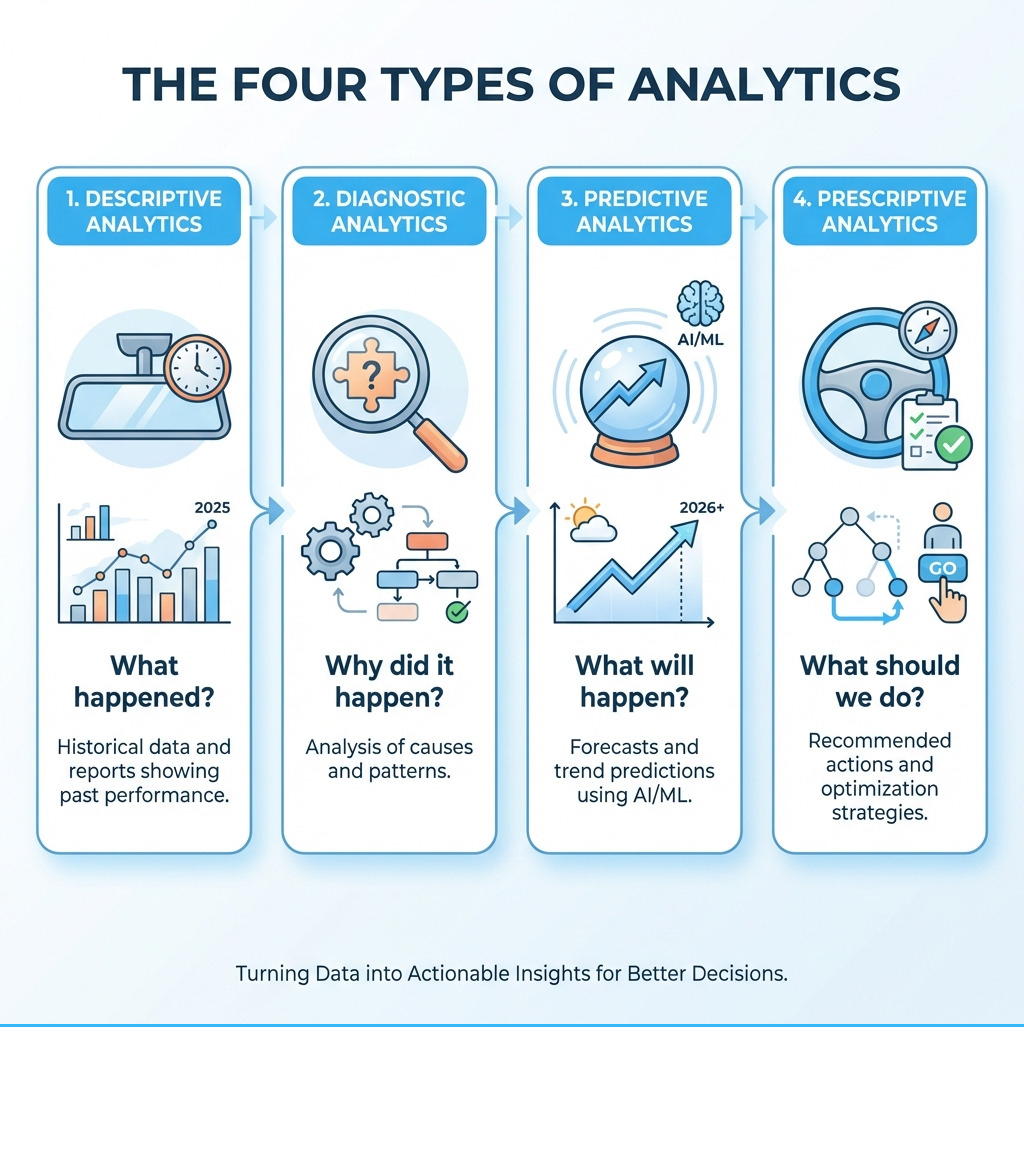
Predictive analytics for maintenance could foresee potential issues before they become major problems, allowing for proactive repairs and minimizing resident inconvenience. Hyper-personalization will tailor the portal experience to each resident, offering relevant information, events, and services based on their preferences and history. These advancements will contribute to even stronger community-building tools, fostering deeper connections and a more harmonious living environment for everyone.

Frequently Asked Questions about Resident Portals

We understand you might have questions about how a Resident self-service portal can specifically benefit your community. Here are some common inquiries we encounter:

How much time can a portal really save our management team?

The time savings can be substantial! By automating routine tasks, a portal frees up your team from numerous manual processes. Think about:

  • Automation of Payments: Online payments and auto-pay options drastically reduce the time spent processing checks, sending reminders, and reconciling accounts. An automated and flexible billing system removes a significant manual burden on staff.
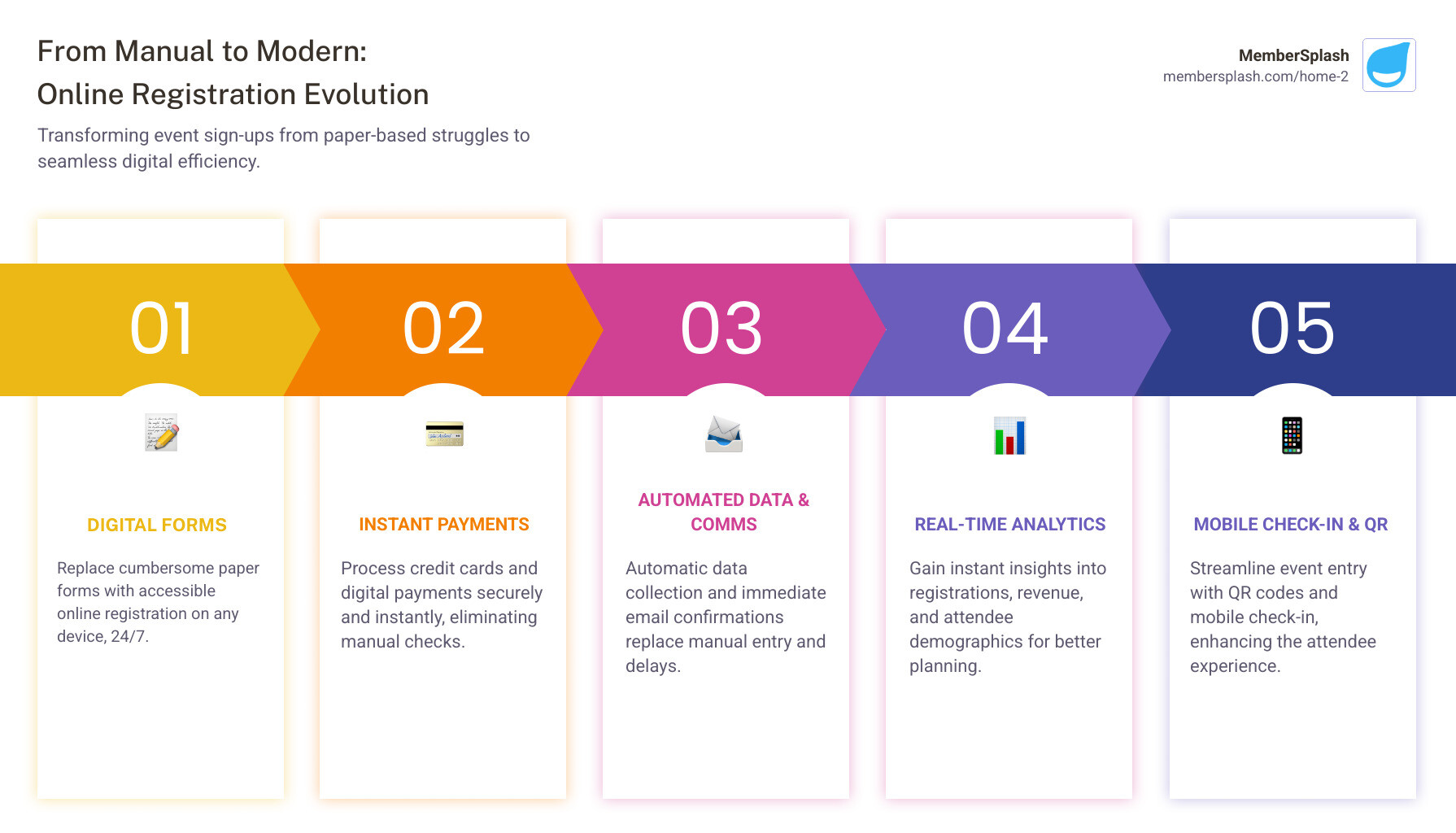
  • Digital Registration & Applications: Moving these processes online eliminates paper forms, manual data entry, and follow-up calls for incomplete information.
  • Reduced Phone Calls and Emails: Residents can find answers to common questions, check account balances, or track maintenance requests themselves, significantly cutting down on inbound inquiries.
  • Centralized Communication: Instead of scattered emails and phone calls, all communications are streamlined through one platform, making it easier to track and respond.
  • Streamlined Reporting: Automated financial and activity reports save hours of manual data compilation.

Overall, a portal can transform your team’s efficiency, allowing them to focus on resident satisfaction and community development rather than administrative drudgery.

Is it difficult for non-technical residents to use?

Not at all! Modern Resident self-service portals are designed with user-friendliness as a top priority.

  • User-Friendly Design: Intuitive interfaces, clear navigation, and straightforward language make portals accessible even for those who aren’t tech-savvy.
  • Mobile Access: Most residents interact with digital services via their smartphones. A responsive and accessible design ensures the portal works seamlessly on any device.
  • Clear Instructions: Comprehensive help sections, FAQs, and perhaps even quick video tutorials guide residents through each feature.
  • Onboarding Support: A good implementation plan includes resources to help residents get started, such as a dedicated launch campaign and direct support channels.
  • Intuitive Navigation: Features are logically organized, making it easy for residents to find what they need without extensive searching. The goal is a simple online experience that becomes a necessity.

What’s the ROI on a resident self-service portal?

The Return on Investment (ROI) for a Resident self-service portal is multifaceted, extending beyond just cost savings:

  • Time Savings: As discussed, significant time is saved by automating tasks, allowing staff to be reallocated to more impactful work. This translates directly into labor cost efficiencies.
  • Increased Revenue Capture: Easier online payment options, including auto-pay, lead to higher on-time payment rates and better overall revenue collection. For HOAs and clubs, managing guest fees through the portal also directly impacts revenue.
  • Reduced Printing and Mailing Costs: Shifting communications, forms, and statements to digital channels drastically cuts down on material and postage expenses.
  • Improved Resident Retention: Improved convenience and satisfaction directly contribute to higher resident retention rates. Reducing turnover costs is a significant financial benefit, as acquiring new residents is always more expensive than retaining existing ones.
  • Improved Reputation: A modern, efficient community management system boosts your reputation, making your property more attractive to prospective residents.

While the exact numbers will vary by community, the combination of operational efficiencies, improved financial performance, and increased resident satisfaction makes the investment in a Resident self-service portal a smart financial decision. For a detailed breakdown and comparison of pricing plans, you can visit our Pricing Comparison page.

Conclusion: Build a Stronger, More Connected Community

A Resident self-service portal is no longer a luxury; it’s a fundamental necessity for any forward-thinking community, HOA, or club. We’ve seen how these powerful platforms bridge the gap between resident expectations and management capabilities, fostering a harmonious and efficient living environment.

From empowering residents with 24/7 access and control over their accounts to drastically streamlining operations for property managers, the benefits are clear. Increased resident satisfaction, higher retention rates, and unparalleled operational efficiency are not just aspirations but achievable realities with the right portal in place.

At MemberSplash, we understand the unique needs of communities in areas like Annapolis, MD, and Baltimore, MD. Our solutions are designed to help you harness the power of resident self-service, changing how your community operates and thrives. If you’re ready to open up these benefits and build a stronger, more connected community, we invite you to see our platform in action. Watch a Demo of MemberSplash today and find your portal to paradise.

Streamline Your Swim Season: Essential Pool Scheduling & Membership Software

Why Pool Membership Software Matters for Your Swim Season

community pool with happy families swimming - pool membership software

Pool membership software is a digital platform that helps clubs, HOAs, and aquatic facilities manage memberships, registrations, payments, check-ins, and communications from one centralized system—eliminating manual paperwork and streamlining operations.

What to look for when selecting pool membership software:

  • Online Registration & Payments – Let members sign up and pay from home, reducing registration day chaos
  • Member Database Management – Store profiles, track attendance, and manage renewals automatically
  • Check-in & Access Control – Verify members quickly with photo IDs and digital passes
  • Reservation Systems – Manage bookings for lanes, cabanas, tennis courts, and amenities
  • Payment Processing – Accept credit cards, ACH, and automate invoicing
  • Guest Management – Track visitors and capture guest pass revenue
  • Communications Tools – Send bulk emails and texts for updates and alerts
  • Reporting & Analytics – Monitor usage, financials, and operational metrics

If you’re managing a swim club, HOA pool, or community aquatic center, you know the pain of registration season. Long lines snake around the facility. Spreadsheets overflow with member data. Paper forms pile up on desks. And somewhere in that chaos, revenue slips through the cracks.

One membership chair described their old system as “literally a card box”—spending weeks manually tracking payments and member information. Another facility reduced their end-of-season cleanup from a full week to just one day by going digital.

The shift from paper-based processes to modern pool membership software isn’t just about convenience. It’s about capturing revenue you’re losing, saving hours of administrative work every week, and giving your members the seamless experience they expect in 2024.

Research shows that facilities using modern management software reduce administrative hours by up to 10 hours per week through automation. They collect 34% of revenue outside core business hours because members can register and pay online anytime. And 68% of transactions now happen on mobile devices—a clear sign that paper-based systems no longer meet member expectations.

The right software transforms your entire operation, from how members register to how you staff lifeguards based on real attendance data.

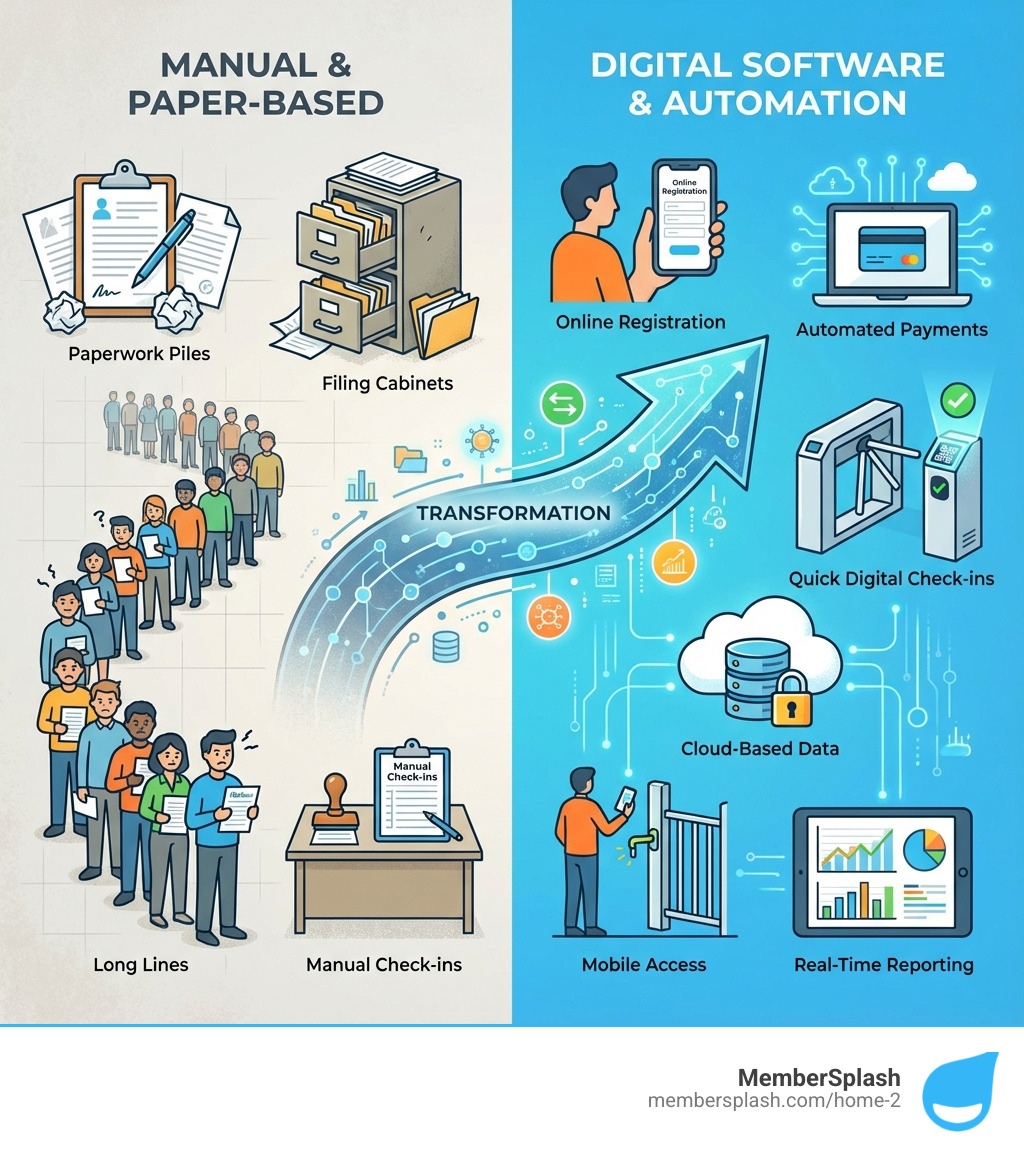
infographic showing the transformation from manual paper-based pool management (clipboards, filing cabinets, long lines, manual check-ins) to digital pool membership software (online registration, automated payments, quick digital check-ins, cloud-based data, mobile access, and real-time reporting) - pool membership software infographic

The Common Headaches of Outdated Pool Management

We’ve all been there. The sun is shining, the pool is sparkling, but behind the scenes, managing the facility feels less like a refreshing swim and more like a chaotic cannonball. The common challenges faced by pool and aquatic centers during registration and member management are often rooted in outdated, manual processes.

Imagine the first day of summer. Members are eager to jump in, but they’re stuck in long registration lines, patiently (or not-so-patiently) waiting to sign up or renew. We’ve heard stories from clubs where their previous system was “literally a card box,” leading to weeks of manual payment tracking. This kind of disorganized member data isn’t just a nuisance; it’s a critical flaw. Inaccurate records mean you might be unknowingly allowing unauthorized guests, struggling to identify members versus non-members, or even missing out on renewal opportunities.

Complicated payment processes add another layer of frustration. If your members can’t easily pay their dues or purchase guest passes, you’re creating friction that can lead to lost revenue. Moreover, without a clear system, managing invoices, sending reminders, and offering flexible payment options becomes an administrative nightmare. This often results in a significant amount of revenue being collected only during core business hours, missing the opportunity for members to pay whenever it’s convenient for them.

All these inefficiencies contribute to member dissatisfaction. Nobody enjoys waiting in lines or dealing with confusing paperwork. When the administrative burden is high, it pulls your staff away from what truly matters: creating a fantastic experience for your members. This can impact everything from member retention to the overall reputation of your facility.

Fortunately, you don’t have to steer these waters alone. We understand these pains intimately and believe that modern pool membership software is the lifeline you need. By addressing these challenges head-on, we can help you maximize efficiency and savings for your aquatic center.

Key Features to Look for in Pool Membership Software

So, what exactly does modern pool membership software offer to turn these headaches into smooth sailing? The best solutions are designed to deliver a trifecta of benefits: operational efficiency, an improved member experience, and robust revenue generation. Let’s explore the key features that make this possible.

software dashboard on a tablet at a pool check-in desk - pool membership software

Streamlined Registration and Member Database

The days of paper forms and endless spreadsheets are happily behind us. Modern pool membership software shines brightest when it comes to registration and member management.

We’ve seen how online registration and self-serve portals can eliminate those dreaded long lines. Members can register, renew, and update their information from the comfort of their homes, anytime, day or night. This not only saves staff countless hours but also empowers members, offering them the convenience they expect. We know that 80% of transactions are self-serve, and 68% happen on mobile, highlighting the importance of this online accessibility.

Once registered, a digital member database becomes the heart of your operations. This centralized system stores comprehensive member profiles, allowing you to track everything from contact information to membership tiers, past payments, and even family details. Saving member information year-to-year makes renewals a breeze, as members simply verify and update instead of re-entering all their data. Our Member Account Database is designed for exactly this purpose.

For access control, photo ID verification is a game-changer. It quickly confirms a member’s identity at check-in, preventing membership misuse and ensuring only authorized individuals enter your facility. This feature, like our Check-in Photo Verification, is invaluable for maintaining security and fairness for all members. We know that members have “warmly acceptd” this digital ease, finding it much simpler than old paper records.

Integrated Payments, Reservations, and Communications

Beyond registration, the true power of integrated pool membership software lies in its ability to unify critical operational aspects: payments, reservations, and communications. This integration is crucial for both staff efficiency and member satisfaction.

Secure online payments are non-negotiable in today’s digital world. The right software allows you to accept various payment methods, including credit cards and ACH, and process transactions securely. This means members can pay their dues, purchase guest passes, or sign up for programs with ease. This capability also allows for a significant portion of revenue collection outside of core business hours, maximizing your earning potential. Our Online Payment Processing ensures these transactions are smooth and secure.

For facilities offering amenities like lap lanes, cabanas, or tennis courts, a robust Reservation System is essential. It allows members to book time slots online, reducing conflicts and ensuring fair access. This also gives you valuable data on facility usage, helping you optimize scheduling and resource allocation. And for popular programs or limited memberships, automated waitlists can manage demand efficiently, ensuring that spots are filled quickly without manual tracking.

Effective communication is the glue that holds your community together. Integrated tools for Bulk Email Communication allow you to send important updates, announce new programs, market special events, or notify members of last-minute closures or cancellations. This ensures everyone is in the loop, reducing calls to the front desk and fostering a more engaged membership. The benefits of integrated payment processing and communication tools are clear: they simplify operations, improve member convenience, and keep your community connected.

How Technology Boosts Revenue and Reduces Costs

Let’s talk numbers. Modern pool membership software isn’t just about making your life easier; it’s about making your facility more financially robust. We’ve seen how adopting the right technology can lead to significant cost savings and open up exciting new revenue streams.

Consider this: facilities that accept automation can reduce up to 10 hours of administrative and operational work every single week. Imagine what your staff could accomplish with that extra time! Furthermore, we’ve observed that a substantial 34% of revenue is collected outside core business hours, thanks to 24/7 online access for members. This highlights the immense potential for growth and efficiency.

graph showing revenue growth - pool membership software

This isn’t just anecdotal; statistics back it up. Some organizations have achieved a 60% boost in revenue and reduced drop-outs by an impressive 90% by leveraging advanced features. By streamlining operations and enhancing the member experience, pool membership software doesn’t just cover its costs—it actively boosts your club’s revenue!

Opening up New Revenue Opportunities with Your Pool Membership Software

One of the most exciting aspects of modern pool membership software is its ability to open up revenue opportunities you might be missing out on.

Take guest pass management, for example. Without a digital system, tracking guests and collecting fees can be haphazard, leading to lost income. The right software provides robust Guest Tracking and Payment features, allowing members to purchase guest passes online or at the front desk, ensuring every guest visit contributes to your bottom line. We’ve seen clubs significantly increase their guest fee revenues after implementing these systems, even allowing for bulk guest pass purchases to avoid lost revenue.

Beyond passes, consider expanding your offerings. Many clubs have successfully integrated point-of-sale (POS) interfaces to manage operations like snack bars. This allows for cashless transactions, making it convenient for members and easy for staff to track sales. Features for Club Merchandise Sales can turn your club logo into a new income source.

Events are another fantastic way to engage members and generate revenue. With an integrated Events Calendar, you can promote and sell tickets for fundraisers, swim meets, or social gatherings directly through your platform. Finally, don’t overlook sponsorships. Modern software can help you manage and showcase club sponsors, connecting them with your community and providing another valuable revenue stream.

Slashing Operational Costs and Admin Hours

While boosting revenue is thrilling, the quiet hero of pool membership software is its power to slash operational costs and administrative hours. We’ve witnessed changes that save clubs not just money, but also the precious time of their dedicated staff and volunteers.

The most immediate impact comes from reducing paperwork. Think about all the printing, sorting, filing, and data entry involved in manual registration. With online forms and digital records, these tasks virtually disappear. This also means eliminating expenses associated with paper, ink, envelopes, and postage. One club even reported reducing their end-of-season cleanup from a full week to just one day by eliminating manual envelope and bill printing!

Furthermore, an all-in-one pool membership software solution can eliminate the need for redundant software. Instead of paying for separate systems for email marketing, accounting, or web hosting, you can consolidate these functions into a single, integrated platform. This not only simplifies your tech stack but also saves on subscription fees.

Labor cost optimization is another significant benefit. With automated processes handling registrations, payments, and communications, your staff can focus on higher-value tasks, like member engagement or facility maintenance, rather than administrative chores. Detailed reporting on facility usage, such as a Visits Report, can help you pinpoint low-traffic periods, allowing you to fine-tune labor costs, like lifeguard staffing, to match demand more precisely. This automation can literally give you back up to 10 hours of admin time every week. Imagine the possibilities! We encourage you to explore how you can automate your daily tasks and reinvest that time and money back into your community.

Choosing the Right Pool Membership Software for Your Facility

Selecting the perfect pool membership software isn’t a one-size-fits-all endeavor. Just as every pool has its unique charm, every organization has specific needs and priorities. The key is to find a solution that offers the right balance of scalability, customization, and user-friendliness for your unique situation.

We understand that you’re looking for a partner that can grow with you and adapt to your evolving requirements. Whether you’re a small, volunteer-run HOA pool or a busy swim and tennis club, the software should be able to handle your current member count and future expansion plans without missing a beat.

Cloud-Based Solutions for Modern Pool Management

One of the most important decisions you’ll make is whether to opt for a cloud-based or standalone system. For most modern facilities, we strongly advocate for cloud-based solutions. The benefits are simply too compelling to ignore.

Cloud software means your data is stored securely online, accessible from any internet-connected device, anywhere, anytime. This offers unparalleled flexibility for your staff, whether they’re managing check-ins at the front desk, updating member profiles from an office in Annapolis, MD, or pulling reports from home in Baltimore, MD. This also means your data is automatically backed up, protecting you from local hardware failures or data loss. Cloud-based SaaS platforms typically come with stringent security protocols and high uptime guarantees, ensuring your operations run smoothly and your data is safe.

While some specialized situations might benefit from a standalone, internet-optional solution, the vast majority of aquatic centers thrive with the accessibility and collaborative power of the cloud. Being able to access your data from anywhere, whether it’s through a web portal or a mobile app, empowers your team and improves member services.

Finding the Perfect Fit for Your Organization

The beauty of specialized pool membership software is its ability to cater to diverse organizational needs. We pride ourselves on offering custom solutions that understand the nuances of different aquatic environments.

For HOA pools and property management companies, the software needs to handle resident versus non-resident status, manage guest policies, and facilitate easy communication with homeowners. Our HOA & Property Management solutions are designed with these specific requirements in mind, simplifying the complexities of community pool access and billing.

Swim and tennis clubs often require robust scheduling features for courts and lanes, along with comprehensive member management for various program offerings. Our Swim and Tennis Club Solutions address these unique demands, ensuring smooth operations for both aquatic and racket sports. We know that clubs often have complex pricing structures and diverse account types, and the right software can handle these intricate rules with ease.

Even for municipal facilities or larger pool management companies, the core needs remain: efficient registration, secure access, streamlined payments, and clear communication. The key is to find a platform that is highly customizable and scalable, allowing you to implement only the features you need while having the option to expand as your facility grows. With over 400 satisfied clubs and associations across 30 states trusting us, we’ve seen how our solutions can adapt to a wide range of organizations, from small community pools to larger multi-facility operations, always with the goal of making club management easier and more effective.

Conclusion: Make a Splash with Modern Management

We’ve journeyed through the common challenges plaguing pool and aquatic centers, from the chaos of manual registration to the frustration of disorganized data. We’ve explored how modern pool membership software acts as a powerful antidote, streamlining operations, enhancing member experiences, and open uping new revenue opportunities.

The benefits are clear: increased efficiency, boosted revenue, and unparalleled member satisfaction. By embracing online registration, integrated payment processing, robust reservation systems, and seamless communication tools, you can transform your facility from a logistical headache into a well-oiled machine. This digital shift isn’t just about keeping up with the times; it’s about setting a new standard for excellence in pool management.

If you want to dig deeper into how software can transform aquatic operations industry-wide, resources like the International Swimming Hall of Fame highlight how organized, well-managed facilities lift the swimmer experience and community engagement.

Our goal is to free you from administrative burdens so you can focus on what truly matters: your community, your members, and the joy of a refreshing swim season. All-in-one solutions are designed to handle complex needs, empowering your staff and delighting your members.

Ready to dive into a smoother, more profitable swim season? We invite you to experience the difference. Watch a demo of our software and see how our custom solutions can make a splash for your aquatic facility.

Get Your Laps In Finding the Best Lap Pool Membership

Why Finding the Right Lap Pool Membership Matters

A lap pool membership near me can transform your fitness routine. Whether you’re looking for low-impact cardio, stress relief, or a full-body workout, lap swimming delivers results that few other exercises can match.

Quick Answer: How to Find a Lap Pool Membership Near You

  1. Search Google Maps for “lap pool near me” or “aquatic center near me”
  2. Check facility types: YMCAs, community centers, private clubs, city pools
  3. Compare membership options: Daily passes ($5-$10), monthly ($35-$60), or annual ($350-$600)
  4. Look for discounts: Early bird specials, military rates, senior pricing, insurance programs
  5. Visit before joining: Ask about lane availability, hours, and reservation systems

The search for the right pool membership can feel overwhelming. Prices vary widely. Hours conflict with your schedule. Some pools require reservations while others don’t. And if you’re managing a facility yourself, you know how complex it is to juggle memberships, guest passes, and lane bookings.

But here’s the good news: lap swimming is worth the effort. Studies show that just 15-30 minutes of swimming can improve heart health by raising HDL cholesterol levels (the good kind). The water provides natural resistance for muscle toning while being gentle on your joints. It’s cardiovascular exercise and strength training rolled into one.

This guide walks you through everything you need to know. You’ll learn about membership types, typical costs, and how to spot the best facility for your needs. We’ll cover pool etiquette, operating hours, and the difference between lap pools and recreational pools. By the end, you’ll have a clear path to finding your perfect swimming spot.

infographic showing lap swimming benefits: full-body workout with low joint impact, improves cardiovascular health and raises good cholesterol, builds muscle strength and flexibility, reduces stress and aids weight management, suitable for all fitness levels and ages - lap pool membership near me infographic

Why Choose Lap Swimming? Unpacking the Benefits

Lap swimming isn’t just a leisurely activity; it’s a powerful, full-body workout with a myriad of health benefits. We often hear about the importance of regular exercise, and swimming consistently ranks as one of the most effective and enjoyable ways to stay fit.

Here’s why we believe you should consider diving into a lap pool:

  • Full-body Workout: Every stroke engages multiple muscle groups, from your core and back to your arms and legs. It’s an efficient way to tone and strengthen your entire physique without putting undue stress on any single area.
  • Low-Impact on Joints: Unlike high-impact activities like running, swimming in a lap pool offers buoyancy, reducing the strain on your joints. This makes it an ideal exercise for people of all ages, including those recovering from injuries or managing chronic conditions like arthritis.
  • Cardiovascular Health: Lap swimming is an excellent aerobic exercise that gets your heart pumping, strengthening your cardiovascular system. Studies have shown that just 15 to 30 minutes of swimming, three to four times a week, can significantly improve heart health and help raise your HDL (good cholesterol) levels, aiding in the fight against heart disease.
  • Muscle Toning and Strength: The natural resistance of water provides a constant challenge to your muscles, helping to build endurance and sculpt a lean physique. From powerful kicks to strong arm strokes, you’ll feel the burn and see the results.
  • Stress Relief: The rhythmic nature of swimming, combined with controlled breathing, can be incredibly meditative. It’s a fantastic way to clear your mind, reduce stress, and improve your mood after a long day.
  • Weight Management: As a calorie-burning activity, lap swimming can be a valuable tool in your weight management strategy. The intensity can be easily adjusted, allowing you to burn more calories with faster, more vigorous sessions.
  • Improved Flexibility: The expansive movements required in swimming help improve your range of motion and flexibility in your shoulders, hips, and spine.

Whether you’re a seasoned athlete or just starting your fitness journey, lap swimming offers a comprehensive approach to health and wellness. It’s a refreshing way to challenge your body and calm your mind.

swimmer's powerful stroke underwater - lap pool membership near me

Decoding Membership Options: Types, Costs, and Discounts

When searching for a lap pool membership near me, understanding the various options and their associated costs is crucial. Facilities like the Arundel Olympic Swim Center in Annapolis, MD, or Coppermine Meadowbrook in Baltimore, MD, offer different membership structures designed to fit diverse needs and budgets.

Common Membership Tiers

We’ve observed several common types of lap pool memberships available across various facilities:

  • Daily Passes: Perfect for occasional swimmers or those wanting to try out a pool before committing. These typically range from $5 to $10 per visit, though some facilities might charge slightly more. For example, some aquatic centers might have a $7.50 daily pass fee.
  • Punch Cards or Visit Scan Cards: These offer a bundle of visits at a reduced per-entry rate. You might find options like 25-visit cards for around $120 or 50-visit cards for $225, often with discounted rates for specific groups.
  • Monthly Memberships: A popular choice for regular swimmers, offering unlimited access for a recurring fee. Individual monthly passes can be around $35, while family monthly passes might be $60.
  • Annual Memberships: The most cost-effective option for dedicated swimmers. An individual annual pass could be $350, with family annual passes ranging up to $600 or more. Some clubs, like the Calverton Swim Club in Maryland, offer annual family memberships around $700, with one-person memberships for $490. These often come with additional perks.
  • Family vs. Individual Plans: Most facilities offer different rates based on the number of people covered. Family plans usually include all individuals residing full-time at the same residence. Some clubs even have specific “Empty Nest” memberships for long-term owners or “Joint” memberships for two people.
  • Specialty Memberships: You might encounter unique options such as “Inactive” memberships, allowing you to freeze your membership for a period while retaining benefits like voting rights for a reduced fee (e.g., $150).

To get a comprehensive overview of how clubs manage these varied membership options, we encourage you to see how clubs manage memberships.

Understanding the Cost of a Lap Pool Membership Near Me

The actual cost of a lap pool membership near me goes beyond just the headline fee. Here are some factors to consider:

  • Price Ranges: As mentioned, prices vary significantly based on the type of membership (daily, monthly, annual), the facility (public, private, YMCA), and the number of people covered.
  • Joining Fees: Many private clubs or YMCAs require a one-time joining fee when you first sign up. For instance, some clubs might have a joining fee of $250 for new members.
  • Late Fees: Be aware of deadlines for annual dues. Missing them can incur late fees, sometimes $75 or more.
  • Add-on Costs: Consider any extra fees for additional family members, nannies ($120/season is an example), or adult children who don’t reside at your primary address ($240/season for an “Associate” add-on). Guest fees, typically $5-$10 per person, are also common if you plan to bring friends.
  • Online Payment Options: Many modern facilities offer convenient online payment processing, allowing you to manage your membership and payments easily. To learn more about streamlined payment solutions, you can explore online payment options. For a deeper dive into how different pricing models compare, check out this pricing comparison.

Finding Discounts and Special Offers

We understand that budget is often a key consideration. Fortunately, many facilities offer ways to make a lap pool membership near me more affordable:

  • Early Bird Specials: Many swim clubs, especially seasonal ones, offer significant discounts for registering early in the year. These can save you a substantial amount compared to regular or late-season rates.
  • Refer-a-Friend Programs: Some organizations, like the YMCA, incentivize members to refer new sign-ups, sometimes offering a free month of membership for each successful referral. These programs are a win-win for both current and new members. Learn about referral programs to see how they can benefit you.
  • Corporate Wellness Plans: Check if your employer participates in any corporate wellness programs that offer discounted gym or pool memberships.
  • Insurance-Paid Memberships: For seniors, programs like Renew Active (through UnitedHealthcare Medicare) and Silver Sneakers are often accepted at facilities like YMCAs and other aquatic centers, potentially covering the cost of your membership. Some facilities also accept Prime Fitness.
  • Military Discounts: Many organizations, including the YMCA, show appreciation for military families by waiving join fees and offering discounts on monthly dues (e.g., 10% off monthly membership dues). Some clubs also offer a flat discount on annual dues ($50 for active duty military).

Always ask about available discounts, as they can significantly reduce your overall membership cost.

How to Find the Perfect Lap Pool Membership Near Me

Finding the right lap pool membership near me requires a bit of research and knowing what questions to ask. We’re here to guide you through the process of locating and evaluating the best swimming facilities in your area, particularly if you’re in Annapolis or Baltimore, MD.

person searching for local pools on a phone map interface - lap pool membership near me

Where to Look for a Lap Pool Membership Near Me

Several types of facilities commonly offer lap pools:

  • Community Centers: Often run by local government or non-profit organizations, these facilities typically offer affordable memberships and may include other amenities. The Arundel Olympic Swim Center in Anne Arundel County, MD, is a great example of a public aquatic center offering lap swim.
  • Private Fitness Clubs: Gyms like Life Time in Annapolis or Coppermine Meadowbrook in Baltimore often feature state-of-the-art lap pools as part of their comprehensive fitness offerings.
  • YMCAs: Known for their community focus, YMCAs across the United States provide diverse aquatics programs, including lap swimming, water fitness classes, and swim lessons for all ages. They often have both indoor and outdoor pools.
  • City/County Aquatic Centers: Many municipalities operate dedicated aquatic facilities. For instance, in Baltimore, you might find options like the Roland Park Pool. These centers are specifically designed for swimming and often have multiple pools and dedicated lap lanes.
  • Swim Clubs: Independent swim clubs, often seasonal, focus primarily on swimming and related social activities. The Calverton Swim Club in Maryland, for example, offers various membership tiers for families and individuals.

Using Online Tools and Local Resources

Our digital age makes the search for a lap pool membership near me much simpler:

  • Google Maps Search: The most straightforward approach is to open Google Maps and search for “lap pool near me,” “aquatic center,” “YMCA,” or “swim club” in your specific area (e.g., “lap pool Annapolis MD”). This will provide you with a visual map of local options, their addresses, and often their contact information and operating hours.
  • Facility Websites: Once you have a list of potential facilities, visit their websites. Look for dedicated aquatics sections, membership pages, pool schedules, and information on amenities.
  • Local Community Forums/Social Media Groups: Online community groups for Annapolis or Baltimore can be invaluable. Ask residents for recommendations, reviews, and insights into local pools.
  • Parks and Recreation Department Websites: Your local city or county Parks and Recreation department website is a prime resource for public aquatic centers and community pools. They will often list schedules, programs, and membership details.

Questions to Ask Before You Join

Before committing to a lap pool membership near me, we recommend asking these key questions to ensure the facility meets your needs:

  • Lane Availability: How many lap lanes are available? Are they typically crowded during your preferred swimming times? Some facilities, like the Arundel Olympic Swim Center, might have a 56-meter competition pool, offering ample space. Other clubs may offer a 4-lane or 6-lane lap pool.
  • Reservation System: Does the facility require reservations for lap lanes, or is it first-come, first-served? If reservations are needed, how far in advance can you book, and what system do they use? Learn about reservation systems to understand how they work.
  • Pool Temperature: What is the average water temperature? Many lap pools maintain temperatures between 80°F and 84°F, which is comfortable for exercise. If you prefer warmer or cooler water, this is an important detail.
  • Pool Length: What is the length of the lap pool? Common lengths are 25 yards, 25 meters, or 50 meters. Knowing the length is important for tracking your distance.
  • Cleanliness and Maintenance: How often is the pool cleaned and maintained? What are their water quality standards? A clean pool is essential for a pleasant swimming experience.
  • Staff Qualifications: Are lifeguards certified? Is there qualified staff available for questions or assistance?
  • Guest Policies: If you plan to bring guests, what are the rules and fees?

Asking these questions upfront will help you make an informed decision and find a lap pool that fits your routine perfectly.

What to Expect: Pool Etiquette, Hours, and Amenities

Once you’ve found a potential lap pool membership near me, it’s helpful to know what to expect in terms of pool types, operating hours, rules, and available amenities. This knowledge will help you integrate seamlessly into the swimming community and make the most of your membership.

Lap Pool vs. Recreational Pool: What’s the Difference?

While both are pools, lap pools and recreational pools serve distinct purposes:

  • Lap Pool Characteristics: Lap pools are typically long, rectangular, and designed specifically for continuous swimming. They feature lane lines on the bottom and floating lane dividers to separate swimmers. The water depth is usually consistent, and the temperature is often kept in the 80°F to 84°F range, suitable for active swimming. The focus is on exercise and structured swimming.
  • Recreational Pool Characteristics: These pools are often freeform in shape, may have varying depths, and are designed for leisure, play, and relaxation. They might include features like play structures, water slides, splash pads, and shallow entry areas. Water temperatures can sometimes be warmer, catering to more casual use.
  • Shared Use Policies: Many facilities, especially community centers or YMCAs, might have both a lap pool and a recreational pool, or a main pool that accommodates both. During certain hours, a multi-purpose pool might be divided, with specific lanes designated for lap swimming while other areas are open for family recreation. Facilities like the Cameron Family YMCA, for example, offer both a lap pool and a recreational pool, with the latter often featuring play structures and operating seasonally.
  • Water Temperature Differences: Lap pools generally maintain a cooler temperature to keep swimmers comfortable during exertion, while recreational pools might be warmer for comfort during less active play.

Typical Operating Hours and Schedules

Operating hours for lap pool membership near me can vary widely, but we’ve observed some common patterns:

  • Early Morning Hours: Many facilities open very early, sometimes as early as 5:00 AM or 6:00 AM, to accommodate lap swimmers before work.
  • Mid-Day Availability: Weekdays often have mid-day hours (e.g., 9:00 AM – 1:00 PM or 1:00 PM – 5:00 PM) for adult lap swimming, which tend to be less crowded.
  • Evening Hours: Most pools offer evening lap swimming, often until 7:00 PM or 9:00 PM.
  • Weekend Schedules: Weekend hours typically start a bit later (e.g., 10:00 AM) and might run until late afternoon or early evening (e.g., 5:00 PM).
  • Blockout Times: Be aware that pools often have blockout times for scheduled classes (like aqua aerobics), swim lessons, or swim team practices. For example, a pool might close lap lanes during Aqua Classes on Monday, Wednesday, and Friday mornings or for Swim Lessons on Saturday mornings. It’s always best to check the facility’s specific schedule, which you can often find linked to a calendar.

Essential Lap Swimming Rules and Etiquette

To ensure a smooth and enjoyable experience for everyone, lap pools have certain rules and etiquette:

  • Circle Swimming: When a lane is shared by more than two people, it’s customary to “circle swim.” This means you swim down on one side of the lane and back on the other, staying to the right of the black line on the bottom of the pool.
  • Lane Speed Designation: Many facilities designate lanes as “slow,” “medium,” or “fast.” Choose the lane that matches your pace to avoid frustration for yourself and others.
  • Passing Etiquette: If you need to pass a slower swimmer, do so safely and quickly, often by gently tapping their feet or waiting until they reach the wall.
  • Showering Before Entry: For hygiene, most pools require swimmers to shower before entering the water.
  • Proper Swimwear: Facilities typically enforce proper swim attire. This means no denim shorts, cutoffs, jeans, long/loose shirts, thong swimwear, or undergarments. Non-toilet trained children must wear swim diapers and rubber pants.
  • Breaks: Some pools implement 15-minute breaks every hour, during which no one under 16 is permitted in the pool.
  • No Horseplay: Lanes are for swimming, not for playing or diving unless specifically in a designated diving area. Lane ropes are for separation and safety, not for hanging on.

Common Amenities and Other Pool Uses

Beyond just lap swimming, a lap pool membership near me often comes with a range of amenities and opportunities for other activities:

  • Locker Rooms and Showers: Essential facilities for changing and rinsing off before and after your swim.
  • Whirlpool/Spa and Sauna: Many fitness clubs and aquatic centers offer these for relaxation and muscle recovery. Studies suggest that 15-30 minutes in a sauna three to four times a week can significantly increase overall wellness.
  • Water Walking: Many lap pools provide dedicated times or lanes for water walking, a low-impact exercise that offers resistance and therapeutic benefits.
  • Aqua Fitness Classes: These include water aerobics, Aqua Surge, and other water-based workouts that leverage water resistance for a cardiovascular workout, improving heart health and strengthening muscles.
  • Swim Lessons: Facilities often provide swim lessons for all ages and skill levels, from toddlers to adults looking to improve their technique.
  • Family Swim: During designated times, the lap pool area might be opened for family recreation, allowing for more casual swimming and play.

These additional offerings can greatly improve the value of your membership and provide a holistic aquatic experience.

Frequently Asked Questions about Lap Pool Memberships

We understand you might have more specific questions as you explore a lap pool membership near me. Here are some common inquiries we encounter:

Can I try a pool before committing to a membership?

Absolutely! We strongly recommend trying a facility before making a long-term commitment. Many places offer day passes, guest passes, or even free trial periods so you can experience the pool, check the atmosphere, observe lane availability, and gauge the cleanliness before signing up. Always ask the front desk about trial options or day rates. Some facilities might even deduct the cost of a day pass from your membership if you decide to join.

What should I bring for my first lap swim?

For your first lap swim, we suggest bringing a few essential items to ensure a comfortable and productive session:

  • Swimsuit: Choose one designed for athletic use that allows for a full range of motion.
  • Goggles: Crucial for protecting your eyes from chlorine and improving underwater visibility.
  • Towel: A quick-drying towel is always a good idea.
  • Flip-flops or Sandals: For walking on the pool deck and in locker rooms, maintaining hygiene and preventing slips.
  • Swim Cap: Highly recommended to protect your hair from chlorine, keep it out of your face, and reduce drag for a more efficient swim.
  • Water Bottle: Staying hydrated is just as important in the water as it is during other workouts.
  • Kickboard/Pull Buoy (Optional): If you’re looking to focus on specific aspects of your stroke or add variety to your workout, these can be useful.

How are lap lanes typically reserved?

The method for reserving lap lanes can vary significantly from one facility to another.

  • First-Come, First-Served: Many pools operate on this traditional model, where you simply arrive and find an open lane. If all lanes are occupied, you might be expected to share a lane with another swimmer, usually by circle swimming.
  • Physical Sign-Up Sheets: Some facilities use a clipboard or whiteboard at the pool entrance where you can sign up for a specific lane and time slot.
  • Modern Online Reservation Systems: Increasingly, facilities are adopting advanced digital solutions. These allow you to book a lane in advance through a website or a dedicated app, often showing real-time availability. This is particularly common in larger fitness clubs or aquatic centers. For a deeper understanding of how these systems work and their benefits, you can explore features of a reservation system.

We advise checking with the specific facility about their reservation policy when you inquire about a membership.

Conclusion: Dive Into Your New Fitness Routine

Finding the right lap pool membership is a fantastic investment in your health and well-being. By understanding the types of memberships, costs, and what to look for in a facility, you can confidently find the perfect “lap pool membership near me.” Lap swimming offers a unique blend of cardiovascular benefits, muscle strengthening, and stress relief, all in a low-impact environment.

We’ve explored the various membership tiers, from daily passes to annual family plans, and highlighted how to find discounts like early bird specials, military rates, and insurance-paid programs. We’ve also guided you through the process of locating facilities in areas like Annapolis and Baltimore, MD, and armed you with key questions to ask before you commit.

Whether you’re practicing circle swimming etiquette, enjoying the amenities like a whirlpool spa, or simply appreciating the consistent 80-84°F water temperature, finding a dedicated lap pool will help you achieve your fitness goals.

For clubs and aquatic centers looking to provide a seamless experience for their members, MemberSplash offers software that simplifies everything from online payments and reservations to member management and guest tracking. We help facilities streamline operations, handle complex pricing, and maximize revenue, allowing them to focus on what matters most: their swimmers.

Start managing your club better today!

Beyond the Lock: Why Pool Access Control is Essential for Safety

Why Pool Access Control Matters for Safety and Operations

Pool access control systems are technology solutions that manage who can enter your pool facility and when. They replace traditional locks with electronic systems like keypads, key fobs, mobile credentials, or biometric scanners—giving you better security, automated tracking, and remote management capabilities.

Quick Answer: What Pool Access Control Can Do For You

  • Improve Safety: Prevent unsupervised child access and unauthorized entry
  • Reduce Liability: Document who enters your facility and when
  • Save Time: Automate check-ins and eliminate manual gate monitoring
  • Enforce Rules: Restrict access based on membership status or payment
  • Generate Data: Track usage patterns for better staffing and maintenance decisions

With 10.4 million private pools and 309,000 public and community swimming pools in the United States, the stakes are high. Unsecured pools create serious liability risks—from drowning accidents to trespassing incidents that can cost property managers and HOAs thousands in legal fees and insurance claims.

The traditional approach of simple padlocks or manually checking IDs at the gate doesn’t cut it anymore. These methods are time-consuming, prone to human error, and impossible to audit. When a child slips through an open uped gate or an unauthorized guest causes damage, you have no way to prove what happened or who was responsible.

Modern access control systems solve these problems by creating a digital record of every entry, automatically enforcing your facility rules, and giving you real-time visibility into who’s using your pool. As one pool manager put it: “Gone are the days of paper records, and here are the days of digital ease.”

Whether you manage an HOA community pool, a private swim club, or multiple facilities, access control has become essential infrastructure—not a luxury feature.

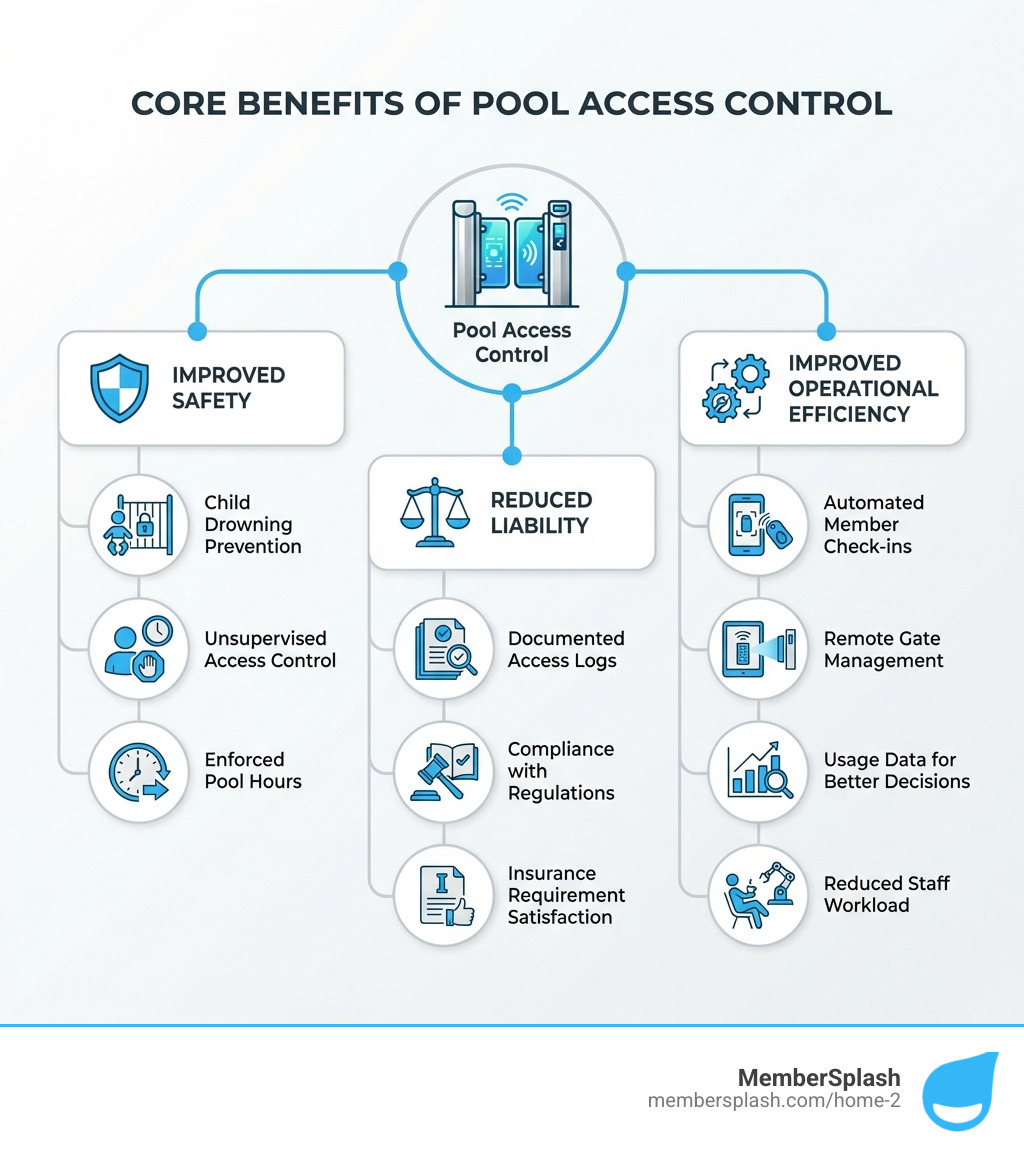
Infographic showing the core benefits of pool access control: Improved Safety (child drowning prevention, unsupervised access control, enforced pool hours), Reduced Liability (documented access logs, compliance with regulations, insurance requirement satisfaction), and Improved Operational Efficiency (automated member check-ins, remote gate management, usage data for better decisions, reduced staff workload) - Pool access control infographic

Why Your Pool Needs More Than a Simple Gate Lock

We all love a refreshing dip on a hot day, but swimming pools, especially those in community centers or residential complexes, require robust management to ensure they remain safe, clean, and enjoyable for everyone. That’s where pool access control systems come in, offering far more than just a simple lock and key. They are critical for managing capacity, ensuring only authorized users have access, and even maintaining optimal water quality.

Overcrowding, for instance, can quickly lead to safety hazards and degrade the experience for users. Imagine a busy pool where everyone can just waltz in; chaos, right? Uncontrolled access also risks contamination and drives up maintenance costs, not to mention the potential for vandalism and the depletion of valuable amenities.

A comprehensive pool access control system provides improved security by restricting entry to authorized individuals, deters trespassing, and protects your amenities from misuse. It’s about creating a secure perimeter that ensures peace of mind for property managers and residents alike, changing your pool from a potential headache into a well-managed oasis. Investing in such a system is an essential step towards optimizing usage and maintaining a pleasant environment for all.

Enhancing Safety and Preventing Accidents

At the heart of any pool management strategy is safety. This is where pool access control truly shines. The primary goal is to prevent unsupervised access, especially by children and pets, which dramatically reduces the risk of accidents and tragic drownings. A properly secured pool gate acts as the first line of defense.

Our systems ensure that only authorized individuals can enter, effectively enforcing pool hours and keeping little ones from venturing into the pool area unattended. This isn’t just about gates; it’s about intelligent control. If the gate hardware includes a locking function that requires a key or fob for entry, child safety is inherently addressed by the locking mechanism itself, allowing for more flexible hardware placement within accessible ranges while maintaining security.

Property managers can rest easy knowing that their pool areas are protected, significantly reducing the potential for accidents and fostering a safer community environment. This peace of mind is invaluable, allowing us to focus on creating enjoyable experiences rather than constantly worrying about security breaches.

Managing Liability and Ensuring Compliance

Beyond immediate safety, pool access control is a powerful tool for managing liability and ensuring compliance with local regulations. Unauthorized access could result in significant liability issues for property managers and HOAs. Non-compliance with pool gate regulations can lead to hefty fines, legal liabilities, and increased risks.

For instance, while specific regulations vary by state and municipality, the general purpose remains consistent: to ensure safety and prevent unauthorized access. Many jurisdictions, including those in Maryland, will have specific requirements for pool barriers, such as minimum height, and mandate self-latching and self-closing gates. Our systems help you meet these critical requirements.

A robust pool access control system provides a comprehensive audit trail, carefully documenting who enters and exits the pool area, when, and for how long. This data is invaluable for liability protection, helping us investigate incidents, verify compliance with rules, and even defend against false claims. By integrating access control with our member account database, we can prevent incidents from unauthorized guests and ensure that only current, approved members have access. This digital record is far more reliable than any manual logbook and can be crucial evidence should a legal dispute arise.

More info about member account database

Choosing Your System: A Breakdown of Pool Access Control Technologies

When we talk about pool access control, we’re no longer just discussing a simple padlock. Modern technology offers a spectrum of solutions, each with its own advantages. The key is finding a system that balances security, convenience, and durability, especially given the challenging outdoor pool environment.

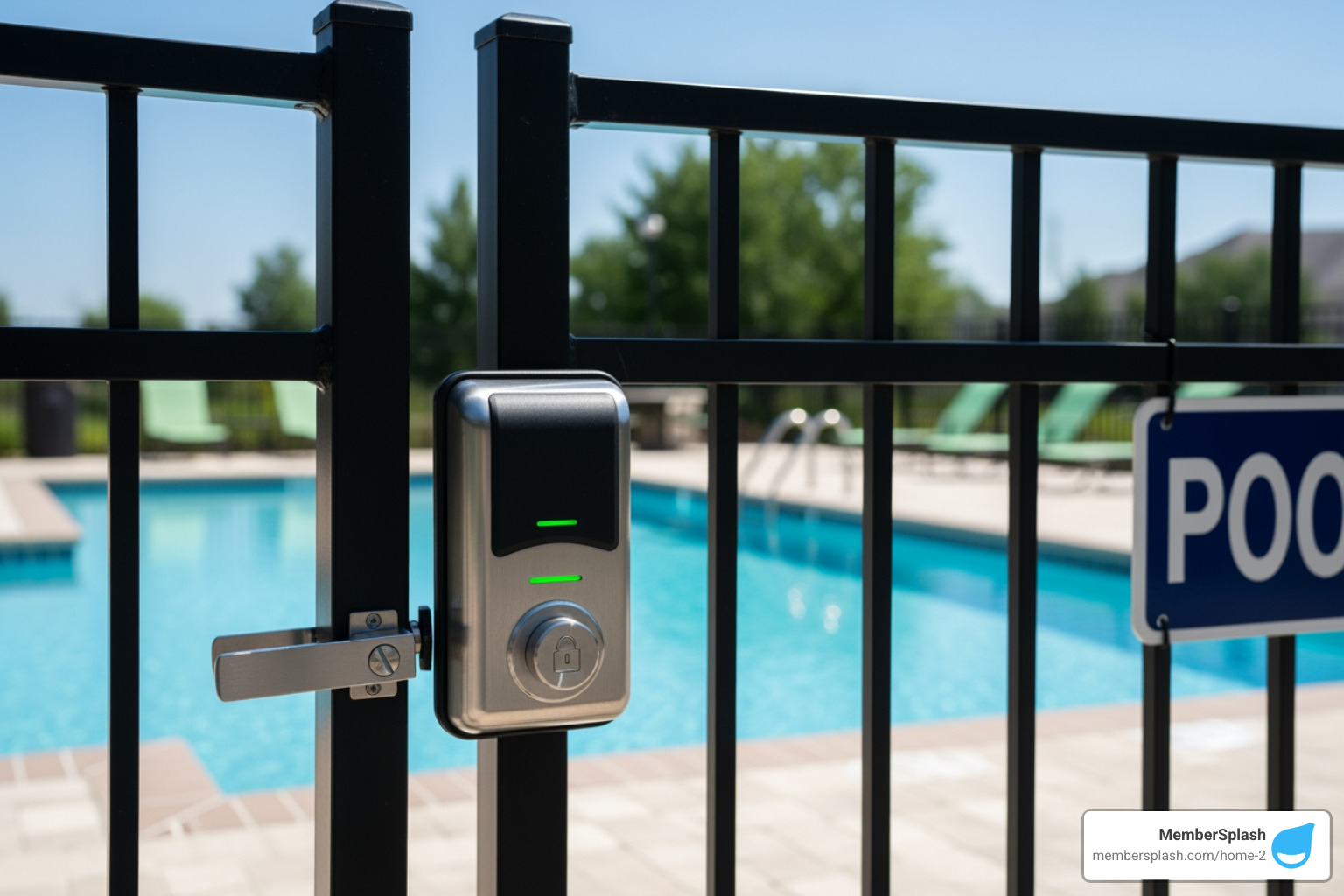
One critical consideration for any outdoor pool system is its ability to withstand the elements. Outdoor systems must be robust, weatherproof, and resistant to rust and corrosion. We’ve all seen those sad, rusty gate latches that seize up after a season or two. High-quality latches and electronic components are designed to resist such wear and tear, ensuring reliable operation year after year. Many locks fail in outdoor environments due to corrosive effects of salt or chemicals, leading to compromised functionality and costly replacements. We aim for solutions that are built to last, protecting your investment and maintaining seamless access.

Traditional vs. Modern Access Methods

The evolution of pool access control has moved us far beyond the traditional key. Today, we have a range of options, each offering different levels of security and convenience:

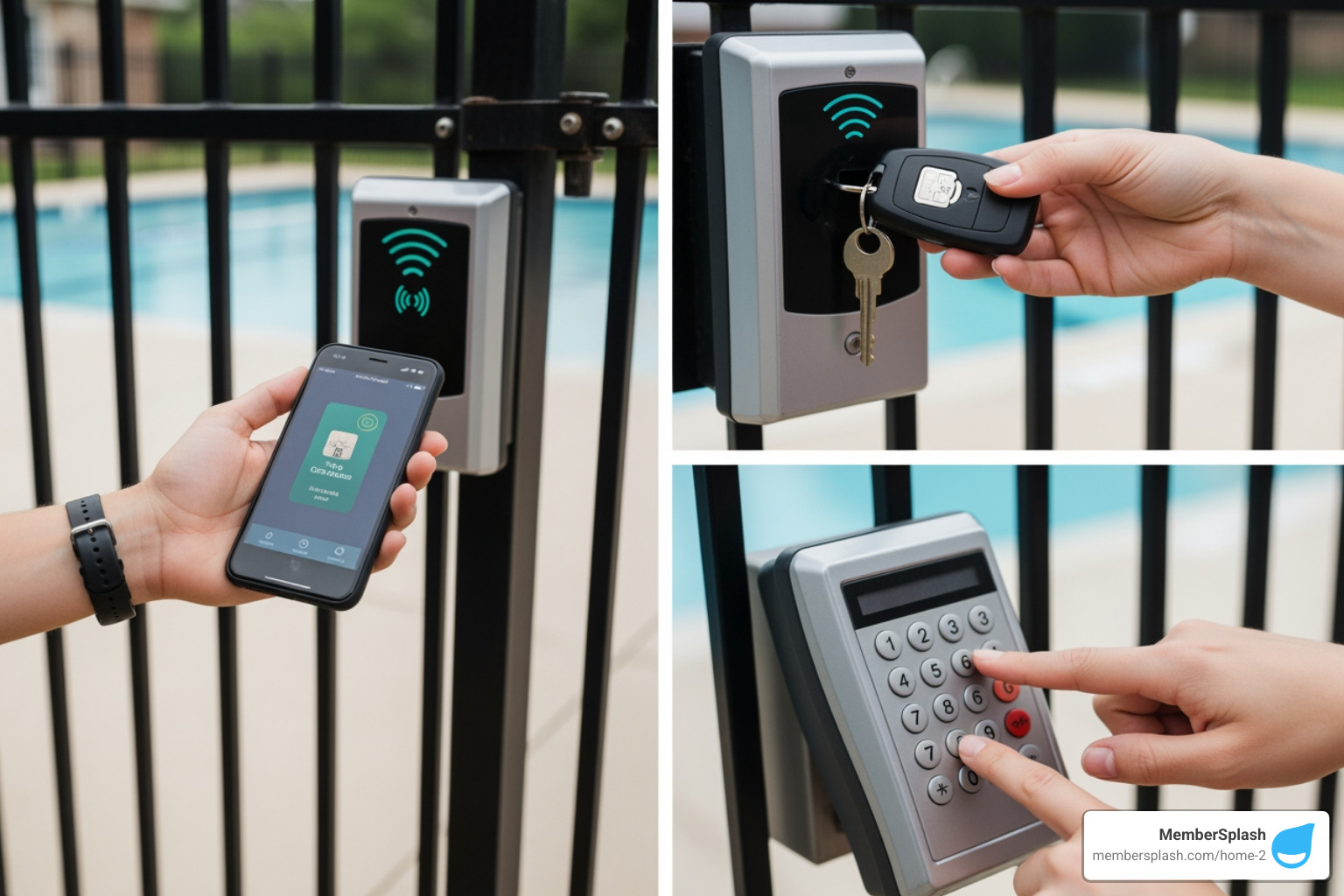
  • Keypads and PIN codes: These are a cost-effective and easily reprogrammable solution. Members enter a numerical code to gain access. They’re great for situations where you need to change access codes frequently or for temporary guests.
  • Key fobs and access cards (RFID): These are ideal for community pools with many users. Members simply tap or swipe their fob or card to enter. They offer a good balance of security and convenience, and can be easily deactivated if lost or stolen.
  • Biometric systems (fingerprint/facial recognition): Offering the highest level of security, biometrics ensure that only the authorized individual can gain entry. While more of an upfront investment, they eliminate the need for physical credentials altogether and provide seamless, touchless access.
  • QR codes for temporary access: A fantastic modern solution, QR codes can be generated and sent via email for guests or short-term users. They can be time-limited, ensuring access only for the duration needed, making guest pass management a breeze.

person using a mobile credential, a key fob, and a keypad to open a pool gate - Pool access control

When selecting a method, we consider factors like user volume, desired security level, and ease of management. For instance, a system where members can issue temporary QR codes for their guests simplifies the process immensely, as we detail further in our guest tracking and payment solutions.

More info about guest tracking and payment

The Rise of Mobile Credentials and Cloud-Based Systems

The biggest game-changer in pool access control has been the rise of mobile credentials and cloud-based systems. Imagine accessing your pool with just your smartphone – no more fumbling for keys or fobs! Mobile credentials leverage smartphone technology (like NFC or Bluetooth) to grant access, offering unparalleled convenience. Users are far less likely to lend their personal devices than a plastic fob, making them inherently more secure.

Mobile credentials also offer contactless, hygienic access, a feature that has become increasingly valued. We can issue and revoke these credentials remotely from any internet-connected device, providing instant updates and saving us the cost and hassle of replacing physical fobs. This flexibility is a huge advantage for managing dynamic access schedules or for situations where credentials need to be changed quickly.

Cloud-based access systems are truly revolutionizing how property managers and developers manage pool access. They provide granular control over access levels, allowing us to differentiate between residents, guests, and staff. Remote management of pool gates enables real-time access monitoring, instant notifications for unauthorized attempts, and flexible permission management. Plus, all reporting is cloud-based, simplifying compliance and auditing. Cloud-connected systems eliminate the need for on-site monitoring, freeing up our team to focus on providing an excellent member experience.

Feature Mobile Credentials Key Fobs
Convenience High (smartphone always on hand, contactless) Moderate (physical item to carry)
Security High (less likely to share, instant revocation) Moderate (can be lost/stolen, easily shared)
Cost Lower (no physical item to purchase/replace) Moderate (cost of fob, replacement fees)
Management Remote, instant updates/revocation Manual distribution/collection, slower revocation
Durability Tied to smartphone durability High (physical, durable plastic)
Hygiene High (contactless) Moderate (physical contact with reader)
Integration Seamless with cloud platforms, apps Often requires specific hardware readers

For improved security, especially in high-traffic areas, we even integrate check-in photo verification, adding another layer of visual confirmation to ensure that the person entering matches the credential holder.

More info about check-in photo verification

How to Select and Implement the Right System for Your Facility

Choosing the right pool access control system for your facility can feel like a big decision, but with a clear understanding of your needs and the available options, it becomes a straightforward process. We’re here to help guide you through it. The goal is to find a system that not only meets your security requirements but also fits your budget, offers user convenience, and can grow with your facility.

Key Factors in Selecting a Pool Access Control System

When we assess which system is best for you, we look at several key factors:

  • Facility Size and Type: Are you managing a small HOA pool, a busy community center, or a private swim club? A small private facility might prioritize 24/7 access control, while a larger facility with staff at entry points might find a simple fob or key card system useful. For HOAs, apartment, and condo associations, simple, custom membership management software is often ideal.
  • Number of Users: A system designed for a few dozen users will differ significantly from one catering to hundreds or thousands. We need to consider user volume and how many credentials will be actively managed.
  • Desired Security Level: Do you need basic entry control, or advanced security with real-time alerts and audit trails? Biometric systems offer the highest level of security, while keypads provide a cost-effective solution.
  • Budget and Total Cost of Ownership: This isn’t just about the initial purchase price. We consider installation costs, ongoing maintenance, and the cost of replacing lost fobs or cards. Cloud-based solutions, for example, often offer a lower total cost of ownership due to reduced hardware and maintenance needs.
  • Integration Capabilities: Can the system integrate seamlessly with your existing membership management software, payment processing, or even CCTV cameras? A well-integrated system streamlines operations and maximizes efficiency.

More info about pricing comparison

Understanding Pool Gate Regulations and Installation

Navigating pool gate regulations can be tricky, as they often vary by state and even local municipality. However, their core purpose is consistent: to ensure safety and prevent unauthorized access. These regulations typically specify requirements such as minimum gate height (often at least four feet), and that gates must be self-closing and self-latching. It’s crucial to ensure compliance to avoid hefty fines and legal liabilities.

Installation of pool access control systems also needs careful consideration, especially regarding hardware mounting heights and ADA compliance. For example, standard door hardware must be installed between 34 and 48 inches above the finished floor. However, there’s an exception for pool gate hardware: the release of the latch on self-latching devices can be mounted up to 54 inches, provided it’s not also a self-locking device operated by a key, electronic opener, or combination lock. If the gate hardware also has a locking function (requiring a key/fob), child safety is addressed by the lock, and the hardware can be within the 34-48 inch accessible range.

It’s also paramount that egress from pool areas is always free and does not require a key or special knowledge, aligning with NFPA Life Safety Code. For complex systems, we always recommend professional installation to ensure correct function and compliance.

Swimming Pool Access Control code requirements

Best Practices for Installing and Maintaining Your Pool Access Control

Once you’ve selected and installed your pool access control system, ongoing maintenance is key to its effectiveness and longevity. We believe in proactive care to keep your system running smoothly.

durable weatherproof electronic lock installed on an outdoor pool gate - Pool access control

Here are our best practices for installation and maintenance:

  • Regular Hardware Checks: Periodically inspect all physical components, including gates, latches, and electronic locks. Ensure self-latching mechanisms are functioning correctly and that there’s no wear and tear that could compromise security.
  • Software Updates: For digital systems, keeping software up-to-date is crucial for security patches, new features, and optimal performance.
  • Cleaning Readers and Locks: Outdoor environments can be harsh. Regularly clean card readers, keypads, and biometric scanners to prevent debris buildup and ensure accurate readings.
  • Auditing Access Logs: Regularly review access logs to monitor entry trends, identify suspicious activity, and ensure all entries are legitimate. This data is invaluable for operational improvements and compliance.
  • Weatherproofing Verification: Confirm that all outdoor components are robust, weatherproof, and resistant to rust and corrosion. This prevents failures due to moisture, salt, or chemicals, which are common culprits in pool environments.
  • Professional Installation: While some smaller systems might seem DIY-friendly, professional installation is always recommended for complex systems to ensure correct function, proper wiring, and adherence to all safety codes.

By following these best practices, we ensure your pool access control system remains a reliable guardian of your facility, year after year.

More info about supported implementation

Opening up Efficiency: Integrating Access Control with Management Software

In today’s world, efficiency is paramount. For HOAs and swim clubs, this means not just securing your pool but also streamlining its management. This is where the magic happens: integrating your pool access control system with comprehensive management software. The operational benefits are immense, leading to streamlined administration, reduced staff workload, and the power to make data-driven decisions.

Access control systems contribute significantly to efficient property management. Think about it: automation frees up staff time, allowing them to focus on member experience and facility upkeep rather than manually checking IDs. Cloud-connected systems eliminate the need for on-site monitoring and simplify report generation, giving us a holistic view of operations from anywhere. We can review usage patterns, such as peak hours or user groups, to make informed decisions about staffing, maintenance schedules, and even future amenity planning.

The Power of Integration

The true power of modern pool access control lies in its ability to integrate with other essential systems. When we connect access control with your membership databases, we open up a new level of automation and security:

  • Automating Access Based on Payment Status: Imagine a system that automatically denies access to members whose dues are unpaid. Administrators and office managers can easily deny access to members that have not paid their dues, eliminating awkward conversations and ensuring fair use of amenities.
  • Seamless Online Payment Processing: Integrating with online payment processing allows members to manage their accounts and payments easily, which then automatically updates their access privileges.
  • Syncing with CCTV for Improved Security: Integrating CCTV provides improved monitoring by syncing footage with access logs. This means visual confirmation and evidence for every entry, aiding in incident resolution. If suspicious activity is detected, such as someone attempting to force open a gate, the system can be configured to trigger immediate alerts. Video recordings combined with access data make it significantly easier to investigate and resolve disputes.
  • Centralized Reporting: All access data, membership information, and payment records are consolidated into one platform. This provides a comprehensive audit trail for compliance, helps us understand facility usage, and informs strategic decisions. Cloud-based access control systems offer scalability and ensure compatibility with emerging technologies, safeguarding your investment.

More info about online payment processing

Streamlining Operations for HOAs and Swim Clubs

For HOAs and swim clubs, pool access control integrated with management software is a game-changer. Our MemberSplash software, for example, is designed to streamline operations, handle complex pricing, and save time and cost while capturing revenue. It provides a customizable platform specifically for these needs.

  • Automated Member Check-in: Gone are the days of paper records. Our systems allow for front desk check-in for members and guests, tracking facility usage with digital ease. Members warmly accept these systems, making it easier for our gate check-in staff and membership chairs to prepare for the season.
  • Simplified Guest Pass Management: We can easily manage guest passes, whether through online applications, ePasses, Photo ID Passes, or even 1-Click Print & Mail Passes. This ensures that only authorized guests enter, often with time-limited access.
  • Enforcing Amenity Rules: Access control systems allow us to set different access levels for members and guests, and even control access to other amenities like BBQs, fire pits, and jacuzzis, ensuring fair and regulated use.
  • Generating Usage Reports for Board Meetings: Management companies can use cloud-based systems to generate detailed reports for compliance audits and incident reviews. These reports provide invaluable insights into usage patterns, helping boards make informed decisions about resource allocation, staffing, and future planning.

Our software is simple and easy for managing seasonal patrons after they receive training, and it’s been described as a “fantastic partner” with “easy applications, quick turnaround, reasonable prices, and exceptional customer service.” This comprehensive approach ensures that our facilities run smoothly, securely, and efficiently.

More info about reservation systems

Conclusion

We’ve explored how pool access control is far more than just a gate lock; it’s a fundamental component of modern pool management. From enhancing safety and preventing accidents to mitigating liability and streamlining operations, a robust access control system provides benefits that extend across your entire facility. We’ve seen how various technologies—from keypads and key fobs to advanced mobile credentials and biometric scanners—offer custom solutions for diverse needs, always with an eye on durability and weather resistance for our outdoor environments.

The integration of these systems with comprehensive management software, like MemberSplash, is where the real power lies. This synergy automates check-ins, manages guest passes, enforces amenity rules, and provides invaluable data for strategic decision-making. It frees up our staff, empowers our members, and creates a safer, more enjoyable environment for everyone. Investing in pool access control systems, while an initial expense, offers long-term benefits that far outweigh the costs, including reduced liability, improved user satisfaction, and efficient operations.

Looking ahead, the future of pool security is exciting, with emerging trends like blockchain technology for access management and AI-driven analytics tools expected to become commonplace for understanding usage patterns. These innovations will continue to improve the hospitality and overall visitor experience. By embracing these advancements, we transform our pools into well-managed, secure, and enjoyable spaces.

Ready to take your pool management to the next level?

Learn more about our pool management solutions

Time is Money Essential Software for Smarter Workflows

Why Time Saving Software is Essential for Modern Organizations

Time saving software helps teams and organizations automate repetitive tasks, track hours accurately, and streamline workflows to boost productivity and profitability. These tools range from time tracking platforms and project management systems to automation utilities that eliminate manual data entry and administrative overhead.

Top time saving software categories include:

  • Time Tracking Tools – Automatic timers, timesheets, billable hour tracking (e.g., Clockify, Toggl Track, TimeCamp)
  • Project Management Platforms – Task assignment, deadlines, collaboration features (e.g., Asana, ClickUp, monday.com)
  • Automation & Integration Tools – Workflow automation, text snippets, app connections (e.g., Raycast, Zapier)
  • Membership Management Systems – Online applications, payment processing, member portals (e.g., MemberSplash)

If there’s one thing every club manager, HOA board member, and facility operator knows, it’s this: time is the resource you never have enough of. Between chasing down incomplete applications, manually processing payments, answering the same member questions repeatedly, and tracking who’s paid what, administrative work eats up hours that could be spent on strategic initiatives or actually serving your community.

The cost of inefficiency isn’t just frustration. It’s real money. Every hour spent on manual data entry is an hour not spent improving member experience. Every billing error means lost revenue or awkward conversations. Every missed deadline creates liability risk.

The good news? Software exists specifically to solve these problems. Modern time saving tools can automate renewals, centralize member data, generate accurate reports in seconds, and free your team to focus on what actually matters. We’ve tested over 2,000 productivity tools and reviewed platforms trusted by 5 million+ users to bring you this comprehensive guide.

We’ll explore the core benefits of time saving software, review the best tools across key categories, and examine how AI and automation are reshaping efficiency. Whether you manage a swim club with complex pricing tiers or an HOA with hundreds of residents, you’ll find practical solutions to reclaim your time and boost your bottom line.

infographic showing the main benefits of time-saving software with four pillars: Increased Productivity with automated workflows and reduced manual tasks; Better Accuracy with precise time tracking down to the minute and fewer billing errors; Reduced Costs through lower administrative overhead and optimized resource allocation; Improved Focus by eliminating distractions and enabling teams to concentrate on strategic work instead of repetitive administrative tasks - time saving software infographic step-infographic-4-steps

Why Every Minute Counts: The Core Benefits of Time-Saving Tools

Let’s face it, we’ve all been there: staring at a mountain of paperwork, feeling like we’re drowning in administrative tasks, and wondering where our day went. That’s where time saving software truly shines. It is not just about shaving a few minutes off a task; it is about fundamentally changing how we work, leading to a cascade of benefits for individuals and teams alike.

These powerful tools deliver on multiple fronts. They lead to more productive teams by showing exactly where time is spent, helping everyone cut distractions and focus on what truly matters. They also mean less admin work, as managers spend less time chasing data thanks to automated timesheets, approvals, and reports. This fosters stronger accountability by keeping a clear record of work hours, which is especially vital for remote or field teams. Crucially, they prevent those frustrating “time leaks,” helping to spot untracked or idle time so we do not lose valuable billable hours. Finally, they enable better cost control by tracking labor costs in real time, allowing us to adjust budgets before they spiral out of control. For organizations with complex pricing models, like many of our clients in Annapolis, MD, and Baltimore, MD, streamlining operations and capturing revenue efficiently is paramount. Find more info about maximizing efficiency on our website.

Enhancing Individual and Team Productivity

Imagine a world where every team member knows exactly what they should be working on, when, and for how long. That is the promise of time saving software. These tools are designed to streamline workflows and boost productivity by:

  • Task Prioritization and Workflow Automation: By clearly defining tasks and automating repetitive steps, we can ensure that our teams are always working on the most important things. No more guessing games, just smooth, efficient execution.
  • Reduced Distractions and Improved Focus: Many solutions offer features that help individuals stay focused, whether it is by monitoring app usage or setting reminders to keep us on track. This means less time scrolling and more time doing. AI-driven analytics, for instance, can highlight trends, flag potential distractions, and even offer personalized recommendations to boost efficiency.
  • Data-Driven Decisions through Reporting and Analytics: This is where the results become truly useful. Time tracking software generates detailed reports that allow us to analyze productivity, identify trends, and make informed decisions about our workflow. We can see which projects take too long, where resources are being over-allocated, and how individual and team performance can be optimized. Some advanced systems even use AI to automatically classify activities and suggest timesheet entries based on work patterns, making data collection easier.

Boosting Profitability and Client Relations

For any business, especially those managing client projects or member services, every minute counts towards the bottom line. Time saving software is a valuable tool for boosting profitability and fostering stronger client relationships:

  • Accurate Client Billing and Easier Project Billing: By tracking work hours down to the minute, these tools drastically reduce mistakes in invoicing. They log billable time per client or project, eliminating guesswork and ensuring we charge correctly for the value we provide. This is particularly important for organizations handling complex pricing structures, where accuracy directly impacts revenue capture.
  • Better Project Estimation and Budget Tracking: With historical data on how long similar tasks and projects have taken, we can make more accurate future estimates. Real-time labor cost tracking allows us to monitor budgets closely and make adjustments before expenses go off track. Distinguishing between billable and non-billable hours provides better insight into how our time is spent, helping to support profitability.
  • Increased Transparency and Stronger Client Trust: When clients receive detailed, accurate invoices backed by clear time logs, it builds trust. They see exactly what they are paying for, fostering a sense of transparency that strengthens the client relationship. This level of detail also helps prevent lost billable hours by ensuring that all relevant time entries are recorded. For seamless financial operations, integrating with efficient online payment processing is key.

A Roundup of the Best Time Saving Software Categories

Choosing the right time saving software can feel like navigating a maze, but understanding the main categories and features will help guide the way. We have seen how the right tools can improve operations, whether you are a small team or a large organization.

dashboard showing different software categories like 'Time Tracking', 'Project Management', 'Communication' - time saving software

When selecting a solution, we always advise looking for one that integrates with your existing project management stack, supports real-time entry, and accommodates both manual and automated tracking. This flexibility is crucial for diverse teams.

Here are some key evaluation criteria to consider:

  • Automatic vs. Manual Tracking: Do you need software that silently tracks activity in the background, or do your team members prefer to manually log their hours? Many solutions offer a hybrid approach, which is often the most effective.
  • Desktop vs. Mobile Accessibility: With teams often on the go or working remotely, mobile apps are increasingly popular. Can your team track time from their smartphone or tablet? Look for features like GPS tracking and timer functions in mobile apps.
  • Integration Capabilities: Does the software work well with your other essential business tools, like accounting, CRM, or calendar apps? Seamless integration is a significant time-saver.
  • Reporting and Analytics: Can it generate the kind of detailed reports you need to make informed decisions about productivity, project costs, and resource allocation?
  • Ease of Use: If a tool is not intuitive, your team will not use it. Look for user-friendly interfaces and straightforward onboarding processes.

Time Tracking & Timesheet Software

At its core, time tracking software is a digital tool that monitors and records the amount of time individuals or teams spend on tasks, projects, clients, or activities. It is the foundation of understanding how time is truly being used, changing an abstract concept into actionable data.

The best tools offer a blend of flexibility and precision:

  • Automatic Time Capture: Imagine software that tracks your activity in the background, so you do not have to manually clock in and out. This passive monitoring captures real-time data on applications used, websites visited, and documents worked on, helping with accuracy and reducing the administrative burden.
  • Manual Entry Options: For offline work, meetings, or simply correcting missed logs, manual entry is indispensable. It allows for easy adjustments, so all time is accounted for, regardless of how it was spent.
  • Billable vs. Non-Billable Hours: A key feature for service-based businesses in the United States, this allows us to distinguish between hours that can be charged to a client and those that are internal. This distinction supports accurate invoicing and better insight into how time contributes to revenue.
  • Payroll Integration & Productivity Analysis: These tools help reduce mistakes in payroll and invoicing by tracking work hours down to the minute. They automate timesheets, approvals, and reports, freeing up managers. Furthermore, they provide detailed reports to analyze productivity, identify trends, and make informed decisions. For teams managing physical access, like at a pool facility, robust check-in and photo verification features are equally important for accountability.

Project & Task Management Platforms

While time tracking helps us understand how time is spent, project and task management platforms help us decide where it should go. These are the command centers for our work, designed to keep projects moving forward efficiently.

Key features we look for include:

  • Task Assignment and Deadline Tracking: The ability to easily assign tasks, set clear due dates, and prioritize work is fundamental. This ensures everyone knows their responsibilities and when they need to deliver, keeping projects on schedule.
  • Collaboration Tools: Modern platforms support teamwork with shared documents, comment threads, and real-time communication. This helps ensure everyone is on the same page, reducing misunderstandings and speeding up decision-making.
  • Resource Allocation and Scheduling: For organizations with shared resources, like facilities or staff, these tools are invaluable. They allow us to track tasks based on timelines and status, helping ensure that resources are optimally used and workloads are balanced. Some even offer specific features for managing reservations, which is crucial for clubs and facilities.
  • Visual Project Management: Tools often provide different views like Gantt charts for timelines and Kanban boards for workflow visualization. These help us keep track of tasks based on timeline and status, see logged time by task and project, and monitor team activities at any time. Cost management tools within these platforms help teams track budget allocations, profit, and financial variances in projects. For organizations like swim clubs or HOAs, effective reservation systems are critical to managing facility access and maximizing usage.

Automation and Integration Tools

In today’s digital landscape, we are often juggling multiple applications. The real strength of time saving software often lies in its ability to automate repetitive actions and connect these different tools.

Consider these capabilities:

  • Workflow Automation: This involves setting up rules that trigger actions automatically. For example, when a task is marked complete in a project management tool, an automation might update a timesheet or send a notification to the next team member. This reduces manual effort and helps maintain consistency.
  • Text Expansion and Snippets: Many people find themselves typing the same email responses, URLs, or code snippets repeatedly. Text expansion tools allow users to create short abbreviations that automatically expand into full phrases or paragraphs. These small time savings can add up to many hours over time.
  • API Integration: The value of modern software is often in how well it can communicate. Application Programming Interfaces (APIs) allow different software systems to sync data and automate processes across platforms. This means your time tracking software can work together with project management, accounting, or calendar apps to streamline your workflow. Many modern time tracking tools integrate with popular platforms, allowing you to sync tasks, automate time entry, and centralize reporting. We can even build the perfect tools with an API to customize our workflows.

The landscape of time saving software is constantly evolving, with artificial intelligence (AI) and advanced automation leading the charge. What once seemed like science fiction is now becoming standard, promising greater efficiencies for organizations in Annapolis, MD, Baltimore, MD, and across the United States.

futuristic UI with AI-driven suggestions - time saving software

We are seeing AI become a common, fast-evolving feature in timesheet software, used to automate time capture, improve accuracy, and analyze time-usage patterns. This is not just about making things faster; it is also about making them smarter.

How AI is Revolutionizing time saving software

AI is no longer just a buzzword; it is a practical tool that is actively reshaping how we track and manage our time:

  • Automated Activity Classification: AI can analyze activity such as the apps used and documents opened, and then automatically categorize tasks. This reduces the need to manually log every single switch between projects.
  • Smart Timesheet Suggestions: Based on work patterns, AI can suggest time entries or even fill in gaps in timesheets. This significantly reduces the time spent on administrative tasks and can improve the completeness of recorded hours.
  • Productivity Insights and Personalized Recommendations: AI-driven analytics go beyond simple reporting. They highlight trends, flag potential distractions, and offer personalized recommendations to support efficiency. This could be anything from suggesting a break to identifying a workflow bottleneck.
  • Anomaly Detection: The software can spot unusual patterns, like missed entries or inconsistent hours, and alert you to review them. This acts as an assistant, helping maintain data quality and flagging potential issues before they become problems.
  • Natural Language Input: Some tools are beginning to allow users to log time or tasks using simple text commands, making the process more intuitive and less disruptive to the workflow.

The future of time saving software promises even more integration and intelligence. We are on the cusp of innovations that aim to make time management almost seamless:

  • Wearable Technology Integration: Smartwatches or fitness trackers may be able to feed data directly into time tracking software. This could provide insights into energy levels and focus throughout the day, supporting more effective scheduling.
  • Energy Expenditure Tracking: While still emerging, the ability to track how much mental or physical energy a task requires could lead to more accurate workload balancing and help with burnout prevention.
  • Hyper-Automation: This trend involves combining AI, machine learning, and robotic process automation (RPA) to automate a broad range of repetitive tasks, pushing efficiency to higher levels.
  • Improved Mobile Functionality and Biometric Identification: Mobile apps for project management and time tracking are increasingly popular, especially with geofencing technology that can automatically clock in or out employees when they enter or leave a specific work location. There is also growing use of biometric identification, like facial recognition, in modern time tracking solutions, supporting security and accuracy for clocking in.

Frequently Asked Questions about Time Management Tools

We understand that adopting new time saving software can come with a lot of questions. Here, we address some of the most common inquiries to help you steer the options and make informed decisions.

How does time tracking software integrate with other business tools?

Integration is a cornerstone of modern time saving software, turning isolated tools into a cohesive ecosystem. The goal is to reduce manual data transfer and create smooth workflows.

  • API Connections & Native Integrations: Most leading time tracking tools offer native integrations with popular project management platforms (like Asana or Trello), accounting software (like QuickBooks), and communication apps (like Slack). If a direct integration is not available, many provide an API (Application Programming Interface), which allows developers to build custom connections between systems.
  • Project Management Sync: Tasks and projects created in your project management software can automatically appear in your time tracker, allowing team members to log time against them without duplicate entry.
  • Invoicing Software Link: Once time is tracked, especially billable hours, the data can often be pushed directly to invoicing software, generating detailed invoices with just a few clicks.
  • Centralized Reporting & Streamlined Workflows: By connecting these tools, you can centralize reporting and get a clear view of project progress, costs, and team productivity from a single dashboard. This streamlines workflows across departments, saving hours and reducing errors. The right solution should always integrate with your existing project management stack.

What are the typical cost and pricing models?

The cost of time saving software varies widely, with options for many budgets, from individual freelancers to large enterprises. Common pricing models include:

  • Free Plans: Many providers, like Clockify and TimeCamp, offer free plans with core functionalities, often for unlimited users or a small team size. These are helpful for getting started or for basic needs.
  • Per-User-Per-Month: This is a very common model. You pay a set fee for each active user per month. Prices can range significantly, from around $4 per user per month to higher rates for more advanced platforms.
  • Tiered Pricing: Most software offers different tiers (for example, Basic, Pro, Enterprise) with increasing features and support at higher price points. These often come with annual billing discounts.
  • Base Fees Plus Per-User: Some solutions have a base monthly fee for the platform, plus an additional charge per user.
  • Free Trials: Many reputable time saving software options offer a free trial (ranging from 7 to 30 days, or sometimes longer) or a free demo. This allows you to test the software and ensure it meets your specific needs before committing financially.
  • Custom Pricing: For very large organizations or those with highly specialized needs, providers may offer custom pricing solutions.

When considering costs, especially for organizations in the United States, advertised prices are usually exclusive of tax. Any applicable US tax regulations will be added during the checkout process.

How does this software help with accurate client billing?

Accurate client billing is not just about getting paid; it is also about transparency, trust, and protecting revenue. Time saving software plays a significant role in supporting this:

  • Logging Billable Time Per Client or Project: The primary function is to record every minute spent on client-specific tasks. This reduces guesswork and helps ensure that all billable hours are included.
  • Project-Specific Tracking: Many tools allow you to categorize time by client, project, and even specific tasks within a project. This granular detail provides clear evidence of work performed.
  • Reducing Time Leaks: By tracking activity more fully, these tools help you identify untracked or idle time. This reduces the chance of missing billable hours due to forgetfulness or lack of oversight.
  • Generating Detailed Invoices: With time carefully logged and categorized, the software can generate invoices that include breakdowns by task, date, and team member, giving clients a transparent view of work completed.
  • Exportable Reports: For reconciliation and record-keeping, the ability to generate and export detailed reports on billable hours, project costs, and time utilization is highly useful. This data can be used for internal analysis and to support discussions with clients. For organizations with unique reporting needs, custom reports are especially valuable.

Conclusion: Reclaim Your Time and Boost Your Bottom Line

We have explored the landscape of time saving software, looking at how these tools can improve productivity, support accuracy, and contribute to profitability for individuals and teams. From automating routine tasks to providing insights into workflows, the advantages are clear: you can reclaim time, reduce administrative work, and focus on growth and member experience.

The impact on a business’s bottom line and overall operational success can be substantial. By treating time as a strategic asset rather than a hidden cost, the right software helps with better decision-making, more effective resource allocation, and stronger client or member relationships through transparency and clear records. Organizations, even those with complex operations, can streamline their processes, capture revenue more effectively, and ensure every minute is used wisely.

Choosing the right tool means considering your specific needs, budget, and desired level of automation and integration. For specialized needs, particularly in club management, HOA administration, or pool management, solutions like MemberSplash offer features designed to handle complex pricing, online applications, and member portals, helping save time and cost while capturing revenue.

Do not let valuable time slip away. Explore the possibilities, equip your team with tools that support efficient work, and strengthen your operational performance. To see how a custom solution can work for you, we encourage you to watch a demo of our management solutions.

Click, Register, Celebrate: Simplifying Online Event & Member Sign-Ups

Why Online Event Registration Matters for Your Organization

Online event registration is a system that allows attendees to sign up for events through a web-based form, replacing paper forms and manual tracking. Here’s what it provides:

  • Centralized Data Management: All attendee information in one place
  • Automated Communication: Instant confirmations, reminders, and updates
  • Secure Payment Processing: Accept credit cards, PayPal, and other digital payments
  • Real-Time Tracking: Know exactly who’s registered at any moment
  • Cost Savings: Eliminate printing, postage, and manual data entry
  • Mobile Access: 15% of American adults use smartphones as their primary internet device

If you’ve ever planned an event for 100 people and had 500 show up—or vice versa—you know the chaos of untracked registrations. Manual registration creates headaches for everyone involved.

For organizers, it means hours spent managing spreadsheets, chasing down paper forms, manually entering data, and tracking payments by hand. One missing email or lost check can throw your entire budget off.

For attendees, it means filling out forms during business hours, mailing checks, and waiting days for confirmation. No instant ticket. No easy way to check details later.

The modern solution eliminates these pain points entirely.

Online event registration platforms automate the entire process from sign-up to check-in. Attendees register in minutes from any device. Payments process instantly. Confirmations arrive automatically. And you get a real-time dashboard showing exactly who’s coming.

This matters especially for clubs, HOAs, and pool management companies juggling multiple events per season—swim meets, social gatherings, board meetings, fundraisers. When you’re managing complex pricing tiers, member discounts, and capacity limits, automated systems save time and capture revenue you’d otherwise miss.

Infographic showing the evolution from manual event registration (paper forms, physical checks, manual spreadsheet data entry, delayed confirmations, lost revenue) to automated online registration (digital form on any device, instant payment processing, automatic data collection, immediate email confirmations, real-time analytics dashboard, mobile check-in with QR codes) - Online event registration infographic pillar-5-steps

Why Your Organization Needs Online Event Registration

Imagine planning a vibrant community event in Annapolis or a crucial board meeting in Baltimore. The last thing you want is to be bogged down by paperwork, phone calls, and manual payment reconciliation. This is where online event registration steps in as your organization’s superhero. It’s not just about moving forms online; it’s about changing your entire event lifecycle.

We’ve seen it firsthand: effective event registration prevents you from planning for 100 people and having 500 show up, or the equally frustrating opposite. It’s the foundation for a well-executed event, ensuring we have the right resources, staff, and refreshments for everyone.

an event organizer looking relaxed and reviewing event data on a laptop - Online event registration

Simplify Event Planning and Management

One of the most immediate and impactful benefits of using online event registration software is the drastic simplification of event planning and management. For us, it means less administrative burden and more time focusing on creating memorable experiences for our members.

With an online system, we significantly reduce manual work. Think about it: no more printing stacks of registration forms, no more manually entering data from handwritten submissions, and no more deciphering illegible handwriting. All that data is captured digitally, directly from the source. This automation means fewer errors and a much smoother process from start to finish. Online registration is often more economical, reducing overall costs for printing, postage, and the manpower needed to manually record registration data.

We gain real-time insights into registration numbers, allowing us to monitor attendance trends, manage capacity, and make informed decisions on the fly. All attendee information is centralized in one accessible platform, making it easy to manage guest lists, track preferences (like dietary restrictions or seating arrangements), and communicate effectively. Automated communications, such as instant confirmations and reminders, ensure our attendees are always in the loop, reducing inquiries and improving satisfaction.

More info about management solutions

Improve the Attendee Experience

A seamless attendee experience begins long before the event day – it starts with registration. Online event registration tools lift this initial interaction, making it convenient and user-friendly for everyone.

Our attendees can register 24/7 from anywhere, whether they’re at home on their desktop or on the go with their smartphone. This flexibility is crucial, especially considering that a significant portion of American adults (15%, in fact) use their smartphones as their primary means of internet access. Our forms are designed to be mobile-friendly, ensuring a smooth experience on any device.

After registering, attendees receive instant email confirmations, providing immediate peace of mind and all the event details they need. For paid events, secure online payment processing ensures that transactions are safe and efficient. Attendees can easily pay via credit cards or other digital methods, receiving their tickets or QR codes directly to their email. This digital ticketing system not only simplifies entry but also provides a tangible confirmation of their registration. It’s a win-win: attendees have a hassle-free experience, and we streamline our operations.

More info about reservation systems

Boost Revenue and Collect Valuable Data

Beyond simplifying logistics, online event registration is a powerful engine for revenue generation and data collection. For organizations like ours, it’s about making every event count, both financially and strategically.

Our platforms streamline ticket sales, allowing us to set up various ticket tiers, apply discount codes, and offer early-bird pricing to incentivize registrations. This flexibility can lead to increased revenue. We can also integrate upsell opportunities, such as merchandise sales or premium packages, directly into the registration flow. For non-profit events or fundraisers, the ability to collect donations seamlessly during registration is invaluable.

The data collected during registration is a goldmine. We gather essential attendee insights, from basic contact information to specific preferences, demographics, and even session choices. This data is critical for planning future events, tailoring experiences, and understanding our audience better. It allows us to track attendance trends, analyze what worked (or didn’t), and prove the return on investment (ROI) for our events. As experts suggest, collecting data before, during, and after your event—using methods like visual dashboards, UTM parameters for traffic monitoring, and attendee feedback—is key to proving your ROI. This data helps us refine our strategies and ensure our future events are even more successful.

More info about sponsorship revenue

Key Features to Look for in a Registration Platform

When choosing an online event registration platform, it’s easy to get overwhelmed by the options. However, focusing on core functionalities, scalability, and integration capabilities will help us select the best fit for our organization’s unique needs, whether we’re managing a small community gathering or a large annual conference. A robust platform should act as a central hub for all our event-related activities, making our lives easier and our events more successful.

a dashboard from a registration platform showing key metrics like registrations, revenue, and attendee demographics - Online event registration

Customizable Registration Forms

The registration form is often the first direct interaction attendees have with our event, so it needs to be intuitive, informative, and on-brand. A top-tier online event registration platform offers highly customizable forms.

We look for drag-and-drop builders that allow us to easily design forms without needing any coding expertise. The ability to add custom questions is crucial for collecting specific data, such as dietary needs, preferred session choices, t-shirt sizes, or even guest information for private events. Conditional logic, where questions appear or disappear based on previous answers, streamlines the process and avoids overwhelming attendees with irrelevant fields. Branded pages that match our organization’s colors and logo reinforce our identity and provide a professional, cohesive experience. This level of customization ensures we capture all the necessary information while keeping the form engaging and efficient.

More info about custom reports

Secure Payment Processing

For any paid event, secure and flexible payment processing is non-negotiable. Our chosen online event registration platform must offer integrated payment gateways that simplify financial transactions for both us and our attendees.

This means being able to accept various payment methods, including major credit cards. The platform should support multiple ticket tiers (e.g., general admission, VIP, student), allow for discount codes, and facilitate early-bird pricing to encourage prompt registration. Crucially, the system must be PCI compliant and SSL enabled, ensuring every piece of data collected, from customer contact details to payment information, is safe and secure. This builds trust with our attendees and protects sensitive financial information. A platform that can securely accept online payments directly within the registration flow is ideal, automating receipts and simplifying our financial tracking.

Automated Communication and Engagement

Effective communication is the backbone of a successful event. A powerful online event registration system automates much of this, ensuring attendees are informed and engaged at every stage.

This includes automated confirmation emails immediately after registration, providing attendees with a summary of their purchase, event details, and any necessary next steps. Automated reminders can be scheduled leading up to the event, reducing no-shows and keeping excitement high. Post-event surveys can be automatically sent to gather valuable feedback, helping us improve future events. Furthermore, robust bulk email tools allow us to send targeted updates or announcements to all registrants or specific segments, while SMS notifications can be used for urgent alerts or check-in instructions. This automated engagement saves us countless hours and ensures a consistent, professional communication flow.

More info about bulk email communication

Best Practices for a Flawless Registration Experience

Creating an exceptional online event registration experience goes beyond just having the right software; it involves thoughtful design, strategic promotion, and seamless on-site execution. Our goal is to make every step feel effortless for our attendees, from their first click to their arrival at the event.

Crafting the Perfect Online Event Registration Form

The journey to a flawless registration experience starts with the form itself. A well-designed form is concise, clear, and easy to steer.

Our first rule of thumb: keep it brief. Only ask for essential information. Long, convoluted forms are a major turn-off and can lead to high abandonment rates. We prioritize a mobile-first design, understanding that 15% of American adults use their smartphones as their primary means of internet use. This means our forms must be easy to use and read on devices of any size, with large buttons and minimal scrolling.

To build momentum, we start with easy questions. Demographics or simple choices can precede more detailed inquiries. Progress bars or page numbers are excellent visual cues that show attendees how far they are in the process, encouraging them to complete it. Finally, a clear call-to-action (like “Register Now” or “Complete Your Registration”) leaves no doubt about the next step.

Promoting Your Event Effectively

Even the most perfectly crafted online event registration form won’t attract attendees if nobody knows about it! Effective promotion is key to filling our event roster.

We leverage a multi-channel approach, integrating our registration link across all our promotional efforts. Social media is a powerful tool for this, especially for local events in areas like Annapolis and Baltimore. We promote business events on LinkedIn, using relevant hashtags to reach professionals. For community gatherings or more casual events, Facebook and Instagram are excellent platforms for sharing engaging visuals and event details.

Including share buttons on confirmation pages encourages attendees to spread the word to their networks. Email marketing to our existing member lists is highly effective, allowing us to highlight member-exclusive benefits or early access. Creating a sense of urgency with countdown timers for registration deadlines or limited-time offers can also boost sign-ups.

Enhancing the On-Site Experience

The benefits of online event registration extend right through to the event day, changing the on-site experience from chaotic to calm.

A digital check-in process, often facilitated by a mobile app, allows us to quickly admit attendees. This usually involves scanning a QR code or barcode that was sent to the attendee’s email upon registration. For added security and efficiency, some systems offer photo verification at check-in, where a staff member can quickly match the attendee to a photo on file. This is particularly useful for members-only events or those requiring strict access control. We can also integrate name badge printing on-demand, ensuring every attendee feels welcomed and identified. Real-time attendance tracking provides an accurate headcount throughout the event, which is vital for safety, catering, and post-event analysis.

More info about check-in photo verification

Leveraging Registration Data for Membership Growth

The data we collect through online event registration is far more than just a list of attendees; it’s a strategic asset. By intelligently analyzing and integrating this information, we can drive membership growth, improve engagement, and make smarter decisions for our organization.

Using Data to Understand Your Audience

Every registration form completed is a piece of the puzzle that helps us understand our community better. The demographic analysis derived from registration data provides insights into who is attending our events – their age, location, interests, and more. This knowledge is invaluable for tailoring future marketing efforts and ensuring our events resonate with our target audience.

Attendee feedback, collected through integrated post-event surveys, offers direct insights into what our members and guests value most. By tracking registration trends over time, we can identify popular event types, optimal timing, and areas for improvement. This data allows us to measure event success not just by attendance, but by engagement, satisfaction, and ultimately, its contribution to our organizational goals. All these insights inform our future planning, helping us to allocate resources effectively and create events that truly serve our community.

More info about member database management

The Power of an Integrated Online Event Registration System

The true power of online event registration for organizations like ours lies in its integration with our broader membership management system. This synergy creates a holistic view of our members and their engagement.

Here’s how an integrated system benefits us:

  • Connecting event data with member profiles: Every event registration automatically updates a member’s profile, building a rich history of their participation.
  • Offering member-exclusive discounts: We can easily set up special pricing or priority registration for our members, adding value to their membership.
  • Turning attendees into new members: By tracking non-member attendees, we can initiate targeted follow-up campaigns, offering them incentives to join our community.
  • Personalized communication: With a complete picture of each individual’s interactions, we can send highly personalized communications, whether it’s an invitation to a relevant event or a membership renewal reminder.

This seamless flow of information ensures that our event efforts directly contribute to our membership growth and retention strategies.

More info about member benefits by role

Ensuring Data Security and Privacy

In today’s digital landscape, the security and privacy of personal data are paramount. When collecting information through online event registration, we prioritize building trust with our attendees.

This means ensuring our platform adheres to the highest security standards. For any paid events, PCI compliance for payment processing is essential, protecting sensitive credit card information. SSL encryption, indicated by the padlock icon in the browser, secures all data transmitted between the attendee’s device and our servers. We maintain transparent privacy policies, clearly outlining how attendee data will be used and protected. Secure data storage practices are in place to safeguard all collected information from unauthorized access. By upholding these rigorous standards, we assure our members and guests that their personal details are safe with us, fostering confidence and loyalty.

More info about our terms of service

Frequently Asked Questions about Online Event Registration

We understand that diving into a new system can bring up questions. Here are some of the most common inquiries we hear about online event registration:

How do I create a registration form for an event?

Creating an online event registration form is quite straightforward with the right platform. First, we choose a robust and user-friendly platform. Then, we define our event details: name, date, time, location, and description. Next, we add custom questions to gather all necessary information from attendees, such as contact details, preferred ticket types, dietary preferences, or any other specific data we need. We then set up payment options for paid events, including pricing tiers and discount codes. Finally, we customize the look and feel of the form to match our branding, and crucially, we test the form thoroughly ourselves before publishing it to ensure a smooth attendee experience.

What is the best way to handle payments for a paid event?

For paid events, the best approach is to use an online event registration platform that offers an integrated, secure payment processor. This allows us to accept credit cards and other digital payments directly within the registration form, providing a seamless experience for attendees. An integrated system automates receipt generation, sending them directly to attendees, and greatly simplifies our financial tracking and reconciliation. We always look for solutions that are PCI-compliant, ensuring that all payment information is handled with the highest level of security.

How can I track who has registered for my event?

One of the greatest advantages of online event registration software is its real-time tracking capabilities. The platform provides a centralized dashboard where we can view a live, up-to-the-minute list of all registered attendees. This dashboard typically allows us to easily sort, filter, and search through the data based on various criteria (e.g., ticket type, payment status, date registered). We can also usually export this data into a spreadsheet for further analysis or to integrate with other systems. This real-time access to our guest list is invaluable for managing event logistics, communicating with attendees, and facilitating a smooth check-in process on the day of the event.

Conclusion

From simplifying the labyrinth of event planning to elevating the attendee experience and open uping valuable data, online event registration has become an indispensable tool for modern organizations. It’s about more than just collecting names; it’s about creating efficiency, fostering engagement, and driving growth.

For membership-based organizations like our swim clubs, HOAs, and pool management companies in Maryland and across the United States, an integrated system is a game-changer. It ensures every event contributes to a stronger, more connected community, changing casual attendees into loyal members.

We pride ourselves on providing an all-in-one solution that seamlessly manages memberships, payments, and events. Find how we can help your organization thrive.

Watch a demo to see how you can transform your organization’s event and member management.

Your Data, Your Decisions: A Guide to Reporting and Analytics Software

Why Your Organization Needs Reporting and Analytics Software

Reporting and analytics software transforms raw data into actionable insights that help you make better decisions for your organization. If you’re looking to understand what these tools do and which one might be right for you, here’s what you need to know:

Quick Answer: What Reporting and Analytics Software Does

  • Collects and integrates data from multiple sources (membership systems, payment platforms, CRM)
  • Visualizes information through dashboards and charts that are easy to understand
  • Tracks key performance indicators (KPIs) like member retention, revenue, and facility usage
  • Generates automated reports that save hours of manual work
  • Identifies trends and issues before they become major problems
  • Supports data-driven decisions across your entire organization

The numbers tell a compelling story. Organizations that foster a data-driven culture are 23 times more likely to acquire customers, and the global market for business intelligence and analytics software is projected to reach $33.3 billion by 2025. This isn’t just corporate speak—it’s about having the right information at the right time.

For club managers, HOA boards, and pool facility operators, this means finally seeing the full picture of your operations. Instead of wondering why renewals are down or which amenities are underused, you can access clear, connected, and actionable data that shows you exactly what’s happening and why.

As one pool committee member who transitioned to a data-driven system put it: the experience was “immeasurably better” with members rarely encountering difficulty and administration becoming “intuitive and quick.”

Whether you need simple membership reports or complex financial forecasting, the right analytics platform can free up your time, reduce administrative burden, and help you capture revenue you might be missing.

Infographic showing the four types of analytics: Descriptive Analytics (What happened? - Historical data and reports showing past performance), Diagnostic Analytics (Why did it happen? - Analysis of causes and patterns), Predictive Analytics (What will happen? - Forecasts and trend predictions using AI/ML), and Prescriptive Analytics (What should we do? - Recommended actions and optimization strategies) - reporting and analytics software infographic

Understanding the Fundamentals: Core Functionalities and Types

of a diagram showing data from multiple sources (CRM, sales, marketing) flowing into a central analytics platform. - reporting and analytics software

At its heart, reporting and analytics software is designed to explain your data. It takes the myriad pieces of information flowing through your business—from membership sign-ups and payment processing to facility usage and event attendance—and transforms them into digestible, meaningful insights. Think of it as your business’s personal data interpreter, translating raw numbers into a clear narrative.

If you want a broader, neutral overview of how these tools fit into the wider business intelligence ecosystem, the business intelligence article on Wikipedia is a helpful primer.

Core Functionalities of Analytics Platforms

What exactly does this software do? We’ve identified several core functionalities that are essential for any robust analytics platform:

  • Data Collection: First and foremost, the software must be able to gather data from all your disparate sources. This could include your membership database, online payment systems, event registration tools, and even customer relationship management (CRM) platforms. Modern solutions like Microsoft Fabric are designed for this, offering “data movement, data lakes, data engineering, and data integration” capabilities to bring all your information into one place.
  • Data Integration: Once collected, this data needs to be harmonized. Different systems often store information in various formats, and a good analytics platform will integrate these diverse datasets so they can be analyzed together seamlessly. Oracle Analytics, for example, boasts “more than thirty-five built-in native connectors to popular data from Oracle and non-Oracle data sources,” ensuring a comprehensive view.
  • Data Visualization: This is where the magic happens! Raw spreadsheets are hard to read, but visual dashboards and charts make trends and patterns immediately apparent. Solutions from companies like Five9 emphasize “visual dashboards” and “advanced data aggregation” to bring data to life, allowing us to “see the full picture” at a glance. Tableau, a recognized leader in the field, is renowned for its “visual storytelling” capabilities, helping users “see, understand and act on data.”
  • Interactive Dashboards: Beyond static reports, interactive dashboards allow us to drill down into the details, filter by specific criteria, and explore data dynamically. This interactivity empowers us to ask deeper questions and get immediate answers.
  • KPI Tracking: Every business has key performance indicators (KPIs) that are vital for success. Whether it’s membership renewal rates, event attendance, or revenue per member, reporting and analytics software helps us define, monitor, and track these metrics, ensuring we’re always aligned with our strategic goals.
  • Automated Report Generation: Who has time to manually pull data and create reports every week or month? This software can automate the generation and distribution of routine reports, saving countless hours and ensuring that stakeholders always have access to the latest information. Five9 highlights “flexible scheduling” for report delivery, moving beyond static reports to provide dynamic insights.

Types of Analytics Solutions

Just as businesses come in different shapes and sizes, so do reporting and analytics software solutions. We can broadly categorize them by their deployment model and scope:

  • Cloud-based (SaaS): These are hosted by the vendor and accessed via a web browser. They’re often subscription-based, scalable, and require minimal IT overhead. Many modern solutions, including Oracle Analytics Cloud and Tableau Cloud, fall into this category, offering flexibility and accessibility.
  • On-premise: Installed and run on your organization’s own servers, these solutions offer maximum control over data and security. However, they typically demand more upfront investment and ongoing IT management. Oracle Analytics Server is an example of an on-premise offering.
  • Integrated End-to-End Platforms: These comprehensive solutions aim to cover the entire data lifecycle, from ingestion to insight. Microsoft Fabric is a prime example, positioned as an “end-to-end analytics solution with full-service capabilities including data movement, data lakes, data engineering, data integration, data science, real-time analytics, data monitoring, and business intelligence—all backed by a shared platform.” The benefit of such platforms is a unified experience and reduced complexity compared to managing multiple standalone tools.
  • Standalone Tools: These are specialized tools that excel in one particular area, such as data visualization or financial forecasting. While powerful, they may require more effort to integrate with other systems.
  • Embedded Analytics: This refers to analytics capabilities integrated directly into other business applications. For instance, a membership management system might have embedded analytics to show member demographics or payment trends within the platform itself, making insights readily available in context. Looker, for example, offers an Embed edition focused on deploying external analytics.

How Analytics Drives Business Growth

So, beyond the technical jargon, how does all this help our business grow? The answer lies in the power of informed decision-making.

  • Performance Tracking: We can continuously monitor the health of our operations. For instance, a tennis club using specialized management software can identify trends and track key performance indicators for efficient club operation, helping them understand court usage or membership activity. This allows us to see what’s working well and what isn’t, providing the foundation for continuous improvement.
  • Identifying Operational Issues: Reporting and analytics software acts like an early warning system. By analyzing data, we can spot anomalies or inefficiencies that might otherwise go unnoticed. Five9’s contact center analytics, for example, helps businesses “find operational issues” before they escalate, enabling prompt corrective action. This could mean realizing certain membership tiers are underperforming or that specific events aren’t attracting the expected attendance.
  • Strategic Planning: With a clear understanding of past performance and current trends, we’re better equipped to plan for the future. Whether it’s forecasting membership growth, planning new amenities, or budgeting for events, data-driven insights provide a solid basis for strategic decisions, moving us from guesswork to certainty. This proactive approach helps us adapt to changing market conditions and seize new opportunities.
  • Maximizing Efficiency and Savings: Using these tools allows us to optimize resource allocation and streamline processes. By understanding where our time and money are best spent, we can improve our bottom line. For more detailed insights on this, we encourage you to explore how we help businesses maximize efficiency and savings.

Choosing the Best Reporting and Analytics Software for Your Business

of a checklist on a clipboard next to a laptop, symbolizing the software selection process. - reporting and analytics software

Selecting the right reporting and analytics software isn’t a one-size-fits-all endeavor. It’s about finding a solution that aligns with our specific operational needs, budget, and long-term goals. With so many options available, knowing what to prioritize can feel like navigating a maze. Here’s how we approach this crucial decision.

Key Features to Look For

When we evaluate different analytics platforms, we focus on features that truly empower us to make better decisions and manage our operations more effectively:

  • Customizable Dashboards: Our business is unique, and our dashboards should reflect that. We look for software that allows us to tailor dashboards to display the KPIs most relevant to our operations, whether it’s member engagement metrics for a swim club or financial health indicators for an HOA. Solutions like Oracle Analytics offer intuitive “interactive data visualizations” and “code-free drag-and-drop interfaces” to build compelling visual stories specific to our needs.
  • Real-time Data Processing: In today’s environment, waiting for yesterday’s data just won’t cut it. We need platforms that can process and display data in real-time or near real-time, allowing us to react quickly to emerging trends or issues. Microsoft Fabric, for instance, emphasizes “real-time analytics” as a core capability.
  • Custom Reports: While pre-built reports are helpful, the ability to generate custom reports is invaluable. This allows us to extract very specific information, analyze unique scenarios, and present data in a format that perfectly suits our audience, from board members to staff. For more on tailoring your reporting, check out our insights on custom reports.
  • Key Integrations (e.g., Accounting, CRM): Data rarely lives in a silo. The most effective analytics software integrates seamlessly with our existing systems, such as accounting software (like QuickBooks or Xero) and CRM platforms. Fathom, a financial analysis tool, highlights its direct integrations with “leading accounting platforms” including QuickBooks and Xero, with “500+ reviews for QuickBooks integration” and “400+ reviews for Xero integration.” Oracle Analytics also offers “more than thirty-five built-in native connectors” to various data sources, ensuring all our data can speak to each other.
  • Scalability for Growth: As our organization grows, our analytics needs will too. We need a solution that can scale with us, handling increasing volumes of data and a broader range of analytical tasks without skipping a beat.

Evaluating Pricing and Licensing Models

Understanding the cost structure of reporting and analytics software is critical for budgeting and long-term planning. The models vary significantly:

  • Subscription-based (per user/month): This is a common model for cloud-based software, where we pay a recurring fee based on the number of users or specific feature tiers. For example, Oracle Analytics Cloud (OAC) offers “named user subscriptions” starting at “$162.30/month (OAC Professional Edition with ten named users).” This model provides predictable costs and flexibility.
  • Consumption-based: Some cloud services charge based on usage, such as data processed or computing resources consumed. Oracle Analytics Cloud also offers pricing based on “consumption of OCPU/hour,” which can be cost-effective for variable workloads.
  • Perpetual Licenses: More common with on-premise software, this involves a one-time upfront purchase for the software license, often with an additional annual fee for maintenance and support. Oracle Analytics Server (OAS) provides “perpetual named user licenses or by CPU license.”
  • Free Trial Availability: Many vendors, like Fathom and Tableau, offer free trials. This is an excellent opportunity for us to test the software’s features and usability with our own data before making a financial commitment.

When evaluating these models, we consider not just the sticker price but also the total cost of ownership, including implementation, training, and ongoing support.

Ensuring Data Security, Governance, and Compliance

In an age where data breaches are a constant threat, and regulations like GDPR are paramount, ensuring the security and governance of our data is non-negotiable. Our chosen reporting and analytics software must offer robust safeguards:

  • Role-based Access Control: Not everyone needs access to all data. We look for systems that allow us to define specific roles and permissions, ensuring that sensitive information is only accessible to authorized personnel. Oracle Analytics, for example, provides “application and role-based security, along with data-level security,” to tightly control access.
  • Data Encryption: Data should be encrypted both in transit (as it moves between systems) and at rest (when stored). This adds a critical layer of protection against unauthorized access.
  • Industry Compliance: Depending on our industry, we may have specific compliance requirements. Our analytics solution should help us meet these standards. Microsoft Fabric highlights its commitment to “robust data security, governance, and compliance,” which is essential in today’s regulatory landscape. Additionally, native integration with federated identity management systems, like those offered by Oracle Analytics, streamlines “single sign-on (SSO)” and improves overall security posture.
  • Member Account Database Security: For membership organizations, the security of our member’s personal and financial data is paramount. We ensure our chosen solutions protect this sensitive information diligently. For more information on securing your member data, please visit our page on member account database security.

The Evolution of Analytics: AI, Self-Service, and Specialization

The world of reporting and analytics software isn’t static; it’s constantly evolving, driven by technological advancements and a growing demand for faster, more accessible insights. Two of the most significant shifts we’ve witnessed are the rise of artificial intelligence (AI) and machine learning (ML), and the empowerment of users through self-service analytics.

The Role of AI and Machine Learning in modern reporting and analytics software

AI and ML are no longer futuristic concepts; they’re integral components of cutting-edge analytics platforms. They allow software to move beyond simply reporting what happened to explaining why, predicting what will happen, and even suggesting what we should do.

  • Predictive Analytics: AI/ML algorithms can analyze historical data to identify patterns and forecast future trends. For a club, this could mean predicting peak usage times for amenities, forecasting membership churn, or anticipating revenue streams. Fathom, for instance, provides “fast cash flow forecasting” and “three-way cash flow forecasts” that leverage sophisticated algorithms to help businesses “look to the future, confidently.”
  • Natural Language Querying (NLQ): Imagine asking your data a question in plain English and getting an immediate, visual answer. This is the promise of NLQ. Platforms like ThoughtSpot are pioneering this, empowering users to “explore and gain insights from any data, using patented natural language processing to answer complex questions.” Oracle Analytics also offers “natural language query (text or voice)” capabilities, allowing us to interact with data verbally.
  • Anomaly Detection: AI can continuously monitor data streams to automatically flag unusual patterns or outliers that might indicate a problem or an opportunity. This proactive identification of “operational issues” (as Five9 highlights) helps us intervene before minor issues become major headaches.
  • Automated Insights: Instead of requiring us to manually search for insights, AI can surface them proactively. Oracle Analytics embeds “AI and ML throughout the platform to accelerate productivity and power better business decisions,” including “explainable machine learning” that helps us understand why a model made a particular prediction. Tableau is also pushing boundaries with “Tableau Next,” which it positions as the “world’s first agentic analytics platform,” suggesting AI-driven autonomous insights and actions.

The Power of Self-Service Analytics

Historically, accessing complex data insights required specialized data analysts. But with self-service analytics, that power is put directly into the hands of business users.

  • Empowering Non-technical Users: Self-service tools feature intuitive interfaces, often with “code-free drag-and-drop” functionality like that found in Oracle Analytics. This means our team members, regardless of their technical expertise, can create their own reports and dashboards, reducing reliance on IT departments and accelerating decision-making. ThoughtSpot champions this, aiming to “empower everyone, regardless of technical expertise.”
  • Faster Insights: When users can directly explore data, the time from question to answer shrinks dramatically. This agility allows us to respond more rapidly to market changes or operational challenges.
  • Fostering a Data Culture: By making data accessible and understandable, self-service analytics helps to “build a Data Culture” within our organization, as emphasized by Tableau. When everyone feels comfortable interacting with data, it becomes a shared asset, leading to more informed decisions across all departments. This is a significant factor in why “organizations that foster a data-driven culture are 23 times more likely to acquire customers.”

Niche and Industry-Specific Analytics Solutions

While general-purpose analytics tools are powerful, some businesses benefit immensely from solutions custom to their specific industry or function.

  • Financial Analysis & Forecasting: For businesses where financial health and future projections are paramount, specialized tools shine. Fathom, for example, “combines insightful reporting, fast cash flow forecasting and actionable financial insights into one refreshingly easy business management solution.” It caters to specific needs such as “financial analysis and forecasting,” and is used by “99,000+ businesses worldwide.” Its “Fathom Portfolio” feature is even designed for accounting firms to “monitor, identify and engage with their entire client base,” showcasing its specialized financial focus.
  • Contact Center Optimization: Businesses with customer service operations can leverage contact center analytics to dramatically improve efficiency and customer satisfaction. As the Five9 demo highlights, “Data drives decisions—but only when it’s clear, connected, and actionable.” These solutions track metrics like call volumes, resolution times, and customer sentiment to “track and manage performance for your unique business needs” and “find operational issues.” Contact center analytics specifically improve business operations by turning raw interaction data into actionable insights for agents and executives alike.
  • Event Management Analytics: For organizations that host numerous events, specialized software can provide crucial insights into attendee trends, ticket sales, and overall event success. For example, club management platforms with built-in analytics can track detailed reports on member activity and court usage, helping to optimize operations and improve member engagement. These tools help us understand what makes an event successful and how to improve future offerings.
  • Membership Management for Clubs and HOAs: For organizations like ours, managing member data, facility access, and financial transactions generates a wealth of information. Specialized analytics within membership management platforms can provide insights into member demographics, renewal rates, popular amenities, and revenue streams. This helps us tailor our offerings, improve member satisfaction, and ensure financial stability. To learn more about how analytics applies to managing HOAs and properties, explore our resources on membership management for clubs and HOAs.

Frequently Asked Questions about Reporting and Analytics Software

We understand that diving into reporting and analytics software can bring up a lot of questions. Here, we address some of the most common inquiries we encounter from businesses like ours.

How long does it take to implement an analytics solution?

The implementation timeline for an analytics solution can vary significantly, ranging from a few days to several months. Several factors influence this:

  • Cloud vs. On-premise: Cloud-based (SaaS) solutions often have a faster deployment time, as the infrastructure is already managed by the vendor. On-premise solutions, conversely, require more time for hardware setup, software installation, and configuration within your own IT environment.
  • Data Complexity and Volume: If your data is scattered across many systems, requires extensive cleaning, or is in vast quantities, the data integration phase will naturally take longer. Simpler data structures and smaller volumes can be onboarded more quickly.
  • Customization Needs: Highly customized dashboards, reports, and integrations will extend the implementation period compared to using out-of-the-box features.
  • Team Readiness: The availability and technical proficiency of your internal team, as well as their readiness to adopt new tools, also play a role.

Fortunately, many providers offer support to streamline this process. We also offer supported implementation services to ensure a smooth transition and rapid adoption of your new analytics capabilities.

Can small businesses benefit from reporting and analytics software?

Absolutely! While enterprise-level solutions might seem daunting, small businesses in Annapolis, Baltimore, and across the United States can significantly benefit from reporting and analytics software.

  • Affordable Cloud Tools: The rise of cloud-based solutions has made powerful analytics more accessible and affordable than ever. Many platforms offer tiered pricing models that cater to smaller budgets, often starting with free trials or basic plans. Fathom, for example, positions itself as an “all-in-one reporting, analysis & forecasting” tool that is “refreshingly easy” and caters to “Small & Medium Business.”
  • Track Key Metrics: Small businesses can use these tools to monitor crucial aspects of their operations, such as customer acquisition costs, sales performance, and marketing campaign effectiveness, without needing a dedicated data science team.
  • Understand Customer Behavior: Analytics can reveal invaluable insights into who your customers are, what they buy, and how they interact with your business, allowing for more targeted marketing and improved customer service.
  • Optimize Operations: By identifying inefficiencies and areas for improvement, small businesses can streamline processes, reduce waste, and increase profitability. This could be as simple as understanding which days your facility sees the most traffic to better allocate staff.

Reporting and analytics software levels the playing field, giving small businesses the data-driven edge traditionally reserved for larger corporations.

What’s the difference between reporting and analytics?

This is a common question, and understanding the distinction is key to leveraging these tools effectively.

  • Reporting shows what happened: Reporting is like looking in the rearview mirror. It summarizes historical data to present facts and figures about past events. For instance, a report might show that “we had 150 new members last month” or “our revenue from events was $5,000 in Q3.” It’s descriptive, providing a snapshot of performance. Reports are often static and provide answers to “what” questions.
  • Analytics explains why it happened: Analytics, on the other hand, is about looking at the road ahead and understanding the journey. It digs deeper into the data to uncover patterns, correlations, and causal relationships. Using the above example, analytics would explore why we had 150 new members (e.g., a successful marketing campaign, a new amenity) or why event revenue was $5,000 (e.g., specific event types performed better, increased ticket prices). Analytics aims to answer “why” and “how” questions, often leading to “what if” scenarios and future predictions. It’s interactive, allowing us to manipulate data and explore different hypotheses.

In short, reporting is presenting data; analytics is interpreting it to gain insights and guide future actions. While reporting is foundational, analytics adds the critical layer of understanding necessary for strategic decision-making.

Conclusion: Making the Right Decision for Your Data-Driven Future

In an increasingly data-rich world, the ability to transform raw information into actionable insights is no longer a luxury—it’s a necessity. Reporting and analytics software empowers us to understand our past, optimize our present, and strategically plan for our future. From the core functionalities of data collection and visualization to the cutting-edge capabilities of AI and self-service analytics, these tools are revolutionizing how businesses operate.

We’ve seen how integrated platforms like Microsoft Fabric offer end-to-end solutions, how specialized tools like Fathom cater to financial forecasting, and how industry-specific applications can optimize event and membership management. The benefits are clear: improved performance tracking, proactive identification of operational issues, and the ability to foster a data-driven culture that leads to better decision-making and increased customer acquisition.

Choosing the right reporting and analytics software is about finding the perfect fit for our unique needs, considering key features, evaluating pricing models, and prioritizing robust data security. For membership organizations like ours, using the power of our data means more efficient operations, happier members, and sustained growth.

Ready to open up the full potential of your organization’s data? Contact us to learn more about our management solutions, and let us help you transform your data into your most powerful decision-making asset.

No More Dips in Service: Your Guide to Pool Waitlist Management

Why Pool Waitlist Management Can Make or Break Your Member Experience

Pool waitlist management is the process of organizing, tracking, and communicating with prospective members who are waiting for available membership spots at your swimming pool or aquatic facility. For many clubs and HOAs, it’s also a critical revenue opportunity and operational challenge that directly impacts member satisfaction.

Quick Answer: How to Manage Pool Waitlists Effectively

  1. Automate the process – Use digital software instead of spreadsheets or paper lists
  2. Charge an application fee – Filter serious applicants and generate revenue ($2,000-$6,000+ annually)
  3. Communicate regularly – Send automated updates via email and SMS
  4. Maintain fair access – Use timestamp-based ordering or point systems
  5. Enable self-service – Let applicants check their position and update information online
  6. Fill spots automatically – Notify the next person in line when membership opens up

Picture this: It’s a hot summer day, perfect for lounging by the pool. While your members are looking forward to relaxation and fun, things look different in your office. Staff members are stressed, working hard to manage a messy waitlist spreadsheet, fielding constant phone calls from frustrated applicants asking about their position, and manually tracking who gets the next available spot.

This chaos is all too common. Many pool operators still rely on paper lists or complex spreadsheets that take ages to load and update. The result? Lost revenue, unhappy prospective members, and staff burnout.

A strong waitlist is vital to your club’s health. It demonstrates demand to potential lenders, helps you fill spots when members cancel (especially during renovations), and turns prospective members into loyal ones. But managing that waitlist effectively requires more than just a sign-up sheet.

The good news? Modern waitlist management technology can eliminate the administrative burden while actually increasing your revenue. Clubs that implement automated waitlist systems report earning an average of $3,000 to $6,000 annually just from application fees, while dramatically reducing staff time spent on waitlist administration.

infographic comparing manual waitlist management showing stressed staff with papers and phone calls versus automated waitlist management showing organized digital system with happy staff and automatic notifications - pool waitlist management infographic 2_facts_emoji_blue

Why Manual Waitlists Are a Belly Flop for Your Pool Operations

Let’s face it, managing a thriving pool or aquatic facility is no small feat. Add a manual pool waitlist management system into the mix, and you’re practically inviting a belly flop into a pool of chaos. We’ve seen how the administrative burden, inaccurate wait times, and overall poor member experience can sink even the best-intentioned operations.

Imagine your staff, on an “all-hands-on-deck” summer day, trying to keep lines short and members happy. Now picture them sifting through stacks of paper or endlessly scrolling through spreadsheets. It’s a recipe for stress, disorganization, and ultimately, lost revenue opportunities. When staff are tied up with manual tasks, they can’t focus on what truly matters: creating a fantastic experience for your current and prospective members. This inefficiency can also lead to perceived unfairness in how spots are allocated and make it nearly impossible to maintain optimal pool capacity.

stressed pool manager with spreadsheets - pool waitlist management

The Chaos of Spreadsheets and Paper Lists

Ah, the good old days of paper and spreadsheets. While they might evoke a certain nostalgic charm, when it comes to pool waitlist management, they’re more akin to a horror story. Messy paper lists are prone to errors, easily misplaced, and incredibly difficult to update in real-time. Imagine trying to explain to a frustrated family that their name was accidentally skipped because a page went missing!

Spreadsheets, while digital, often aren’t much better. They can be cumbersome to steer, lack real-time visibility for all staff members, and quickly become outdated. This makes accurate quoting of wait times a pipe dream, leading to further member frustration. Beyond the operational headaches, relying on these outdated methods presents significant security risks for sensitive member data and becomes a huge administrative burden for your dedicated staff. We believe your team deserves better than a system that forces them into endless manual tracking and rescheduling.

The Impact on Member Satisfaction

The “pain of waiting” is a real thing, and it’s a critical factor in member satisfaction. When prospective members are stuck on a waitlist with no clear communication or accurate estimated wait times, frustration quickly sets in. This can lead to a perceived unfairness in the system, even if none exists, and significantly reduce member retention down the line. We’ve learned that if wait times are too long, or if communication is lacking, customers may simply leave – a “walkaway” that represents lost revenue and a tarnished reputation.

A poor pool waitlist management experience can result in negative word-of-mouth, which is something no club wants. Providing visibility into estimated wait times and consistent, clear communication is crucial for a seamless experience. If members feel valued and informed, even while waiting, their satisfaction will remain high, and they’ll be more likely to become loyal, long-term members.

Dive into Digital: How Technology Simplifies Waitlist Management

It’s time to ditch the old ways and accept the future of pool waitlist management. Technology isn’t just a convenience; it’s a game-changer for streamlining operations, enhancing member experience, and ensuring your pool runs at its optimal capacity. When we talk about how technology simplifies waitlist management, we’re really talking about a complete change from manual headaches to automated efficiency.

Automating your waitlists can make a huge difference to your interface with members. It would also make your pool management easier, while ensuring your pool slots are always full. Even with all the last-minute cancellations and changes up until the session, you can make sure nobody misses out and your pool is at maximum capacity every time. This means less stress for your staff and more happy swimmers enjoying the water.

With an automated system, you can view waitlists in real-time, easily track members and bookings, and increase overall waitlist efficiency. This leads to improved fair access for all members, as the system automatically allots slots to the next person when cancellations occur. It’s about using the right technology to schedule better for your facility and clean up cumbersome processes effectively.

We can help you automate your waitlist management to ensure a smooth, modern process for your club. Find more about how we can automate your waitlist management with MemberSplash.

Key Features to Look for in Waitlist Management Software

When considering a digital solution for your pool waitlist management, not all software is created equal. We recommend looking for a system that offers a robust set of features designed to make your life easier and your members happier. Here are the essentials:

  • Customizable Online Forms: Your waitlist application should be easy for prospective members to complete and custom to your club’s specific needs. Look for software that allows you to add custom fields, age and date ranges, and even integrate your branding. This ensures you collect all necessary information upfront.
  • Automated Communication Tools: This is where the magic happens! The best systems offer automated email reminders and SMS notifications. These tools can alert members when their turn is ready, confirm their position, or even send updates about their application status. This reduces the need for staff to make constant phone calls and keeps members informed.
  • Online Payment Processing for Fees: If you choose to implement an application fee (which we highly recommend, as we’ll discuss later), your software should seamlessly handle online payment processing for fees. This makes it easy for applicants to pay and for your club to track revenue.
  • Centralized Member Database: A single, organized member database is crucial. This allows you to keep all prospective and current member information in one secure place, accessible by authorized staff. It eliminates the need for disparate spreadsheets and ensures data consistency.
  • Auto Waitlist Management Feature: This is the core of an efficient system. An auto waitlist management feature automatically manages the flow of applicants, moving them up the list, offering spots, and handling responses without constant manual oversight.
  • Reporting and Analytics: Data is powerful. Look for software that provides detailed analytics and custom reports. This allows you to analyze demand trends, track conversion rates, and gain insights into your waitlist’s performance, helping you make informed decisions for your club’s future.

Automating Your Pool Waitlist Management Process

Automating your pool waitlist management process isn’t just about going digital; it’s about optimizing every step of the journey for both your staff and your prospective members. Once you have the right software in place, the benefits are immediate and impactful.

One of the biggest advantages is automatic slot filling. When a membership spot opens up, whether due to a current member not renewing or a last-minute cancellation, the system automatically identifies and offers the slot to the next eligible person on your waitlist. This ensures your pool slots are always full, maximizing your capacity and revenue. Imagine never having to manually call down a list of dozens of people again!

This capability is particularly vital for handling last-minute cancellations. Instead of scrambling to fill an empty spot, your automated system can instantly notify waitlisted members via SMS or email about the opening. This minimizes no-shows and ensures that valuable pool time doesn’t go unused.

Automated systems also play a key role in reducing member walkaways. By providing clear communication and efficient processing, you reduce the frustration that leads prospective members to seek alternatives. When they know their place in line and receive timely updates, they are more likely to stay engaged and committed to joining your club.

Effective SMS and email updates are at the heart of this automation. These notifications can confirm waitlist placement, provide estimated wait times, alert members when a spot becomes available, and even send reminders for re-opt-ins. This keeps your waitlisted members engaged and informed, changing a potentially negative waiting experience into a positive one.

To further improve your operational efficiency, consider how an automated waitlist integrates with your overall reservation systems. This holistic approach ensures seamless transitions from waitlist to active membership.

Turning the Tide: How Waitlists Boost Membership and Revenue

Far from being a passive list of hopefuls, a well-managed pool waitlist is a dynamic tool for driving membership growth and significantly boosting your club’s revenue. We see it as a strategic asset that transforms interest into income and casual inquiries into committed members.

A strong waitlist is vital to your club’s health. It acts as a continuous pipeline of prospective members, ensuring a steady stream of new faces even as existing members move on. This not only supports consistent membership growth but also provides financial stability, crucial for any thriving organization. By capturing applicant data and keeping them engaged, you’re not just managing a list; you’re actively building a loyal community and creating a strategic advantage for your club.

Monetizing Your Waitlist: A New Revenue Stream

One of the most powerful aspects of modern pool waitlist management is its potential for monetization. We’ve observed that clubs that implement waitlist application fees not only filter out less serious applicants but also open up a significant new revenue stream.

The benefits of an application fee are multi-fold:

  • Filters Serious Applicants: Charging even a nominal fee ensures that only genuinely interested individuals join your waitlist. This saves your staff valuable time by not having to manage a list full of uncommitted prospects.
  • Generates Revenue: This is where the numbers get exciting. Our clients typically charge $100 per application. With just 20 applications, that’s an extra $2,000 every year, and waitlist sales come in all year long! This revenue can significantly offset administrative costs, or even fully cover the cost of your waitlist management platform.
  • Controls Applicant Rate: By adjusting the application fee, your club can subtly influence the rate of new applicants, helping you manage the size of your waitlist more effectively.

This new revenue stream can be a game-changer, providing financial flexibility and allowing your club to invest in better facilities and services for your members. While we focus on maximizing your pool’s potential, we also understand the importance of diverse income. You can also explore more on sponsorship revenue to further bolster your club’s financial health.

Using Your Waitlist as a Strategic Asset

Beyond immediate revenue, your pool waitlist management system is a strategic asset that benefits your club in numerous ways. It’s about leveraging demand to secure your club’s future and improve its reputation.

  • Demonstrating Demand to Banks: When your club needs to secure a loan for renovations or expansion, a robust and committed waitlist can be a powerful tool. Banks often ask to see a club’s waitlist because it demonstrates the commitment of prospective members and the club’s potential for future revenue. It’s tangible proof of your club’s health and desirability.
  • Filling Spots During Renovations: Big renovation projects, while necessary, can sometimes lead to member cancellations. A strong waitlist ensures that as spots free up, you have a ready pipeline of new members eager to join. This helps you maintain consistent revenue and membership numbers during periods of change.
  • Converting Prospects to Loyal Members: An effectively managed waitlist turns prospective members into loyal ones. By keeping them engaged and informed throughout the waiting period, you build anticipation and a sense of belonging even before they officially join.
  • Marketing to an Engaged Audience: Your waitlist is a pre-qualified marketing audience. You can send targeted communications to these applicants, informing them about club events, swim lessons, or other programs. This keeps them connected and reinforces the value of your club.

By strategically managing your waitlist, you’re not just filling spots; you’re building a stronger, more resilient club. Explore more on member benefits to understand how these strategies contribute to a thriving community.

Best Practices for Effective Pool Waitlist Management

Effective pool waitlist management isn’t just about having the right software; it’s about implementing smart strategies that ensure fairness, transparency, and efficiency. We’ve distilled our experience into a set of best practices that will help your club shine.

A key element is establishing clear policies and fair access rules that are communicated transparently to all applicants. This builds trust and reduces inquiries. We also emphasize data utilization – using the insights gathered from your waitlist to make informed operational decisions. Finally, proactive member communication ensures that your waitlisted individuals feel valued and engaged throughout their waiting period, contributing to overall operational efficiency.

Communicating Clearly with Waitlisted Members

One of the most crucial aspects of successful pool waitlist management is clear, consistent communication. The unknown can be frustrating, so setting proper expectations and providing regular updates is paramount.

  • Setting Expectations: From the moment someone joins your waitlist, be transparent about the process. Inform them about estimated wait times, how spots are offered, and any actions they might need to take. For an excellent example of clear policies, you can see an example of a clear waitlist policy.
  • Regular Updates: Don’t let your waitlisted members feel forgotten. Send automated updates periodically, perhaps quarterly or annually, to let them know they’re still on the list and to remind them of any re-opt-in requirements.
  • Self-Service Portals: Empower your applicants with a self-service portal. This allows them to log in, check their current position on the waitlist, update their contact information, and even remove themselves if their plans change. This reduces administrative calls for your staff.
  • Automated Notifications: Leverage your system’s automated notification features (SMS and email) for critical communications. This includes sending alerts when a spot becomes available, reminders for application fee payments, or notifications about upcoming club events. For managing these communications efficiently, consider using bulk email communication tools.

Families on a waitlist appreciate regular communication. Even if it’s just an automated check-in, it makes a significant difference in their experience.

Using Data from Your Waitlist to Improve Operations

Your waitlist isn’t just a list of names; it’s a treasure trove of data that can provide invaluable insights for improving your club’s operations. By effectively utilizing this data, you can make smarter decisions that benefit both your members and your bottom line.

  • Analyzing Demand Trends: The size and movement of your waitlist can tell you a lot about demand. Is demand consistently high for family memberships? Are certain age groups more interested? Analyzing these trends helps you understand peak seasons, popular membership types, and potential areas for expansion.
  • Optimizing Staffing Schedules: Understanding when your waitlist typically moves, or when your pool is busiest, can help you optimize your staffing. For instance, if you notice a surge in new members during specific months, you can better plan your front desk and lifeguard schedules. You can use check-in data from your front desk apps to determine when members are actually at the pool, helping you decide if you need two guards during off-peak hours, for example.
  • Planning for Facility Growth: A consistently long waitlist is a clear indicator that your club might be ready for growth. Whether it’s adding more pool lanes, expanding a specific program, or even considering a new facility, your waitlist data provides the justification and insight needed for strategic planning.
  • Improving the Overall Member Experience: By understanding why people are joining your waitlist and what they’re looking for, you can tailor your offerings to better meet member needs. This proactive approach leads to a more satisfied membership base.

To effectively harness this data, look for pool waitlist management software that includes strong reporting capabilities, such as a custom reports feature. This allows you to generate specific reports that answer your most pressing operational questions.

Frequently Asked Questions about Pool Waitlists

We understand that managing a pool waitlist can bring up a lot of questions. Here, we address some of the most common inquiries we receive from clubs and HOAs.

Should we charge a fee to join the pool waitlist?

This is a common question, and our answer is a resounding yes!

  • Pros:
    • Filters Serious Applicants: Charging a nominal fee (e.g., $25-$100) helps ensure that only genuinely interested individuals join your waitlist. It separates the “just curious” from the “committed,” saving your staff time and effort.
    • Generates Revenue: As we discussed, even a small fee per application can add up to a significant new revenue stream for your club, potentially covering the cost of your management software and more. We’ve seen clubs generate thousands annually from this alone.
  • Cons:
    • Potential Barrier to Entry: While filtering is good, too high a fee could deter some legitimate prospects. The key is finding a balance that signals commitment without being prohibitive.

Best Practice: A nominal, non-refundable application fee is often the best approach. It demonstrates commitment from the applicant and provides a valuable revenue stream for your club.

How do we ensure our waitlist process is fair?

Fairness is paramount for maintaining your club’s reputation and member trust. We advocate for systems that prioritize transparency and eliminate human bias.

  • First-Come, First-Served Timestamping: The simplest and often most accepted method is to timestamp applicants the moment they join the waitlist. This creates a clear, undeniable order.
  • Clear, Public Policies: Publish your waitlist policies prominently on your website and in any application materials. This includes how spots are offered, what happens if an offer is declined, and any re-opt-in requirements. Transparency builds trust.
  • Using Automated Systems to Remove Human Bias: An automated pool waitlist management system ensures that offers are extended strictly based on your established criteria (e.g., timestamp, points). This removes any potential for human error or perceived favoritism. An organized member account database helps track this consistently.

What’s the best way to handle a very long waitlist?

A long waitlist is a good problem to have – it signifies high demand! But it requires strategic management to keep prospects engaged and manage expectations.

  • Regular Communication: As discussed, consistent updates are key. Let members know they’re still on the list, even if there’s no immediate movement.
  • Annual Re-Opt-In Requirements: Implement a policy where waitlisted individuals must re-opt-in annually to remain on the list. This cleans up your list by removing those who are no longer interested, giving you a more accurate picture of true demand. If someone hasn’t opted-in by a specific date (e.g., March 15th), they are removed.
  • Offering Limited Access Memberships: Consider offering alternative, limited-access memberships to those on the waitlist. This could include “lap-swim-only” or “August-only” memberships. This allows prospects to experience your club firsthand, generates some revenue, and keeps them engaged while they wait for a full membership.
  • Being Transparent About Estimated Wait Times: While difficult to pinpoint exactly, providing an honest estimate of how long the wait might be helps manage expectations. For example, if the top of your waitlist joined in 2014 for a spot in 2023, that gives a clear picture of the current demand.

Conclusion: Make a Splash with Smarter Management

We’ve seen how manual pool waitlist management can be a real drag, leading to stressed staff, frustrated members, and missed revenue opportunities. But it doesn’t have to be this way. The future of pool management is automated, efficient, and designed to improve the experience for everyone involved.

By ditching the chaotic spreadsheets and embracing modern technology, your club can transform its waitlist from a burden into a powerful asset. Imagine boosting your revenue with application fees, seamlessly filling every available spot, and keeping prospective members engaged with clear, automated communication. This isn’t just about administrative ease; it’s about making a splash with smarter management that significantly improves your club’s operational efficiency and member experience.

With all-in-one solutions designed specifically for swim clubs, HOAs, and pool management companies, you can streamline operations, handle complex pricing, and save time while capturing every potential revenue dollar. We invite you to find how our complete pool management solutions can help your club thrive.

Streamline Success: How to Automate Membership Renewals and Billing Cycles

Why Manual Membership Renewals Are Costing You Time and Money

Automated membership renewals are systems that handle the entire renewal process—from sending reminders to processing payments—without manual intervention. Here’s what you need to know:

  • They eliminate manual paperwork by digitizing renewal notices, invoices, and payment processing
  • They reduce administrative burden by automatically tracking expiration dates and sending timely reminders
  • They improve cash flow through recurring payments and predictable revenue streams
  • They boost retention by ensuring members never miss a renewal due to forgetfulness
  • They save significant time and cost—renewing 500 members manually costs over $1,000 and takes 172 hours, while automation requires virtually no time or cost

If you’re a club manager, HOA board member, or pool facility administrator, you know the drill. Spreadsheets. Manual invoices. Chasing down late payments. The renewal season brings a mountain of paperwork and countless hours tracking who’s paid, who’s overdue, and who quietly let their membership lapse.

Managing membership renewals manually is like trying to hold water in your hands—no matter how hard you try, something always slips through. Missed payments. Expired memberships. Members who wanted to renew but simply forgot. All while your staff drowns in administrative tasks that pull them away from actually serving your members.

The subscription economy has grown 4.6x faster than the S&P 500, and there’s a reason why. Organizations that automate their renewals see dramatic improvements in efficiency, revenue predictability, and member satisfaction. Your members are already accustomed to auto-renewal from their streaming services and software subscriptions. They expect the same convenience from you.

The good news? You don’t need to keep struggling with the manual grind. Modern membership management systems can automate your entire renewal process, from sending personalized reminders to processing payments to updating member status—all while you focus on creating value for your community.

infographic showing the automated membership renewal timeline from initial onboarding through renewal reminders at 90, 60, and 30 days before expiration, renewal period, grace period notifications, and lapsed member re-engagement campaigns, with automated actions at each stage - Automated membership renewals infographic

The Manual Grind vs. The Automated Advantage

For years, many organizations, especially our beloved swim clubs, HOAs, and pool management companies, have relied on manual processes for membership renewals. This often involves physical mail, phone calls, and countless hours of data entry. While it might feel familiar, this traditional approach comes with a hefty price tag in terms of time, money, and missed opportunities.

Imagine the scene: a dedicated staff member, perhaps even a volunteer, carefully cross-referencing spreadsheets, printing invoices, stuffing envelopes, and then waiting for checks to arrive. This painstaking process is not only prone to human error but also incredibly time-consuming. Research suggests that renewing the memberships of just 500 members using traditional methods could cost over a thousand dollars and take an estimated 172 hours to complete. That’s nearly a full month of work for one person, just for renewals! This administrative burden distracts from more valuable tasks, like planning engaging events or improving member services.

Inconsistent revenue is another major headache. With manual renewals, payments trickle in, making it difficult to forecast income or plan for future club improvements. Members, too, can get frustrated by clunky, outdated systems. If renewing is a hassle, they might simply let their membership lapse, not because they don’t value your community, but because the process was too cumbersome.

Now, let’s pivot to the automated advantage. Automated membership renewals streamline the entire process, making it efficient, cost-effective, and far more pleasant for everyone involved. Instead of manual data entry, a smart system handles everything. Reminders are sent automatically, payments are processed securely online, and membership statuses are updated instantly. This dramatically reduces administrative hours and minimizes the risk of errors. Think of the peace of mind knowing your membership roster is always accurate and up-to-date.

The financial benefits are equally compelling. With automated systems, renewals can be processed at virtually no additional cost or time. This translates to significant cost savings, which can then be reinvested into your club or community. More importantly, automated renewals lead to greater revenue predictability. When payments are recurring and renewals are timely, you have a clearer picture of your financial health, enabling better budgeting and strategic planning. We’ve seen how this shift can transform an organization’s operations and financial stability.

calendar with manual reminders vs. automated workflow diagram - Automated membership renewals

Why Members and Staff Both Prefer Automation

The preference for automation isn’t just about organizational efficiency; it’s deeply rooted in the desire for convenience for both members and staff.

For members, automation means uninterrupted access to the benefits they love. No more scrambling to remember renewal dates or worrying about their access being cut off. With automated systems, they can opt for recurring payments, ensuring their membership continues seamlessly, much like their favorite streaming services. Self-service portals allow them to update their payment information, view their membership status, and manage their details at their convenience, 24/7. This level of convenience significantly improves their overall experience, fostering satisfaction and loyalty. 83% of B2B buyers prefer rep-free transactions, highlighting a clear preference for self-service options. Your members are no different. They want to renew on their terms, quickly and easily.

For your dedicated staff and volunteers, automation is a game-changer. It dramatically reduces the workload associated with manual renewals—no more chasing payments, printing invoices, or endless data entry. This frees them up to focus on what truly matters: engaging with members, organizing fantastic events, and building a vibrant community. By offloading repetitive administrative tasks, your team can dedicate their energy to value-add activities, making their roles more fulfilling and impactful. We believe that maximizing staff efficiency is key to a thriving organization, and automation is the cornerstone of that strategy. More on maximizing staff efficiency

Boosting Retention and Engagement

One of the most critical aspects of any membership-based organization is member retention. After all, it’s easier and more cost-effective to keep an existing member happy than to acquire a new one. Automated renewals play a pivotal role in boosting retention and engagement.

The harsh truth is that one of the primary reasons members fail to renew their memberships is simply because they forget. Life gets busy, and renewal notices can get lost in the shuffle. Automated systems combat this forgetfulness head-on with timely, proactive communications. By sending out a series of reminders leading up to and even slightly past the renewal date, we significantly increase the chances of a timely renewal.

Beyond just reminding them, automated communications can be custom to be personalized and engaging. We can highlight the specific benefits a member might be enjoying, or even gently remind them of upcoming events they might miss. This proactive approach makes members feel valued and connected, reinforcing their decision to be part of your community. It reduces churn by removing a common barrier to renewal—simple oversight—and fosters a sense of continued engagement and loyalty. A smooth, automated renewal process signals that your organization is modern, efficient, and cares about its members’ experience.

Key Components of an Automated Renewal System

To truly harness the power of automated membership renewals, you need a robust system built on several interconnected core components. These elements work together seamlessly to manage the entire membership lifecycle, from initial signup to ongoing renewals. Think of it as the engine driving your membership success.

interconnected parts of a membership management system - Automated membership renewals

At the heart of any effective automated renewal system are:

  • A Centralized Member Database: This is your single source of truth for all member information.
  • Automated Reminders and Communications: The system’s ability to proactively reach out to members.
  • Recurring Payments and Online Portals: The mechanisms for easy, secure transactions and member self-service.

Let’s dive deeper into each of these essential components.

Automated Reminders and Communications

Effective communication is the backbone of successful membership retention, and automation lifts it to an art form. An automated system allows us to set up sophisticated sequences of reminders and messages that go out at predetermined intervals.

These can include:

  • Pre-renewal notices: Gentle nudges sent well in advance (e.g., 90, 60, 30 days out) to inform members their renewal is approaching and to highlight the value of their membership.
  • Renewal notices: Clear calls to action sent as the renewal date arrives, with easy links to renew.
  • Grace period reminders: Messages sent during a specified period after expiration, offering a final chance to renew before membership benefits are fully suspended.
  • Lapsed member campaigns: Targeted communications aimed at re-engaging members who have not renewed, perhaps with special offers or a reminder of what they’re missing.

These communications aren’t just generic blasts; they can be personalized with the member’s name, membership type, and direct links to their renewal portal. This level of customization makes members feel seen and valued, increasing the likelihood of renewal. We can easily configure these email sequences, ensuring the right message reaches the right member at the right time. Learn about bulk email features

Recurring Payments and Online Portals

The convenience of modern life often revolves around recurring payments, and membership renewals are no exception. A core component of an automated system is the ability to offer secure, recurring payment options. Members can simply set it and forget it, knowing their membership will automatically renew without interruption. This provides a frictionless experience for them and a steady, predictable revenue stream for your organization.

Alongside recurring payments, online portals are indispensable. These self-service hubs empower members to:

  • Update payment information: Easily change credit card details if they expire or are updated.
  • View invoices and payment history: Access their financial records at any time.
  • Manage their membership: Review their membership type, expiration date, and other relevant details.

These portals reduce administrative calls and emails, as members can find answers and manage their accounts independently. They provide a secure payment processing environment, giving members confidence in their transactions. Explore online payment processing

Here’s a quick comparison of manual vs. automated payment workflows:

Feature Manual Invoice Workflow Automated Recurring Payment Workflow
Member Action Required Receive invoice, remember to pay, send check/go online Opt-in once, payment automatically processed
Payment Method Checks, manual online payments, cash Credit card, digital wallet (auto-charge)
Reminders Manual calls/emails, paper notices Automated email/SMS sequences
Staff Effort High (printing, mailing, data entry, chasing) Low (initial setup, monitoring)
Error Rate Higher (typos, missed payments) Lower (system-driven)
Revenue Predictability Low High
Member Experience Potentially clunky, forgettable Seamless, convenient, uninterrupted

A Centralized Member Database

The foundation of any successful automated membership system is a robust, centralized member database. This isn’t just a fancy spreadsheet; it’s a dynamic repository that holds all critical information about your members in one secure location.

A centralized database ensures a “single source of truth,” meaning everyone on your team accesses the same, up-to-date information. This eliminates discrepancies and errors that often plague fragmented data across multiple systems or spreadsheets.

Key data points managed in such a database include:

  • Contact information: Names, addresses, phone numbers, email addresses.
  • Membership history: Join date, renewal dates, membership type, payment history.
  • Membership status: Active, pending, lapsed, grace period.
  • Engagement tracking: Records of event attendance, volunteer activities, communications received.

Having all this information consolidated allows for powerful segmentation and personalization, which we’ll discuss further. It provides the essential data needed for targeted communications, effective reporting, and a holistic view of each member’s journey with your organization. This is crucial for understanding your community and tailoring your offerings to their needs. Benefits of a central member database

Your Step-by-Step Guide to Implementing Automated Membership Renewals

Implementing automated membership renewals might seem like a big undertaking, but with a clear strategy and the right tools, it’s a manageable and incredibly rewarding process. We’re here to guide you through it.

Step 1: Map Your Current Renewal Process and Set Goals

Before you can automate, you need to understand what you’re currently doing.

  • Identify pain points: Where are the bottlenecks in your manual process? Is it chasing payments, updating spreadsheets, or dealing with forgotten renewals? Pinpointing these will highlight where automation will have the biggest impact.
  • Define success metrics: What do you hope to achieve? Higher renewal rates? Reduced administrative hours? Improved cash flow? Quantify these goals so you can measure your success. For example, aim to increase your renewal rate by a specific percentage or reduce staff time spent on renewals by a defined number of hours.
  • Choose a timeline: Set realistic expectations for when you want to research, implement, and launch your new system.

Step 2: Choose the Right Membership Management Software

This is perhaps the most critical step. Selecting the right software is like choosing the right foundation for your club’s future. For organizations like swim clubs, HOAs, and pool management companies in our area, a system that understands your unique needs is essential. We recommend looking for the following features:

  • Comprehensive Member Management: Tracks memberships, payments, and renewals efficiently.
  • Online Payment Processing: Securely handles credit card transactions and recurring payments.
  • Automated Communication Tools: Enables scheduled email and SMS reminders.
  • Self-Service Member Portal: Allows members to manage their own profiles and payments.
  • Access Control Integration: If applicable for your facility, integrates with check-in and access systems.
  • Event Management: Streamlines event registration and communication.
  • Reporting and Analytics: Provides insights into membership trends and financial data.
  • Customization and Scalability: The ability to tailor the platform to your specific rules and grow with your organization.
  • Security: Robust measures to protect member data and financial information.
  • User-Friendly Interface: Easy for both staff and members to steer.
  • Dedicated Support: Access to assistance when you need it.

When evaluating options, consider how well the software can handle complex pricing structures, seasonal memberships, and guest tracking—features particularly important for local clubs and HOAs in communities around Annapolis and Baltimore.

Step 3: Configure Your Automation Workflows

Once you’ve chosen your software, it’s time to set up the automation. This involves customizing the system to fit your organization’s specific renewal policies.

  • Set reminder intervals: Decide when and how often members will receive renewal reminders. A common strategy is to send notices at 90, 60, 30, and 7 days before expiration, followed by reminders during a grace period.
  • Customize email templates: Craft clear, compelling, and personalized messages. Include direct links to the renewal portal and highlight the benefits of continued membership. Remember to test these emails thoroughly to ensure they look good on all devices and that links are working correctly.
  • Configure payment options: Set up recurring payment options, define pricing for different membership tiers, and ensure your payment gateway is integrated and secure.
  • Define grace periods: Determine how long members have to renew after their official expiration date before their benefits are suspended. Configure automated reminders for this period as well.

Step 4: Communicate the Change and Go Live

The final stage is rolling out your new automated system. This requires clear communication to your members to ensure a smooth transition.

  • Inform members of the new process: Send out an announcement explaining the benefits of the new system (e.g., easier renewal, uninterrupted service).
  • Provide clear instructions: Offer a simple guide on how to use the new member portal, update payment information, or opt into auto-renewal.
  • Offer support: Designate a point person or team to answer questions and assist members during the transition.
  • Monitor the initial launch: Keep a close eye on renewal rates, payment processing, and member feedback immediately after launch. Be prepared to address any unexpected issues quickly.
  • Send test emails: Before fully launching automated reminders, send test emails to yourself and a few trusted colleagues to confirm everything is working as intended.

Optimizing Your Strategy and Overcoming Challenges

Even with a fully automated system, the work isn’t entirely done. To truly maximize the benefits of automated membership renewals, we need to continuously optimize our strategy and be prepared to address potential challenges. This involves leveraging data, personalizing communications, and understanding the legal landscape.

Using Data to Refine Your Approach

Data is your secret weapon for fine-tuning your renewal strategy. A good membership management system will provide robust reporting tools that give us invaluable insights.

  • Track renewal rates: Monitor overall renewal percentages and segment them by membership type, tenure, or other demographics to identify trends.
  • Analyze member behavior: Look at who is renewing, when they’re renewing, and which communications are most effective. Are members engaging with your emails? Are they clicking the renewal links?
  • A/B test communications: Experiment with different subject lines, email content, and call-to-actions to see what resonates best with your members. Small tweaks can lead to significant improvements in renewal rates.
  • Identify at-risk members: Data can help us spot members who might be disengaging or are less likely to renew. Perhaps they haven’t attended an event recently, or their login activity has decreased. This allows for proactive, targeted outreach to re-engage them before they lapse.

Regularly reviewing these reports and using the insights to fine-tune your automation strategy ensures your system is always performing at its best. We can gain a clearer understanding of what works and what doesn’t, allowing us to allocate resources more effectively for retention efforts. Learn about custom reporting tools

Personalization and Flexible Options

While automation handles the mechanics, personalization ensures the human touch. Generic communications can feel cold; custom messages foster connection.

  • Segmented messaging: Divide your members into groups based on their interests, membership history, or engagement levels. Send different messages to long-term members versus new members, or to members who prefer certain activities.
  • Tiered membership offers: Use automation to present options for different membership levels during renewal. Some members might be ready to upgrade, while others might appreciate a more affordable downgrade path if their circumstances change. Providing downgrade paths can ensure that these members still find value in staying connected with your organization, albeit at a lower tier, preventing complete churn.
  • Celebrate milestones: Automated systems can trigger personalized messages for membership anniversaries or other milestones, making members feel appreciated and strengthening their bond with your community.

By customizing automated renewal communications, we improve their effectiveness and demonstrate our commitment to each member’s unique experience.

Addressing Common Challenges

Even the best automated systems can encounter bumps in the road. Being prepared for common challenges is key to maintaining a smooth renewal process.

  • Failed payments: Credit cards expire, get lost, or are replaced. A robust system should have dunning management features that automatically retry failed payments and notify members immediately.
  • Expired credit cards: Automated reminders can prompt members to update their payment information before their card expires, preventing a lapse in membership.
  • Legal compliance with auto-renewal laws: It’s crucial to understand state-specific laws regarding auto-renewal. In the US, some states have specific requirements for clear disclosure, consent, and cancellation procedures for automatically renewing subscriptions. Ensure your terms of service and communications clearly outline your auto-renewal policies and provide easy ways for members to manage or cancel their subscriptions. This is particularly important for organizations operating in Annapolis, Baltimore, and other parts of Maryland. We must ensure our processes are transparent and compliant.

By proactively addressing these potential issues, we can maintain high renewal rates and a positive member experience.

Frequently Asked Questions about Automated Renewals

How far in advance should we send renewal reminders?

Best practice suggests a sequence starting 60-90 days before expiration, with increasing frequency as the date approaches, including reminders during a grace period. This catches both early planners and last-minute renewers.

What happens if an automated payment fails?

A good system includes a dunning management process. It should automatically retry the payment, notify the member of the failure via email, and provide a direct link for them to update their payment information in a secure portal.

Can we still accept manual payments like checks?

Yes. A flexible membership management platform should allow you to manually record offline payments (check, cash) for a member, which then updates their status and stops any further automated “overdue” reminders for that cycle.

Conclusion: Make Every Renewal a Success

We’ve explored the profound difference automated membership renewals can make for your organization. From escaping the manual grind and its associated costs to significantly boosting member retention and engagement, automation is not just a convenience—it’s a strategic imperative for modern club and community management.

By implementing a system with core components like automated communications, recurring payments, online portals, and a centralized database, you empower your staff, delight your members, and secure your financial future. We can transform administrative burdens into opportunities for growth and deeper member connection.

The future of club management is efficient, member-centric, and automated. By embracing these changes, we ensure every renewal is a success, contributing to a vibrant, thriving community for years to come. MemberSplash is dedicated to providing solutions that simplify your operations and improve your members’ experience.

Discover management solutions for your club

Mastering the Pool: Essential Software for Your Swim School

Why Swim School Software Matters for Your Operations

Swim school software is a comprehensive platform that helps you manage class scheduling, online registration, billing, parent communication, and student progress tracking—all in one place. Here’s what it typically includes:

Core Features:

  • Online booking and registration (24/7 access for parents)
  • Automated billing and payment processing
  • Class and instructor scheduling
  • Parent portals for self-service
  • Attendance tracking and check-in tools
  • Student progress and skill tracking
  • Automated email and SMS communication
  • Financial reporting and analytics

If you’re drowning in paperwork, fielding hundreds of phone calls about class registrations, or struggling to track which student mastered their backstroke, you’re not alone. One swim school using modern software reduced their incoming registration calls from 200 per day to just 20. That’s not a typo—that’s the difference the right tools can make.

Running a swim school means juggling dozens of moving parts every single day. You’re coordinating instructor schedules, processing payments, tracking student progress, answering parent questions, and trying to fill those last few spots in your Tuesday afternoon class. Meanwhile, your competitors are using technology to handle these tasks automatically while they focus on growth.

The challenge isn’t just about being busy—it’s about revenue leakage. When parents can’t book online after hours, when billing errors create awkward conversations, when students don’t advance because progress tracking falls through the cracks, your business pays the price. Studies show that swim schools implementing comprehensive software see an average 22% increase in revenue and 19% year-over-year growth in active memberships.

The good news? You don’t need to hire more staff or work longer hours. You need the right software partner.

Infographic showing three pillars of swim school software success: Time Saved (automated scheduling and billing reduces admin work by 60%), Increased Revenue (online booking captures 24/7 registrations, automated billing prevents missed payments), and Improved Parent Satisfaction (self-service portals and progress tracking create transparent communication) - swim school software infographic

Streamlining Your Operations: The Core of Swim School Software

For any swim school in Annapolis, Baltimore, or across the United States, managing daily operations can feel like a complex synchronized swimming routine. But with the right swim school software, we can transform chaotic administrative tasks into a seamless, efficient process. This helps us reduce our administrative workload significantly, allowing us to focus on what we do best: teaching people to swim!

software dashboard showing a colorful class schedule - swim school software

Centralized Class and Instructor Scheduling

Imagine a dashboard where every class, every instructor, and every pool lane is perfectly aligned. That’s the power of visual scheduling. Our swim school software provides a bird’s-eye view of your entire facility, making it incredibly easy to manage complex schedules. We can easily book facilities, assign coaches, and schedule a variety of activities, from private lessons to group classes and even casual drop-in sessions.

This centralization is key to improving instructor management and scheduling. We can tag staff based on their experience and certifications, ensuring the right instructor is assigned to the right class. Staff can access their schedules, provide availability, and even take attendance through a dedicated staff app. This level of detail and control ensures optimal resource utilization and smooth class delivery.

We can customize lesson times, facilities, and even modify events with ease. This flexibility is crucial for adapting to changes and optimizing our offerings. Learn more about how we simplify class scheduling with MemberSplash by visiting our dedicated page: Swim School Management Software Features – MemberSplash.

Effortless Online Registration and Booking

Parents expect convenience. Our swim school software delivers this by facilitating online registration and booking 24/7. This means parents can sign up for classes anytime, anywhere, even when our physical office is closed. One software provider noted 28 sign-ups on a day their business was closed, thanks to effective online scheduling! This eliminates the need for endless phone calls and paper forms, saving valuable time for both our staff and our customers.

With customizable forms, we can easily collect all necessary information, including digital waivers, ensuring we’re compliant and prepared for every student. Automated waitlists keep classes full and manage demand efficiently, automatically notifying parents when a spot opens up. Furthermore, features like family accounts allow parents to manage all their children’s lessons from a single, convenient login. This comprehensive approach to online registration and booking dramatically improves the customer experience and streamlines our enrollment process. Explore our reservation system services to see how we make booking a breeze: Reservation system services from MemberSplash.

Comprehensive Student and Staff Management

Effective management extends beyond just scheduling. Our swim school software offers robust tools for comprehensive student and staff management. This includes streamlined attendance tracking, often through a poolside check-in app or kiosk, which speeds up front-desk processes and reduces wait times. For example, a check-in app can enable quick and secure client arrivals, freeing up our staff to engage with families rather than just processing paperwork.

We can also leverage features like skill tracking and progress reports to monitor each student’s development. This allows our instructors to tailor lessons to individual needs and celebrate milestones, which is a huge motivator for students and parents alike. For our staff, the software provides features like time clock management and the ability to record geographic coordinates for time clock entries, ensuring accurate payroll and accountability. This holistic approach to student and staff management ensures everyone is supported and performing at their best. Our check-in photo verification services further improve security and accuracy: Check-in photo verification services from MemberSplash.

Boosting Engagement with Parent and Student-Facing Tools

Customer engagement is paramount for retention and growth. Our swim school software is designed to foster strong connections with our clients, making their experience with us as smooth and enjoyable as possible.

parent smiling while checking their child's swim progress on a smartphone - swim school software

The Power of the Parent Portal

A dedicated parent portal is a game-changer for customer engagement. It empowers parents with self-service options, giving them control and transparency over their children’s swim journey. Through the portal, parents can:

  • Manage their family’s schedule and view upcoming lessons.
  • Access their payment history and make secure online payments.
  • Easily book new classes or reschedule existing ones.
  • Manage multiple family members from a single account.
  • View their child’s progress, skill achievements, and instructor feedback.

This level of access not only reduces administrative calls and emails for our staff but also makes parents feel more involved and informed. It’s about providing best customer convenience and enhancing their overall experience with our swim school. To understand how a robust member account database supports this, visit: Member account database services from MemberSplash.

Automated Communication and Marketing

Staying connected with our clients is vital, and our swim school software makes it effortless through automated communication and marketing tools. We can send:

  • Automated reminders for upcoming lessons, reducing no-shows.
  • Email blasts with important announcements or newsletters.
  • SMS notifications for urgent updates or class changes.
  • Push notifications directly to clients’ mobile devices for promotions or alerts.

These tools are invaluable for supporting marketing and communication efforts. We can use them to promote special offers, fill last-minute lesson spots, and nurture leads. The ability to send targeted promotions to specific client groups helps us boost retention and keep our classes full. For instance, sending an email blast about advanced classes to parents whose children have just completed a beginner level can drive continued enrollment. This proactive communication ensures our clients are always in the loop and feel valued. Find how bulk email communication can benefit your school: Bulk email communication services from MemberSplash.

Driving Revenue and Growth for Your Business

Our swim school software isn’t just about efficiency; it’s a powerful engine for increased revenue and business growth. By automating key processes and providing valuable insights, we can optimize our operations and open up new opportunities.

Secure and Automated Payment Processing

Managing finances can be one of the most time-consuming administrative tasks. Our swim school software simplifies this with secure and automated payment processing capabilities. We can set up:

  • Recurring billing for monthly or seasonal memberships, ensuring consistent revenue.
  • Automated invoicing, which reduces manual effort and minimizes errors.
  • Integrated payments that allow parents to pay online securely using various methods. Many systems integrate with trusted processors like Authorize.net for secure and reliable transactions.
  • Point of Sale (POS) functionality for easy in-person transactions.
  • Online shopping cart features to sell merchandise (swim gear, apparel) and memberships directly through our platform, creating new revenue streams.

This seamless financial management not only saves us time but also significantly reduces overdue payments and ensures timely revenue collection. Processing payments with ease and transparency is crucial for a healthy business. Learn more about our online payment processing services: Online payment processing services from MemberSplash.

Actionable Insights with Reporting and Analytics

Making data-driven decisions is key to sustainable growth. Our swim school software provides robust reporting and analytics features that give us a clear picture of our business health. We can generate:

  • Financial reports to track income, expenses, and profitability.
  • Enrollment trends to identify popular classes and peak seasons.
  • Class efficiency reports to optimize schedules and instructor assignments.
  • Occupancy rates to understand how well we’re utilizing our facilities.

These insights help us understand our strengths and identify areas for improvement. We can track client trends, refine marketing campaigns, and evaluate key performance metrics to make informed strategic decisions. This ability to monitor sales, track client trends, and evaluate performance empowers us to refine our strategy and fuel growth effectively. Our custom reports services offer custom insights: Custom reports services from MemberSplash.

How to Choose the Right Platform for Your Business

Selecting the ideal swim school software is a critical decision that can significantly impact our daily operations and long-term success. It’s not just about finding a tool, but choosing a partner that aligns with our business goals.

Key Considerations for Your Swim School Software

When we’re evaluating different swim school software options, several factors come into play:

  1. Business Size and Scalability: Whether we’re a new startup or a multi-location franchise, the software should be able to grow with us. Some platforms are designed to scale, offering flexible tools for class scheduling, client management, and reporting across multiple locations. We need to consider if it can manage our current needs while accommodating future expansion.
  2. Comprehensive Feature Set: Does the software offer all the core features we need, from scheduling and billing to parent portals and reporting? We want a solution that integrates all operational aspects, reducing the need for multiple disparate systems.
  3. Pricing Models: We need to understand the pricing structure. Are all features included in every plan, or are there additional costs for certain functionalities? Some providers offer tiered plans (e.g., Signature, Elite, Premium, Enterprise) to suit different needs, while others might include all features in a single subscription.
  4. Ease of Use: An intuitive and user-friendly interface is crucial for both our staff and our clients. If the software is too complicated, it can lead to frustration and resistance to adoption. Quick training times (some boast less than 2 hours) are a good indicator of user-friendliness.
  5. Customer Support: What kind of support is offered? Is it free and unlimited? What are the channels (phone, email, chat) and response times? Good support is essential, especially during onboarding and for ongoing troubleshooting.

By carefully considering these points, we can ensure we choose a platform that not only meets our current needs but also helps us achieve our long-term vision. To see how MemberSplash offers easy class scheduling, visit: Easy class scheduling with MemberSplash.

Essential Security and Integration Features in Swim School Software

Beyond the core functionalities, the security and integration capabilities of swim school software are paramount for peace of mind and operational efficiency.

  1. Data Security and Privacy: We must ensure the software prioritizes the protection of sensitive client data. This includes robust data security measures, adherence to privacy policies, and PCI compliance for payment processing. Look for features like secure payment gateways, data encryption, and regular security audits.
  2. Payment Protection: Secure payment processing is non-negotiable. The software should integrate with reliable payment processors and offer features that protect customer data during transactions.
  3. Third-Party Integrations: Our swim school software shouldn’t operate in a silo. We need it to integrate seamlessly with other essential business tools we use. Common integrations include:
    • Accounting Software: Like QuickBooks, for automated financial reconciliation.
    • Marketing Tools: For email campaigns and social media management.
    • CRM Systems: For improved customer relationship management.
    • API Access: For custom integrations if needed.

A strong integration ecosystem ensures that our various business tools communicate effectively, preventing data silos and further streamlining our operations. This holistic approach to technology ensures our swim school runs like a well-oiled machine, securely and efficiently. Explore our supported implementation services for a smooth transition: Supported implementation services from MemberSplash.

Frequently Asked Questions about Swim School Management Software

How does swim school software help with tracking student progress?

Our swim school software is designed to make student progress tracking both comprehensive and convenient. Instructors can use digital skill trees or customizable forms to record achievements, attendance, and feedback directly from the poolside app. This real-time data capture means we can track specific skills, levels passed, and even note individual student challenges or successes. Parents can then access this information through their parent portal, seeing their child’s development, lesson feedback, and even receiving automated certificates upon milestone completion. This transparency keeps parents engaged and helps us tailor lessons to individual student needs, ensuring a personalized learning experience.

Can this software handle both group classes and private lessons?

Absolutely! Modern swim school software is built with flexibility in mind, allowing us to manage a diverse range of offerings. We can use flexible scheduling modules to easily set up and oversee both group classes and private lessons. This often includes specific features for appointment booking, allowing clients to schedule one-on-one sessions with instructors. The software also supports assigning instructors to different class types, managing varying group sizes, and even applying separate pricing structures for different lesson formats. This means we have complete control over our lesson offerings, optimizing our schedule and maximizing our revenue potential.

What kind of support can I expect when switching to a new software platform?

When making the switch to new swim school software, we understand that robust support is crucial for a smooth transition. Most reputable providers offer comprehensive support packages that typically include:

  • Onboarding Support: Dedicated assistance to help us get started, configure our account, and set up our classes and members.
  • Data Migration Assistance: Help with importing existing client and class data from our old system, making the transition seamless.
  • Knowledge Bases and Training Resources: Access to extensive online documentation, video tutorials, and guides to help us learn the software at our own pace.
  • Customer Support Channels: Access to support teams via phone, email, or live chat for ongoing questions and troubleshooting.
  • Ongoing Training: Webinars and workshops to help us get the most out of new features and optimize our usage.

Our goal is to ensure that our team feels confident and supported every step of the way, making the adoption of new software a positive experience.

Conclusion

The right swim school software is more than just a tool; it’s a strategic partner that empowers us to master the pool, both in and out of the water. By embracing an all-in-one solution, we can achieve unparalleled efficiency in our administrative tasks, foster deeper engagement with our clients, and open up significant opportunities for revenue growth.

From streamlining operations like class scheduling and online registration to boosting customer satisfaction through intuitive parent portals and automated communications, the benefits are clear. We can reduce our administrative workload, ensure timely payments, and make data-driven decisions that propel our business forward.

Choosing a comprehensive platform means we’re not just managing a swim school; we’re building a thriving community, one efficient stroke at a time. Let us help you dive into a new era of streamlined operations and sustained success.

Learn more about our swim club management solutions.