
Time is Money Essential Software for Smarter Workflows
Why Time Saving Software is Essential for Modern Organizations
Time saving software helps teams and organizations automate repetitive tasks, track hours accurately, and streamline workflows to boost productivity and profitability. These tools range from time tracking platforms and project management systems to automation utilities that eliminate manual data entry and administrative overhead.
Top time saving software categories include:
- Time Tracking Tools – Automatic timers, timesheets, billable hour tracking (e.g., Clockify, Toggl Track, TimeCamp)
- Project Management Platforms – Task assignment, deadlines, collaboration features (e.g., Asana, ClickUp, monday.com)
- Automation & Integration Tools – Workflow automation, text snippets, app connections (e.g., Raycast, Zapier)
- Membership Management Systems – Online applications, payment processing, member portals (e.g., MemberSplash)
If there’s one thing every club manager, HOA board member, and facility operator knows, it’s this: time is the resource you never have enough of. Between chasing down incomplete applications, manually processing payments, answering the same member questions repeatedly, and tracking who’s paid what, administrative work eats up hours that could be spent on strategic initiatives or actually serving your community.
The cost of inefficiency isn’t just frustration. It’s real money. Every hour spent on manual data entry is an hour not spent improving member experience. Every billing error means lost revenue or awkward conversations. Every missed deadline creates liability risk.
The good news? Software exists specifically to solve these problems. Modern time saving tools can automate renewals, centralize member data, generate accurate reports in seconds, and free your team to focus on what actually matters. We’ve tested over 2,000 productivity tools and reviewed platforms trusted by 5 million+ users to bring you this comprehensive guide.
We’ll explore the core benefits of time saving software, review the best tools across key categories, and examine how AI and automation are reshaping efficiency. Whether you manage a swim club with complex pricing tiers or an HOA with hundreds of residents, you’ll find practical solutions to reclaim your time and boost your bottom line.
Why Every Minute Counts: The Core Benefits of Time-Saving Tools
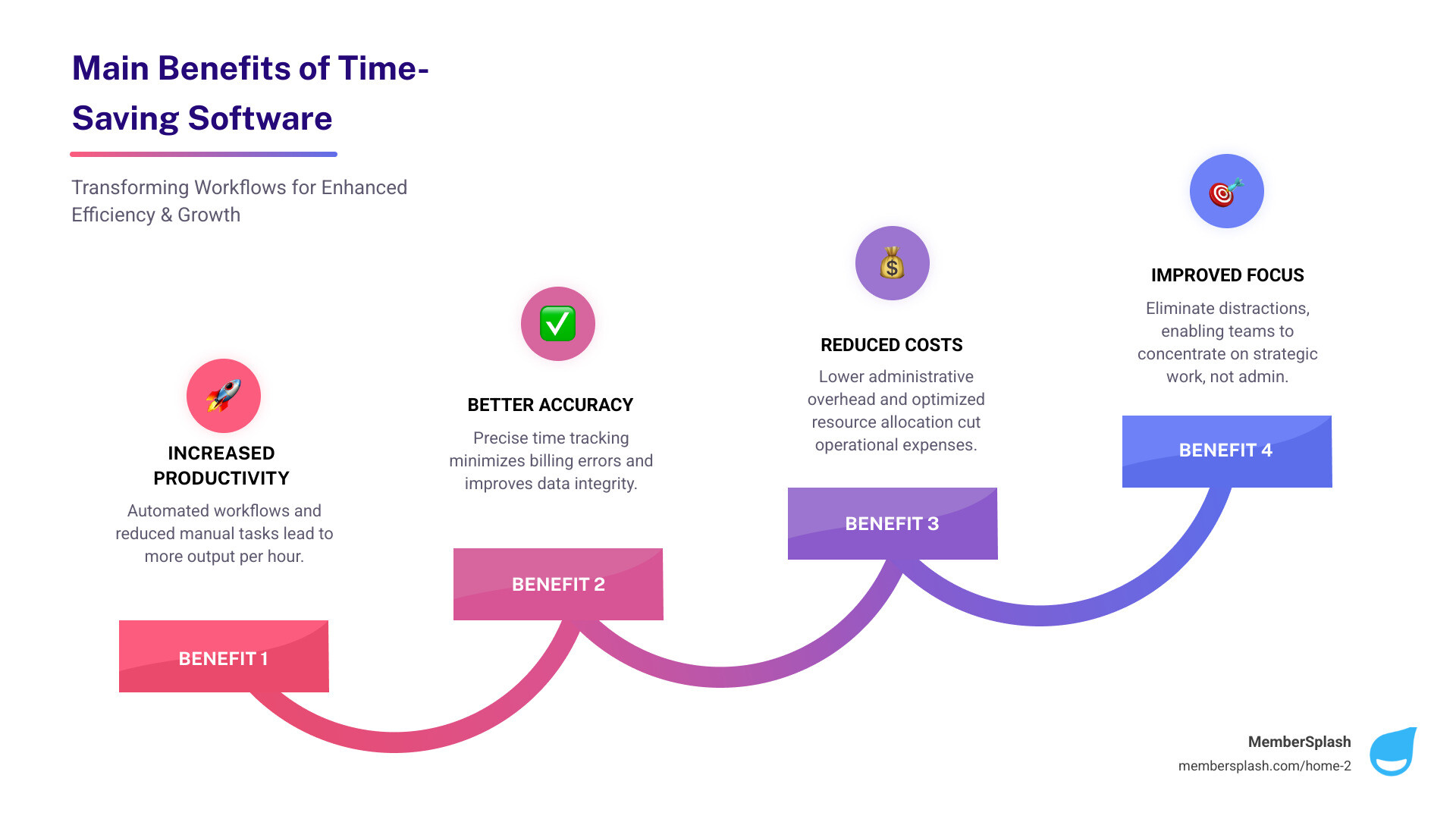
Let’s face it, we’ve all been there: staring at a mountain of paperwork, feeling like we’re drowning in administrative tasks, and wondering where our day went. That’s where time saving software truly shines. It is not just about shaving a few minutes off a task; it is about fundamentally changing how we work, leading to a cascade of benefits for individuals and teams alike.
These powerful tools deliver on multiple fronts. They lead to more productive teams by showing exactly where time is spent, helping everyone cut distractions and focus on what truly matters. They also mean less admin work, as managers spend less time chasing data thanks to automated timesheets, approvals, and reports. This fosters stronger accountability by keeping a clear record of work hours, which is especially vital for remote or field teams. Crucially, they prevent those frustrating “time leaks,” helping to spot untracked or idle time so we do not lose valuable billable hours. Finally, they enable better cost control by tracking labor costs in real time, allowing us to adjust budgets before they spiral out of control. For organizations with complex pricing models, like many of our clients in Annapolis, MD, and Baltimore, MD, streamlining operations and capturing revenue efficiently is paramount. Find more info about maximizing efficiency on our website.
Enhancing Individual and Team Productivity
Imagine a world where every team member knows exactly what they should be working on, when, and for how long. That is the promise of time saving software. These tools are designed to streamline workflows and boost productivity by:
- Task Prioritization and Workflow Automation: By clearly defining tasks and automating repetitive steps, we can ensure that our teams are always working on the most important things. No more guessing games, just smooth, efficient execution.
- Reduced Distractions and Improved Focus: Many solutions offer features that help individuals stay focused, whether it is by monitoring app usage or setting reminders to keep us on track. This means less time scrolling and more time doing. AI-driven analytics, for instance, can highlight trends, flag potential distractions, and even offer personalized recommendations to boost efficiency.
- Data-Driven Decisions through Reporting and Analytics: This is where the results become truly useful. Time tracking software generates detailed reports that allow us to analyze productivity, identify trends, and make informed decisions about our workflow. We can see which projects take too long, where resources are being over-allocated, and how individual and team performance can be optimized. Some advanced systems even use AI to automatically classify activities and suggest timesheet entries based on work patterns, making data collection easier.
Boosting Profitability and Client Relations
For any business, especially those managing client projects or member services, every minute counts towards the bottom line. Time saving software is a valuable tool for boosting profitability and fostering stronger client relationships:
- Accurate Client Billing and Easier Project Billing: By tracking work hours down to the minute, these tools drastically reduce mistakes in invoicing. They log billable time per client or project, eliminating guesswork and ensuring we charge correctly for the value we provide. This is particularly important for organizations handling complex pricing structures, where accuracy directly impacts revenue capture.
- Better Project Estimation and Budget Tracking: With historical data on how long similar tasks and projects have taken, we can make more accurate future estimates. Real-time labor cost tracking allows us to monitor budgets closely and make adjustments before expenses go off track. Distinguishing between billable and non-billable hours provides better insight into how our time is spent, helping to support profitability.
- Increased Transparency and Stronger Client Trust: When clients receive detailed, accurate invoices backed by clear time logs, it builds trust. They see exactly what they are paying for, fostering a sense of transparency that strengthens the client relationship. This level of detail also helps prevent lost billable hours by ensuring that all relevant time entries are recorded. For seamless financial operations, integrating with efficient online payment processing is key.
A Roundup of the Best Time Saving Software Categories
Choosing the right time saving software can feel like navigating a maze, but understanding the main categories and features will help guide the way. We have seen how the right tools can improve operations, whether you are a small team or a large organization.

When selecting a solution, we always advise looking for one that integrates with your existing project management stack, supports real-time entry, and accommodates both manual and automated tracking. This flexibility is crucial for diverse teams.
Here are some key evaluation criteria to consider:
- Automatic vs. Manual Tracking: Do you need software that silently tracks activity in the background, or do your team members prefer to manually log their hours? Many solutions offer a hybrid approach, which is often the most effective.
- Desktop vs. Mobile Accessibility: With teams often on the go or working remotely, mobile apps are increasingly popular. Can your team track time from their smartphone or tablet? Look for features like GPS tracking and timer functions in mobile apps.
- Integration Capabilities: Does the software work well with your other essential business tools, like accounting, CRM, or calendar apps? Seamless integration is a significant time-saver.
- Reporting and Analytics: Can it generate the kind of detailed reports you need to make informed decisions about productivity, project costs, and resource allocation?
- Ease of Use: If a tool is not intuitive, your team will not use it. Look for user-friendly interfaces and straightforward onboarding processes.
Time Tracking & Timesheet Software
At its core, time tracking software is a digital tool that monitors and records the amount of time individuals or teams spend on tasks, projects, clients, or activities. It is the foundation of understanding how time is truly being used, changing an abstract concept into actionable data.
The best tools offer a blend of flexibility and precision:
- Automatic Time Capture: Imagine software that tracks your activity in the background, so you do not have to manually clock in and out. This passive monitoring captures real-time data on applications used, websites visited, and documents worked on, helping with accuracy and reducing the administrative burden.
- Manual Entry Options: For offline work, meetings, or simply correcting missed logs, manual entry is indispensable. It allows for easy adjustments, so all time is accounted for, regardless of how it was spent.
- Billable vs. Non-Billable Hours: A key feature for service-based businesses in the United States, this allows us to distinguish between hours that can be charged to a client and those that are internal. This distinction supports accurate invoicing and better insight into how time contributes to revenue.
- Payroll Integration & Productivity Analysis: These tools help reduce mistakes in payroll and invoicing by tracking work hours down to the minute. They automate timesheets, approvals, and reports, freeing up managers. Furthermore, they provide detailed reports to analyze productivity, identify trends, and make informed decisions. For teams managing physical access, like at a pool facility, robust check-in and photo verification features are equally important for accountability.
Project & Task Management Platforms
While time tracking helps us understand how time is spent, project and task management platforms help us decide where it should go. These are the command centers for our work, designed to keep projects moving forward efficiently.
Key features we look for include:
- Task Assignment and Deadline Tracking: The ability to easily assign tasks, set clear due dates, and prioritize work is fundamental. This ensures everyone knows their responsibilities and when they need to deliver, keeping projects on schedule.
- Collaboration Tools: Modern platforms support teamwork with shared documents, comment threads, and real-time communication. This helps ensure everyone is on the same page, reducing misunderstandings and speeding up decision-making.
- Resource Allocation and Scheduling: For organizations with shared resources, like facilities or staff, these tools are invaluable. They allow us to track tasks based on timelines and status, helping ensure that resources are optimally used and workloads are balanced. Some even offer specific features for managing reservations, which is crucial for clubs and facilities.
- Visual Project Management: Tools often provide different views like Gantt charts for timelines and Kanban boards for workflow visualization. These help us keep track of tasks based on timeline and status, see logged time by task and project, and monitor team activities at any time. Cost management tools within these platforms help teams track budget allocations, profit, and financial variances in projects. For organizations like swim clubs or HOAs, effective reservation systems are critical to managing facility access and maximizing usage.
Automation and Integration Tools
In today’s digital landscape, we are often juggling multiple applications. The real strength of time saving software often lies in its ability to automate repetitive actions and connect these different tools.
Consider these capabilities:
- Workflow Automation: This involves setting up rules that trigger actions automatically. For example, when a task is marked complete in a project management tool, an automation might update a timesheet or send a notification to the next team member. This reduces manual effort and helps maintain consistency.
- Text Expansion and Snippets: Many people find themselves typing the same email responses, URLs, or code snippets repeatedly. Text expansion tools allow users to create short abbreviations that automatically expand into full phrases or paragraphs. These small time savings can add up to many hours over time.
- API Integration: The value of modern software is often in how well it can communicate. Application Programming Interfaces (APIs) allow different software systems to sync data and automate processes across platforms. This means your time tracking software can work together with project management, accounting, or calendar apps to streamline your workflow. Many modern time tracking tools integrate with popular platforms, allowing you to sync tasks, automate time entry, and centralize reporting. We can even build the perfect tools with an API to customize our workflows.
The Future of Efficiency: AI, Automation, and Emerging Trends
The landscape of time saving software is constantly evolving, with artificial intelligence (AI) and advanced automation leading the charge. What once seemed like science fiction is now becoming standard, promising greater efficiencies for organizations in Annapolis, MD, Baltimore, MD, and across the United States.
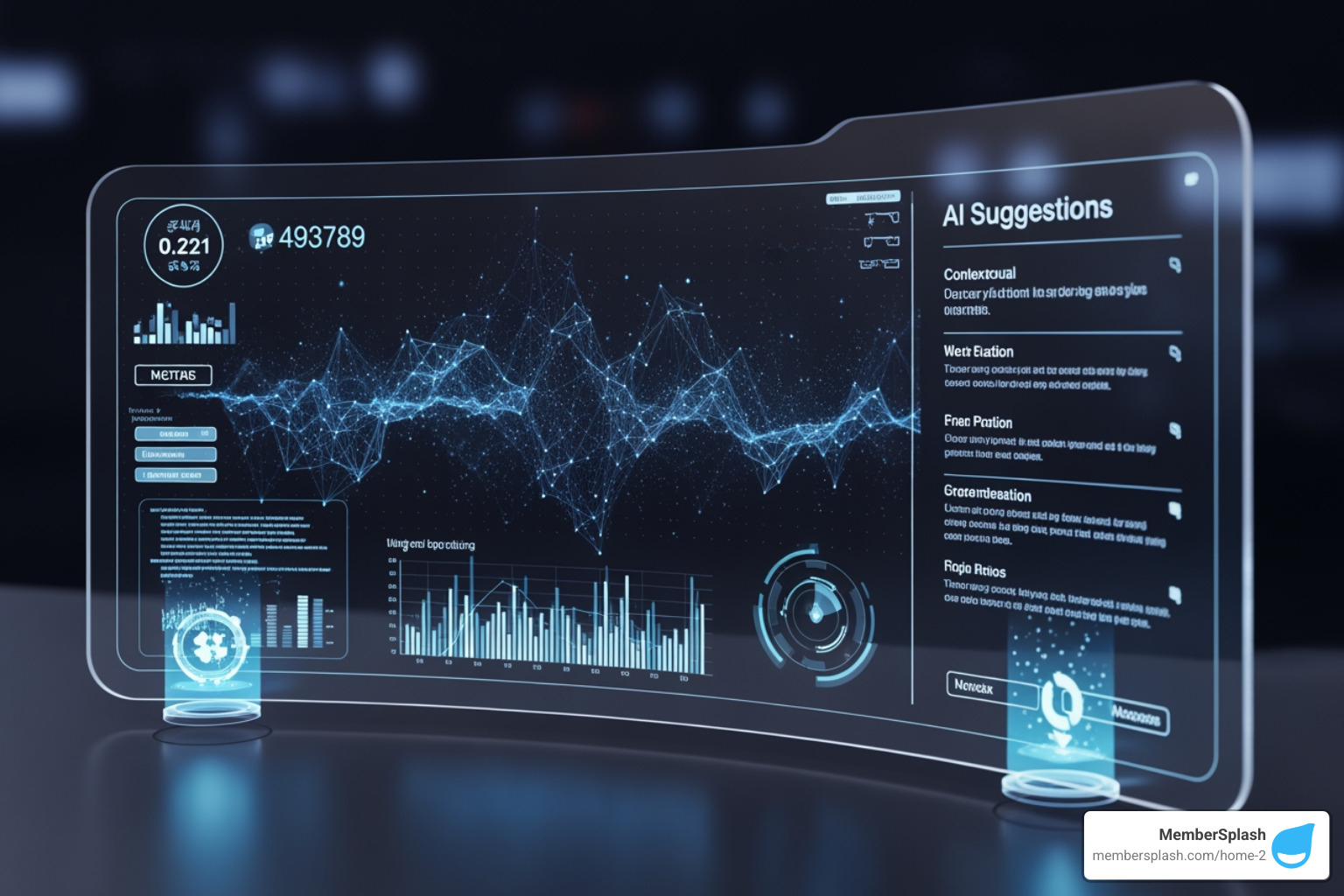
We are seeing AI become a common, fast-evolving feature in timesheet software, used to automate time capture, improve accuracy, and analyze time-usage patterns. This is not just about making things faster; it is also about making them smarter.
How AI is Revolutionizing time saving software
AI is no longer just a buzzword; it is a practical tool that is actively reshaping how we track and manage our time:
- Automated Activity Classification: AI can analyze activity such as the apps used and documents opened, and then automatically categorize tasks. This reduces the need to manually log every single switch between projects.
- Smart Timesheet Suggestions: Based on work patterns, AI can suggest time entries or even fill in gaps in timesheets. This significantly reduces the time spent on administrative tasks and can improve the completeness of recorded hours.
- Productivity Insights and Personalized Recommendations: AI-driven analytics go beyond simple reporting. They highlight trends, flag potential distractions, and offer personalized recommendations to support efficiency. This could be anything from suggesting a break to identifying a workflow bottleneck.
- Anomaly Detection: The software can spot unusual patterns, like missed entries or inconsistent hours, and alert you to review them. This acts as an assistant, helping maintain data quality and flagging potential issues before they become problems.
- Natural Language Input: Some tools are beginning to allow users to log time or tasks using simple text commands, making the process more intuitive and less disruptive to the workflow.
What’s Next? Trends to Watch in time saving software
The future of time saving software promises even more integration and intelligence. We are on the cusp of innovations that aim to make time management almost seamless:
- Wearable Technology Integration: Smartwatches or fitness trackers may be able to feed data directly into time tracking software. This could provide insights into energy levels and focus throughout the day, supporting more effective scheduling.
- Energy Expenditure Tracking: While still emerging, the ability to track how much mental or physical energy a task requires could lead to more accurate workload balancing and help with burnout prevention.
- Hyper-Automation: This trend involves combining AI, machine learning, and robotic process automation (RPA) to automate a broad range of repetitive tasks, pushing efficiency to higher levels.
- Improved Mobile Functionality and Biometric Identification: Mobile apps for project management and time tracking are increasingly popular, especially with geofencing technology that can automatically clock in or out employees when they enter or leave a specific work location. There is also growing use of biometric identification, like facial recognition, in modern time tracking solutions, supporting security and accuracy for clocking in.
Frequently Asked Questions about Time Management Tools
We understand that adopting new time saving software can come with a lot of questions. Here, we address some of the most common inquiries to help you steer the options and make informed decisions.
How does time tracking software integrate with other business tools?
Integration is a cornerstone of modern time saving software, turning isolated tools into a cohesive ecosystem. The goal is to reduce manual data transfer and create smooth workflows.
- API Connections & Native Integrations: Most leading time tracking tools offer native integrations with popular project management platforms (like Asana or Trello), accounting software (like QuickBooks), and communication apps (like Slack). If a direct integration is not available, many provide an API (Application Programming Interface), which allows developers to build custom connections between systems.
- Project Management Sync: Tasks and projects created in your project management software can automatically appear in your time tracker, allowing team members to log time against them without duplicate entry.
- Invoicing Software Link: Once time is tracked, especially billable hours, the data can often be pushed directly to invoicing software, generating detailed invoices with just a few clicks.
- Centralized Reporting & Streamlined Workflows: By connecting these tools, you can centralize reporting and get a clear view of project progress, costs, and team productivity from a single dashboard. This streamlines workflows across departments, saving hours and reducing errors. The right solution should always integrate with your existing project management stack.
What are the typical cost and pricing models?
The cost of time saving software varies widely, with options for many budgets, from individual freelancers to large enterprises. Common pricing models include:
- Free Plans: Many providers, like Clockify and TimeCamp, offer free plans with core functionalities, often for unlimited users or a small team size. These are helpful for getting started or for basic needs.
- Per-User-Per-Month: This is a very common model. You pay a set fee for each active user per month. Prices can range significantly, from around $4 per user per month to higher rates for more advanced platforms.
- Tiered Pricing: Most software offers different tiers (for example, Basic, Pro, Enterprise) with increasing features and support at higher price points. These often come with annual billing discounts.
- Base Fees Plus Per-User: Some solutions have a base monthly fee for the platform, plus an additional charge per user.
- Free Trials: Many reputable time saving software options offer a free trial (ranging from 7 to 30 days, or sometimes longer) or a free demo. This allows you to test the software and ensure it meets your specific needs before committing financially.
- Custom Pricing: For very large organizations or those with highly specialized needs, providers may offer custom pricing solutions.
When considering costs, especially for organizations in the United States, advertised prices are usually exclusive of tax. Any applicable US tax regulations will be added during the checkout process.
How does this software help with accurate client billing?
Accurate client billing is not just about getting paid; it is also about transparency, trust, and protecting revenue. Time saving software plays a significant role in supporting this:
- Logging Billable Time Per Client or Project: The primary function is to record every minute spent on client-specific tasks. This reduces guesswork and helps ensure that all billable hours are included.
- Project-Specific Tracking: Many tools allow you to categorize time by client, project, and even specific tasks within a project. This granular detail provides clear evidence of work performed.
- Reducing Time Leaks: By tracking activity more fully, these tools help you identify untracked or idle time. This reduces the chance of missing billable hours due to forgetfulness or lack of oversight.
- Generating Detailed Invoices: With time carefully logged and categorized, the software can generate invoices that include breakdowns by task, date, and team member, giving clients a transparent view of work completed.
- Exportable Reports: For reconciliation and record-keeping, the ability to generate and export detailed reports on billable hours, project costs, and time utilization is highly useful. This data can be used for internal analysis and to support discussions with clients. For organizations with unique reporting needs, custom reports are especially valuable.
Conclusion: Reclaim Your Time and Boost Your Bottom Line
We have explored the landscape of time saving software, looking at how these tools can improve productivity, support accuracy, and contribute to profitability for individuals and teams. From automating routine tasks to providing insights into workflows, the advantages are clear: you can reclaim time, reduce administrative work, and focus on growth and member experience.
The impact on a business’s bottom line and overall operational success can be substantial. By treating time as a strategic asset rather than a hidden cost, the right software helps with better decision-making, more effective resource allocation, and stronger client or member relationships through transparency and clear records. Organizations, even those with complex operations, can streamline their processes, capture revenue more effectively, and ensure every minute is used wisely.
Choosing the right tool means considering your specific needs, budget, and desired level of automation and integration. For specialized needs, particularly in club management, HOA administration, or pool management, solutions like MemberSplash offer features designed to handle complex pricing, online applications, and member portals, helping save time and cost while capturing revenue.
Do not let valuable time slip away. Explore the possibilities, equip your team with tools that support efficient work, and strengthen your operational performance. To see how a custom solution can work for you, we encourage you to watch a demo of our management solutions.